April 7, 2023
Solved

2022 Amended Return is not working - all forms are blank - nowhere to select a return to amend

  • April 7, 2023
  • 3 replies
  • 0 views

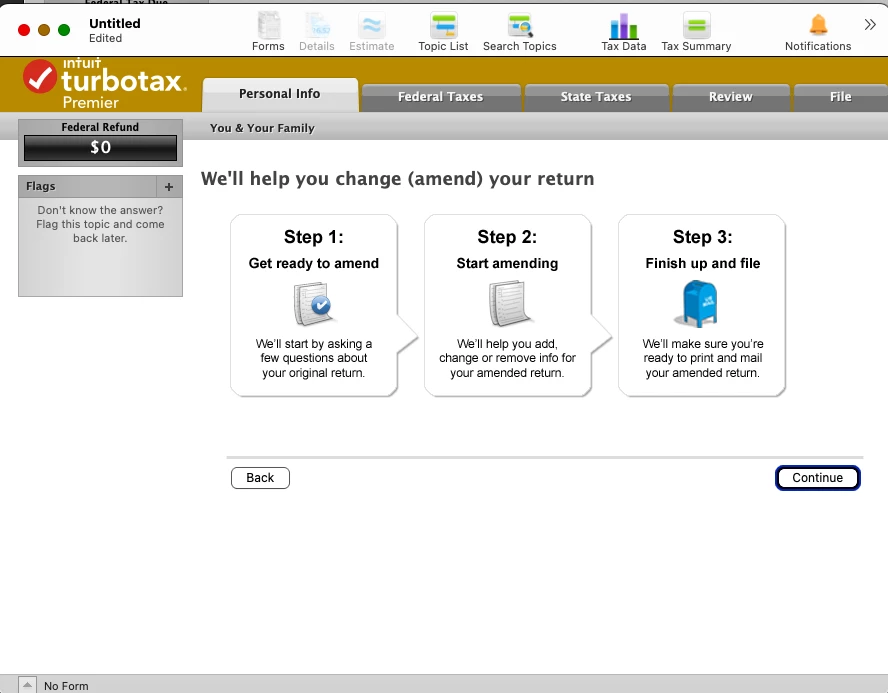
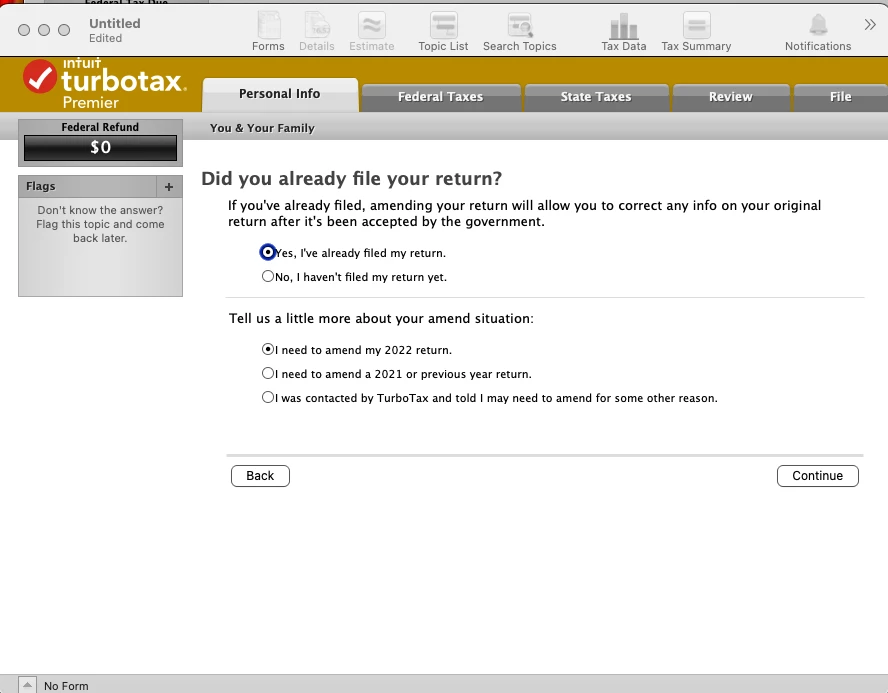
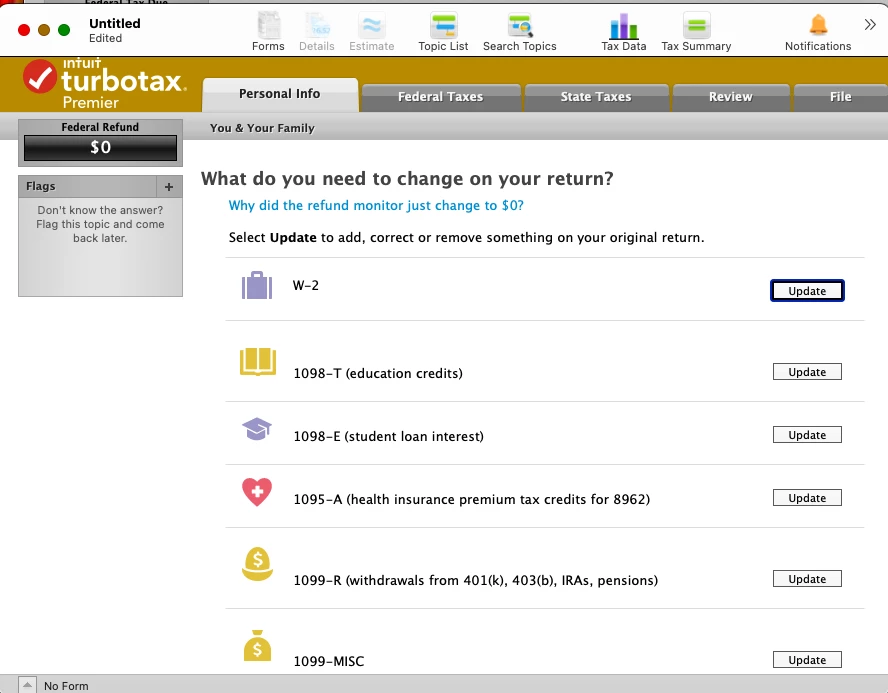
I don't know if I messed things up, but I copied my TT file into a new file called amended.  I started making the changes, as recommended in the community, and saw I could be saving a lot of money.  So then I tried to file this and obviously it failed.   So I read up on how to amend.  I started a new New Tax Return and selected "Amend a return...."  I picked "Yes, I've already filed my return" and then "I need to amend my 2022 return", then I hit Continue.  According to the TurboTax FAQ on how to Amend I should have been asked which return to Amend.  It then jumps to a page asking which forms to Amend, there is no follow question about which file to Amend.  So every Form is blank, so I can't really see how this can work. So...


How does it know which return I want to amend? (I filed for my parents as well, but need to amend mine) I still have the original unmodified filed file.

Did I mess things up by starting a "new amended" return using a copy of the original filed return to try out the changes?

How do I fix this?  I expect 20 to 30 forms are impacted due to 4 changes I need to make, so I'm at a loss how to proceed.


I'm using the Mac Premiere Version.   This is the set of screens I see.


Best answer by jh777

Finally figured it out.  The Amend Return FAQ instructions are incorrect depending on how you last viewed the return.

If you open the file you want to amend, go to search topics and search for Amend return OR go through the return until the very end so that the next time you open the file it restarts at the beginning.  That will start the amend process with all the data pre-populated.


Also the FAQ poorly states how to retain your old return.  When you amend the file, you need to duplicate it first before starting the amendment process.  DO NOT WAIT UNTIL THE END, as the FAQ instructs you to do.  I saw someone else mention they can't undo the amendment to get their original return back and it is true, once you click on amend it immediately saves the change to your file and there is no way to get back to the original tax return (at least on Mac version).


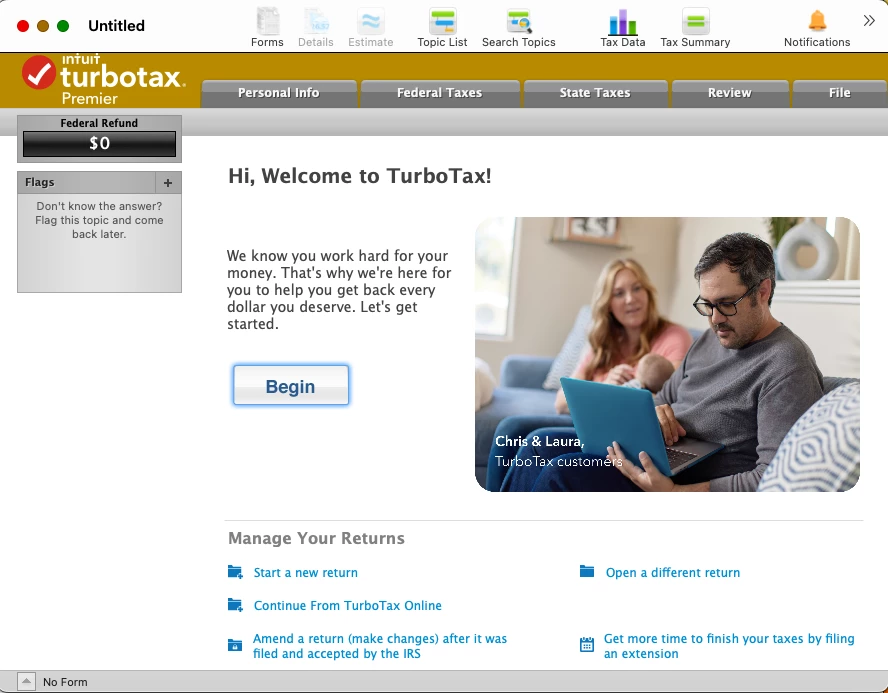
The reason that the FAQ is wrong about how to amend is because it assumes you completed your return until the very last point.  The FAQ assumes when you re-open the return, it starts at the front page (as the first image above shows), but if you went back into your return to look at the data, the program restarts on the last place you stopped looking.    So you don't see an option to Amend Return.  You either have to go to the very end of the filing process so TT reopens the file on the first page with BEGIN or you need to go to Search Topic and enter amend return.  Nowhere in the FAQ does it state how or when to open the file.


I was spinning my wheels talking with a rep, while he was watching me do it remotely.  We went from the BEGIN screen and until I needed to start modifying the forms, but since he didn't understand me telling him all the data was blank.   Unfortunately he could not see the form data due to privacy restrictions, so I don't think he understood what had happened.   The rep just said I had to recreate the return from scratch from the blank template, and then somehow recreate all the data to get to the point I needed to make changes,.  This would have ultimately made the amendment appear as though every file had been changed and it would have been incorrect and incomplete.


TT needs to fix the FAQ.  I know it kind of is a dumb user error, but they never stated in the FAQ how or when to open the return needing to be Amended.

3 replies

jh777Author
April 7, 2023

Added pictures of what I see.

jh777Author
April 7, 2023

I called Turbo Tax and they indicated this is the correct behavior.   I have to "recreate" the data exactly correct so that it only adjusts the changed entries I need to make.  Problem is I incorrectly answered a "Yes/No" question way down in a Schedule E worksheet.  So far I can't seem to figure out how to even get to the point that it "recreates" the worksheet and gets to the same question which would then lead to a whole set of other changes.  I don't know how it knows how to propagate these changes to other affected files.  It seems I have to determine what other files need to change to actually then modify these other files, which are only created based on the other data values I entered.   


It might be possible to do an amendment this way, but it seems to be way beyond my capabilities.


I thought I'd try some simple change like change my address in an existing W2 and the first question it asks, which must be entered is the Box 1 content of the W2.  I did so and made no other changes other than the address.  In the 1040-X, it said I had a new income based on the Box 1 entry I made and then calculated a new tax liability just for the W2 data I entered.   I have no idea how it can calculate a new tax liability without knowing the previous return data (i.e. what tax bracket I would be in, etc).   Why did it even think it was a missing W2?  I just don't understand how amending works.

jh777AuthorAnswer
April 7, 2023

Finally figured it out.  The Amend Return FAQ instructions are incorrect depending on how you last viewed the return.

If you open the file you want to amend, go to search topics and search for Amend return OR go through the return until the very end so that the next time you open the file it restarts at the beginning.  That will start the amend process with all the data pre-populated.


Also the FAQ poorly states how to retain your old return.  When you amend the file, you need to duplicate it first before starting the amendment process.  DO NOT WAIT UNTIL THE END, as the FAQ instructs you to do.  I saw someone else mention they can't undo the amendment to get their original return back and it is true, once you click on amend it immediately saves the change to your file and there is no way to get back to the original tax return (at least on Mac version).


The reason that the FAQ is wrong about how to amend is because it assumes you completed your return until the very last point.  The FAQ assumes when you re-open the return, it starts at the front page (as the first image above shows), but if you went back into your return to look at the data, the program restarts on the last place you stopped looking.    So you don't see an option to Amend Return.  You either have to go to the very end of the filing process so TT reopens the file on the first page with BEGIN or you need to go to Search Topic and enter amend return.  Nowhere in the FAQ does it state how or when to open the file.


I was spinning my wheels talking with a rep, while he was watching me do it remotely.  We went from the BEGIN screen and until I needed to start modifying the forms, but since he didn't understand me telling him all the data was blank.   Unfortunately he could not see the form data due to privacy restrictions, so I don't think he understood what had happened.   The rep just said I had to recreate the return from scratch from the blank template, and then somehow recreate all the data to get to the point I needed to make changes,.  This would have ultimately made the amendment appear as though every file had been changed and it would have been incorrect and incomplete.


TT needs to fix the FAQ.  I know it kind of is a dumb user error, but they never stated in the FAQ how or when to open the return needing to be Amended.

April 8, 2023

Thank you for providing such a detailed view with photos in how you were able to resolve your issue. 

**Say "Thanks" by clicking the thumb icon in a post**Mark the post that answers your question by clicking on "Mark as Best Answer"
June 9, 2023

I amended my 22 and 21 taxes it was excepted and for a week now I could see progress on the we're is my amended return for irs web site. NOW it saying there is no information on my Amendment. Any ideas