
February 21, 2025
Question

Unable to preview, download or print New Hampshire state return

  • February 21, 2025
  • 1 reply
  • 0 views

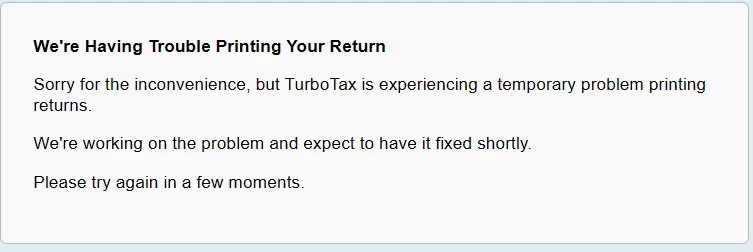
I need to print and mail my New Hampshire state return. TurboTax won't let me download, print or even preview the return. When I click download the return this is the message I get.
1 reply

February 22, 2025

If you're using TurboTax Online, close the program, clear your Cache and Cookies, then open TurboTax.  If you were in the FILE section and clicked on 'Download' you should get a PDF copy that opens in a new window.  


However, there's another way to Print Your Returns.  In the left-side menu, click the down arrow next to Tax Tools, then choose Print Center. Click the link with an option to 'Print, Save or Preview this year's return', then a window asking which returns you want to print, and which forms to include.  Choose View or Print Forms. 


@ladytrusova 


February 22, 2025

I tried clearing my cache and cookies, and attempted to print/download from the File section or Print Center, but nothing worked. I keep getting the same error: "TurboTax is experiencing a (NOT) temporary problem printing returns." This is just another reminder of why I stopped using TurboTax years ago. It's trash software that constantly pushes extra fees.

February 23, 2025

Have you Efiled yet?  In TurboTax Online, I clicked on 'Mail my Returns' (this is a test return) and I got to the page screenshot below, I clicked on Download Return, and a side panel opened showing the file in my Downloads folder on my computer.


When I clicked on this, it opened a PDF file, and I could print or save from there, using the icons at the upper right.


Here's How to Access your Return After Efling in TurboTax Online.


@ladytrusova




