March 21, 2025
Solved

Why did my State Refund decrease?

  • March 21, 2025
  • 1 reply
  • 0 views

I filed my federal and state taxes before realizing there were a few fees I did not initially report in my taxes for my rental property. I began the amendment process, and after adding these fees, the Federal refund increased by $276 and my State refund increased by $51. However, my tax return form does not show this $51 as additional to the original State refund, but as the new, total amount from the State refund.


Can someone help me understand this?


Thank you.

Best answer by DianeW777

Hi @DianeW777  - thanks for your reply.


I printed both the original return (after filing) and the amended return (before submitting to file — I won't submit it yet until I understand this correctly).


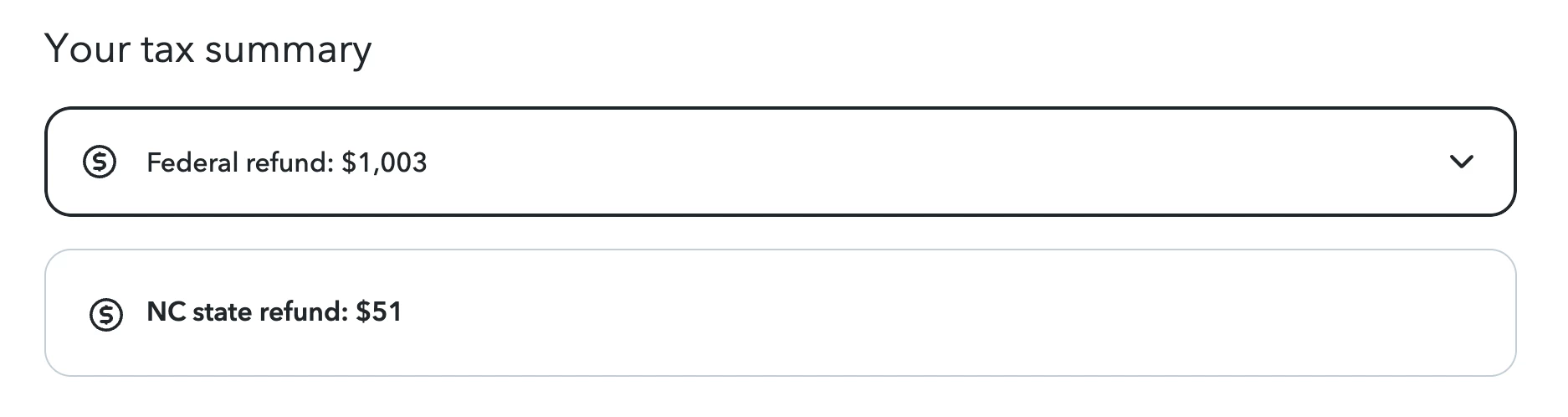
When looking at the summary on TurboTax Online, I see my federal refund is a total of the original amount (727)  + the amended amount (276). See below:
 

On the printed Amendment, it reflects my original state refund amount (647) + the overpayment/new amount to be refunded (51), but I am not seeing it reflected in the summary on TTO like I do for Federal.
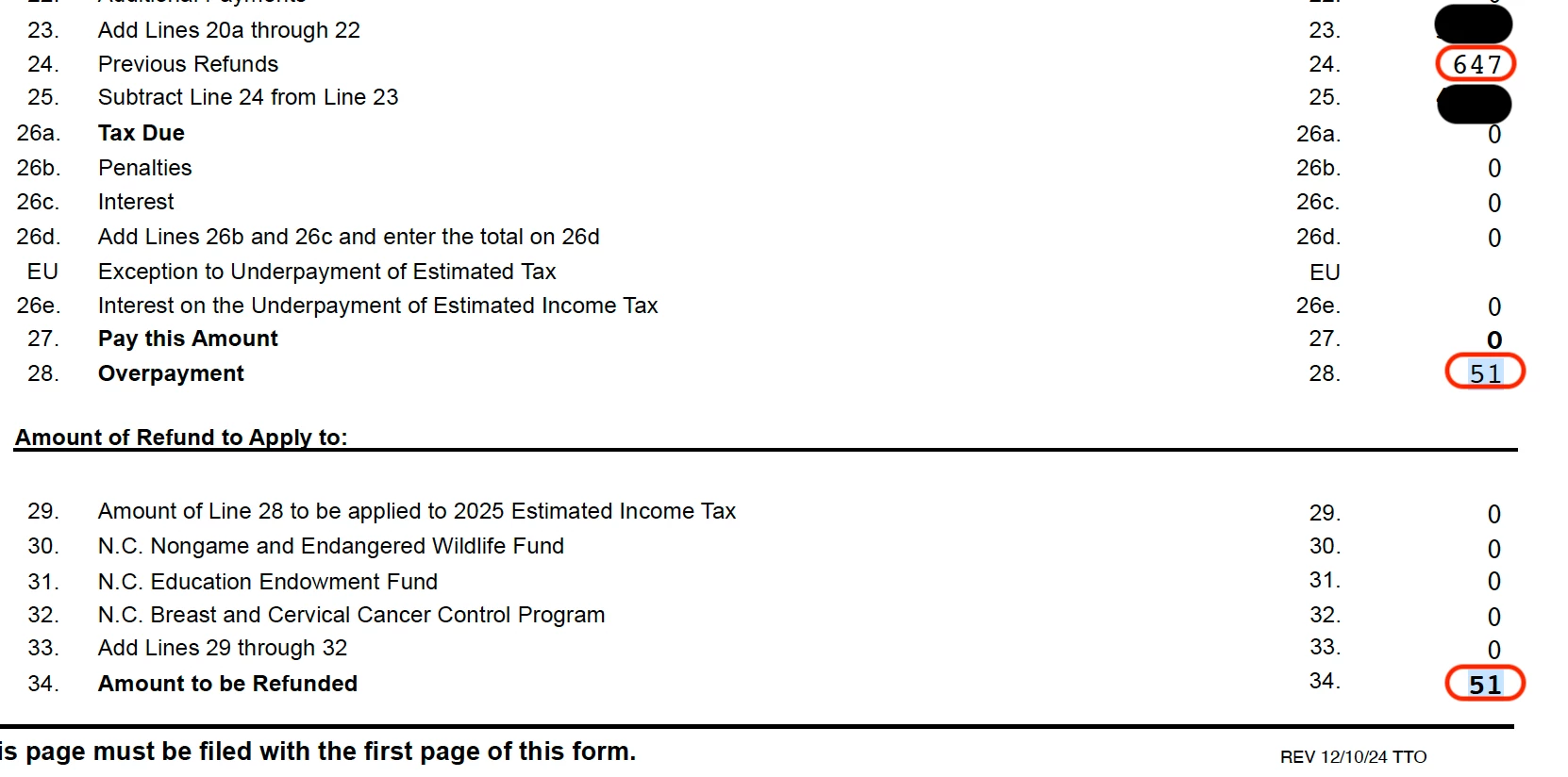
 

So with this concern, I just want to ensure that the state refund has not decreased from $647 to $51 but is indeed an addition to the original amount since it does not show in the TTO like it does for Federal. I hope I'm making sense.


Thank you!


Yes, it is in addition to the original refund. The amount previously refunded is 647 is being reflected appropriately on the amendment and the additional refund is $51 making the actual total the combined amount once the amendment was completed.


@mdsl1806 

1 reply

CatinaT1
March 21, 2025

Do not amend your return until the original return has been processed fully.


If you want to make changes or add a document to a tax return that has already been filed and accepted by the taxing agency, you should follow these guidelines. 


  • You must first wait until the initial return is completely processed.
  • You will have to use the same TurboTax account that you used for the original tax return.
  • Once you begin your amendment, you'll see your original return.
  • The refund calculator will start new at $0 and only reflect the changes in the refund or tax due
  • Only make changes to the areas of your return that need to be corrected.
  • You have three years from the date you filed your return or two years after you paid the tax due (whichever is later) to file an amendment

Select your product below and follow the instructions. 

Amend TurboTax Online 

Amend TurboTax CD/Download 

**Say "Thanks" by clicking the thumb icon in a post**Mark the post that answers your question by clicking on "Mark as Best Answer"
mdsl1806Author
March 23, 2025

Hi, thanks for your response!


My refund has been processed and is on its way. When you say completely processed, do you mean having received the money?


I understand everything regarding the calculator starting at $0. However when I am at the summary page before finally submitting the amendment, the federal amount shows the total equaling to the previous amount + the new amended amount. When looking at the state amount, it’s only showing the new amended amount. Not the new amount (original and amended amounts) like the federal did. 

I didn’t make any changes such as adding more income, just expenses. So is this a software bug or is this truly my state refund amount? 

Thank you. 

March 24, 2025

It depends. I would advise to print the return before filing so that you can see the actual return being submitted for amendment.


You have access to all forms when you choose to print your return in TurboTax Online/Mobile.  However you are required to pay before printing, but do not have to file until you are ready.

**Say "Thanks" by clicking the thumb icon in a post**Mark the post that answers your question by clicking on "Mark as Best Answer"




