
Employee
March 25, 2020
Question

Review - Fixing Errors - I have absolutely no idea what this means

  • March 25, 2020
  • 2 replies
  • 0 views


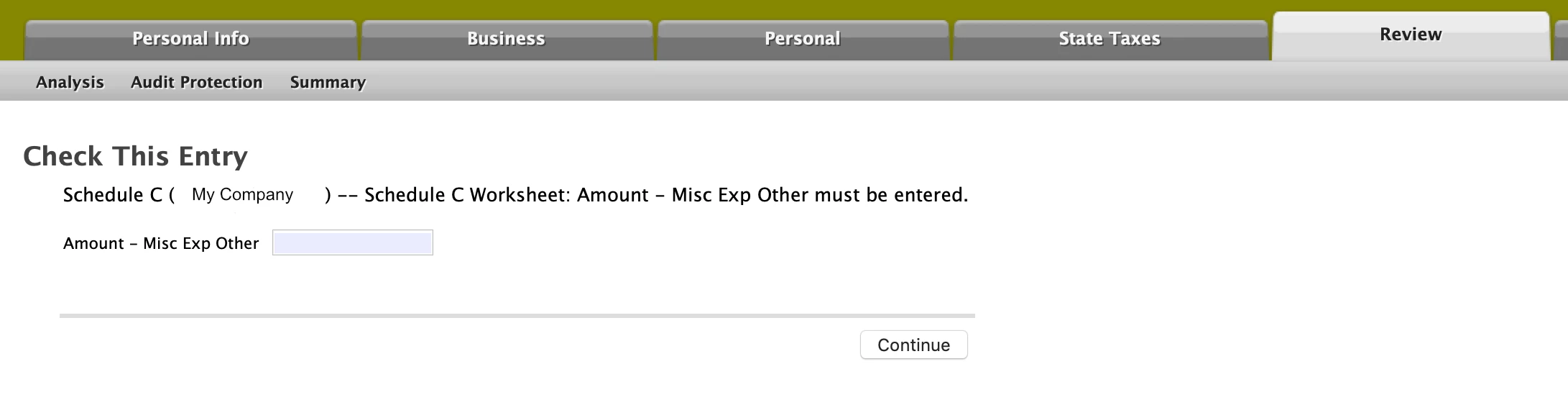
In the review tab Turbo Tax reported some errors - and offered an opportunity to fix these errors. The screen capture attached shows one of these errors - however I haven't the faintest clue what Turbo Tax wishes to convey to me or what to fill into the box labeled "Amount - Misc Exp Other".    
    2 replies

    DawnC
    Employee
    March 25, 2020

    This looks like an expense line that transferred over from the previous year.  The entry comes from the Other Miscellaneous Expenses on your business's Schedule C form.  You may be able to update the amount or remove the expense from Schedule C using the interview mode.   Type sch c in the search bar and use the link to edit your Schedule C.  Click Start or Update next to Other Common Business Expenses.  The last category is Other Miscellaneous Expenses.  


    If you have verified the expenses are correct in the interview mode but you are still receiving the error, you will have to edit the worksheet.  You will need to edit the Schedule C, Part V to remove or edit the "other misc. expenses" that appear there if they transferred in from your 2018 return or came in from the Schedule C Worksheet.  


    The entries you see on Schedule C, Part V that you can't edit come from the Schedule C Worksheet.


    While in Forms Mode, look in the left column list of forms, and select the Schedule C Worksheet (may be abbreviated as Schedule C Wks).    On the Worksheet, you can scroll way down to   "Miscellaneous Expenses", and then in that subtopic scroll further down to "Other expenses".   You should be able to edit/delete there on the Worksheet.   You will probably see an entry highlighted in red that needs to be deleted.   Once you clear out that line item on the worksheet, the error will be removed.  

    **Say "Thanks" by clicking the thumb icon in a post**Mark the post that answers your question by clicking on "Mark as Best Answer"
    Employee
    March 25, 2020

    Okay, this is what I did.  After having no clue what to do I pressed the little icon at the very top left called "forms". After pressing that button I was brought to the Miscellaneous Expenses of my Schedule C worksheet.  On this worksheet was a 5 year virus program I purchased in a previous year (I don't remember if it was 2018 or 2019).  That is to say the virus program's subscription lasts for 5 years.  


    Getting back to the Miscellaneous Expenses in the worksheet: I noticed that the virus program is listed - but there is no dollar amount (it's just blank).  So, the blank entry must have triggered the error.  I'm a bit unsure what I should do.   I must have listed the cost of this virus program somewhere in a previous year - but, to be honest, I really don't know where I put that cost/expense. 


    Probably the easiest thing to do is delete the entire entry, but it might also be worth my time to investigate if I still can get a deduction for this.   


    Any ideas?


    March 25, 2020

    Good detective work!  It does sound like you entered the price of the virus protection program in a previous year and the entry just transferred over.


    If it was a one-time charge, just delete the entry.  If the program is a yearly subscription, then enter what you paid in 2019.




