
February 28, 2022
Question

Unable to attach RE Enterprise Safe Harbor Statement for E-File

  • February 28, 2022
  • 4 replies
  • 0 views

By checking that a rental is part of a Real Estate Enterprise,  I'm instructed to upload a signed copy of the Safe Harbor Statement so that I can e-File, but the instructions provided do not work.



There is no "E-File" menu, and no way to select "SafeHarborSt", and no option to "Attach PDF Files". The best thing I can do his hit QuickZoom next to the line, which allows me to open a RREE Statement Form. When I look at that form and ask for information about the signature field, it also states:
"Important Note: If you are e-filing a return that includes this statement, you must attach it as a PDF to your return using type "Safe Harbor St" in the e-file PDF attachment dialog. If you are attaching multiple copies, create a single PDF file that includes all copies."


I however see no "E-File" menu, and no way to attach the PDF.


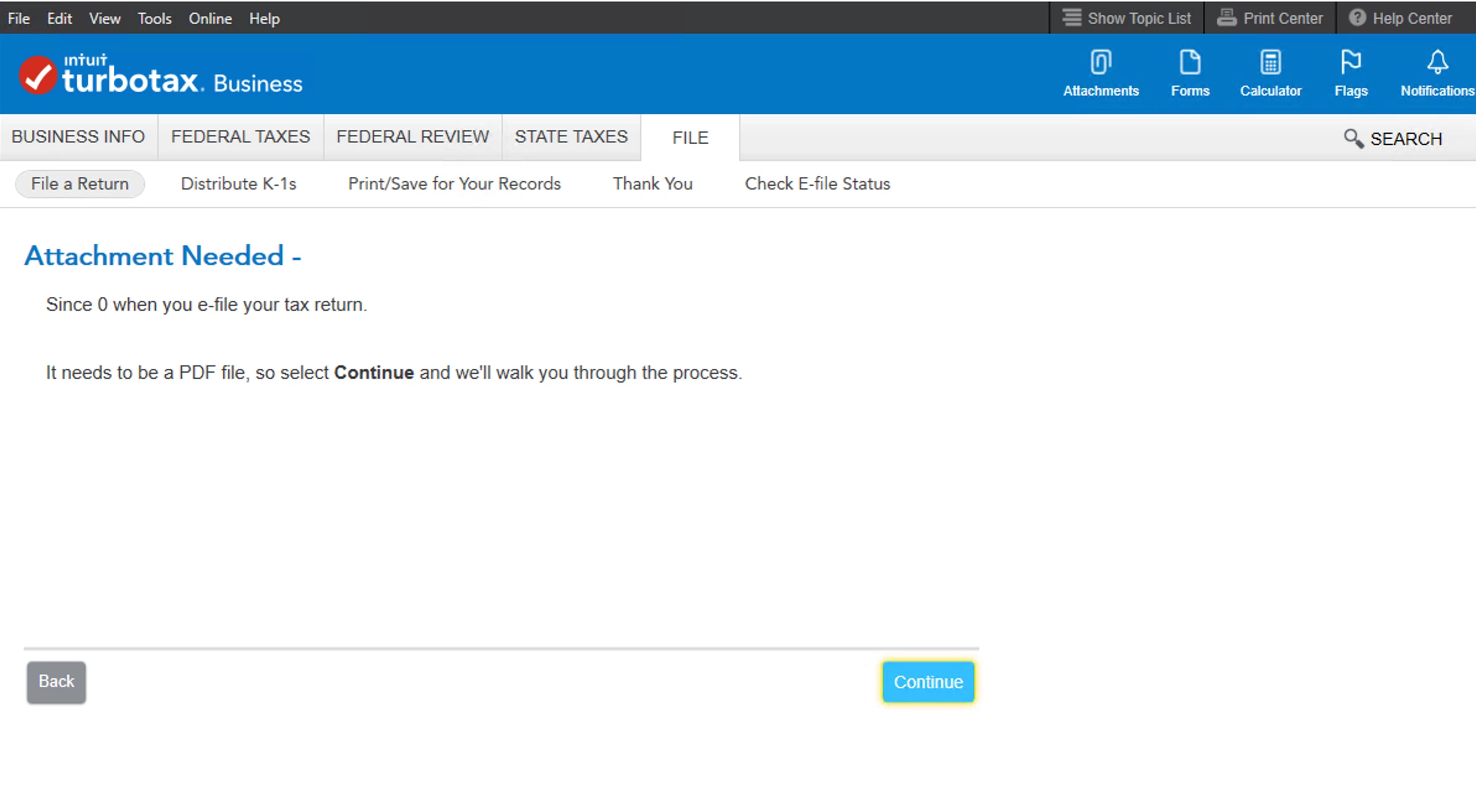
I try via the "File" menu and choose E-File, but it eventually shows this message, im not sure if I'm supposed to upload a copy of the signed RREE Statement at this point?
4 replies

PatriciaV
Employee
March 1, 2022

Before you can attach a form from TurboTax Business, you must first save it as a PDF to your local computer. Note that the safe harbor form name has changed, and the "E-file" menu is part of the File a Return section.

  1. Go to Forms in the upper right section of the TurboTax header.
  2. Look for RREE Statement in the left column; click the form to open it in the main window.
  3. Click Print at the bottom of the form; it defaults to printing only the form you have open.
  4. Choose Save As PDF at the bottom.
  5. Saving to your desktop may be the best choice.
  6. Click Step-by-Step to go back to your return.

If you have the ability, print, sign, and scan the RREE Statement.

Now go to File >> File a Return and follow the prompts.
When you are asked to upload a PDF, navigate to the location where you saved the RREE Statement.

Proceed to e-file your business return.


Be sure you save a PDF copy of your entire return for your records. Occasionally, the IRS will request that you mail in a signed form even though it was attached to the e-file.

**Say "Thanks" by clicking the thumb icon in a post**Mark the post that answers your question by clicking on "Mark as Best Answer"
March 1, 2022

Having a similar problem and wonder if you can help me.  I had to fill out form 8594.  On line 6 it instructs me to attach a statement.  I see no way to attach a statement.  Perhaps I will have to mail my return?

PatriciaV
Employee
March 1, 2022

@Khari64

Form 8594, Asset Acquisition Statement Under Section 1060, is not supported by TurboTax. 

But according to the Instructions for Form 8594, the form must be submitted with your return. This means you will need to print your entire and file by mail, including Form 8594 that was issued to you.

**Say "Thanks" by clicking the thumb icon in a post**Mark the post that answers your question by clicking on "Mark as Best Answer"
bmartyAuthor
March 7, 2022

This definitely seems like a bug, when I attach the PDF in the File menu at that weird "Attachment Needed - " step, it doesn't attach to the Rental Real Estate Enterprise Form. It attaches temporarily as a "New Attachment", not to the"RREE Statement " form, and then it will disappear if you navigate away from the eFile step. It won't save.

April 7, 2022

TurboTax (Intuit) doesn't care about its customers.  There is no fix or acceptable work around

March 10, 2022

I am having the same issue with attaching the RREE.  Deadlines are quickly approach and there needs to be solutions pushed out to fix this bug.  Please provide an update on what TurboTax is doing to fix this. 

March 13, 2022

The QBI RREE safe harbor statement is a signed statement that must be attached to the tax return and mailed in.  The statement should read something to the effect of "This rental real estate enterprise meets the safe harbor requirements in rev procedure 2019-38."  At this time you can not attach the statement and mail it in.


Here is some more information on this.

**Say "Thanks" by clicking the thumb icon in a post**Mark the post that answers your question by clicking on "Mark as Best Answer"
March 14, 2022

Please update the software because it definitely does not say that while you're filing these forms as an S corp.

April 10, 2022

I got it fixed but I am not sure if my method is correct, I uncheck the third box on the form 8825 and remove the number on the right side of the box (please refer to the screenshot) and everything went through. Since I didn’t choose this election so I can choose to uncheck this box, but if you choose to elect this option, it may not be good to uncheck everything. I am not really sure, sorry about that! Hope that helps you!




