
March 15, 2025
Solved

Home office depreciation not auto-calculating?

  • March 15, 2025
  • 1 reply
  • 0 views
I am taking the itemized home office deduction for the 4th year. Home office depreciation was auto-calculated so far every year. This year, the auto-calculation does not seem to work - showing zero depreciation. Same office, same business use percentage as in previous years. Can someone help please?
Best answer by KeshaH

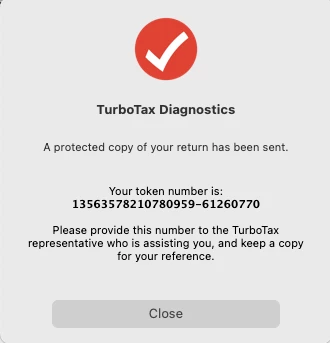
Hello @KeshaH, thank you for your help.  FYI, I am using Turbotax Desktop for Mac.  I am only filing in California.  Token is attached.


Thank you for sending over your token.


I looked over your home office entry. The depreciation is showing as zero on the federal return but it is being auto-calculated on the California return and included in the CA refund. This deduction isn't available on the federal return which is why the amount isn't being calculated on the federal side.

1 reply

PatriciaV
Employee
March 17, 2025

Do you have sufficient business income to claim the home office deduction? Also, check to be sure that the percentage of income that is generated using the home office was transferred accurately.


It's helpful to actually review Form 8829 to confirm how depreciation is being calculated. If you're using TurboTax for Desktop, you can view the form using Forms Mode. For TurboTax Online, follow these instructions: How do I preview my TurboTax Online return before filing?


See also: Can I take the home office deduction?

**Say "Thanks" by clicking the thumb icon in a post**Mark the post that answers your question by clicking on "Mark as Best Answer"
winexxxAuthor
March 17, 2025

Hello @PatriciaV 

Thank you for your reply.

I have W-2 income - seeking to use the depreciation for my CA tax return.  Sufficient income - yes! 

No form 8829 (8829 is for business income, correct)?  How can I get Turbotax to calculate home office depreciation as it has done in previous years?  Thank you!


March 18, 2025

If you'd like, we can look at your return and see exactly what you see to  help come to a resolution. The return will be scrubbed and won't include any of your personal details.


If you're using TurboTax Online:

Once you're logged in to your account,

- on the left hand panel, click on Tax Tools and then choose Tools

- on the pop up window, select Share my file with Agent

- you'll see a message saying you'll give us a copy of your tax return. Your personal information will be changed so we can't see any private information.

- click okay and you'll get another message with a token


If you're using TurboTax Desktop:

  • Click on Online in the top menu of TurboTax Desktop for Windows
  • Select 'Send Tax File to Agent'
  • Write down or send an image of your token number and state then place in this issue.
  • We can then review your exact scenario for a solution


Please reply to this message with your token so that we can further assist you. Let us know all other states that are included on the return.




