February 3, 2025
Question

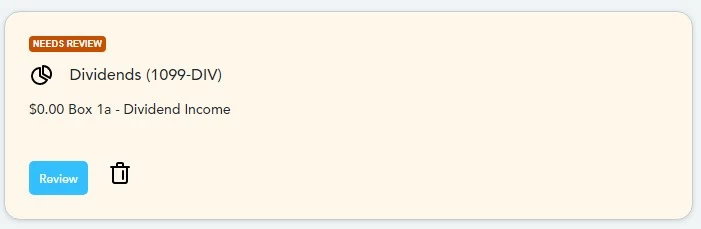
1099-INT (Needs Review) but if I don't import, I need to create a whole new 1099-INT form. In 2023 addition, I just needed to fill in the blanks the amounts and the institution values were all imported

  • February 3, 2025
  • 2 replies
  • 0 views

I should be able to enter my data on a pre-filled 1099-int form with all the institution data filled out.

That option does not exist, and I need to create a new 1099-int form and enter everything by hand.

This is a bug and should be fixed.
    2 replies

    JohnB5677
    February 3, 2025

    If you want to import the 1099-INT:


    1. On the first screen you show above, select [+Add investments]
    2. Now select your bank and continue the import process.

    Otherwise you can post it manually.


    Please see Where do I enter Form 1099-INT?

    **Say "Thanks" by clicking the thumb icon in a post**Mark the post that answers your question by clicking on "Mark as Best Answer"
    February 3, 2025

    You've missed the point.

    I should not need to re-input all the data from last year when I choose NOT to import my 1099's.

    2023 and prior T-Tax did not require it. 

    AND when I do re-create a 1099 by hand, I have to delete the old import from my 2023 taxes (you know, the import that happens at the very start?) 


    JohnB5677
    February 3, 2025

    If you select Review in the first image you will see a list if all of your 1099-INTs.

    Select the pencil on the right.  This is the edit option.

    Your pre-posted information will be there.

    **Say "Thanks" by clicking the thumb icon in a post**Mark the post that answers your question by clicking on "Mark as Best Answer"
    February 4, 2025

    When you first open the Income section, in both TurboTax Online and Desktop versions, you see a list called either "Your 2024 Income Summary" or "Your Income and Expenses". The list has tabs for 2023 and 2024, and next to the items that have an entry for 2023, a "Needs review" or "Add/Edit" prompt appears if you haven't yet addressed that item. 


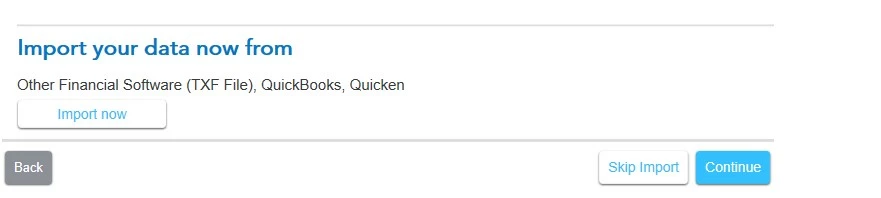
    You don't have to import any documents if you don't choose to do so. Yes, the way you get to the manual entries is to select "Skip Import". 


    The name of the payer will still appear in the section in which you reported income for 2023. Interview questions will still appear for 2024, as the situations may have changed since 2023. 


     See here for Intuit's Global Privacy Statement. 

    **Say "Thanks" by clicking the thumb icon in a post**Mark the post that answers your question by clicking on "Mark as Best Answer"
    February 4, 2025

    Is there a way to actually speck to a real TURBO-TAX employee to report a bug?

    May I ask, have you actually pressed the "Review" button on a tan section that says, "NEEDS REVIEW"?

    If so, please paste an image of the steps you go through and prove me wrong -OR- actually show me what to do to correct this. 


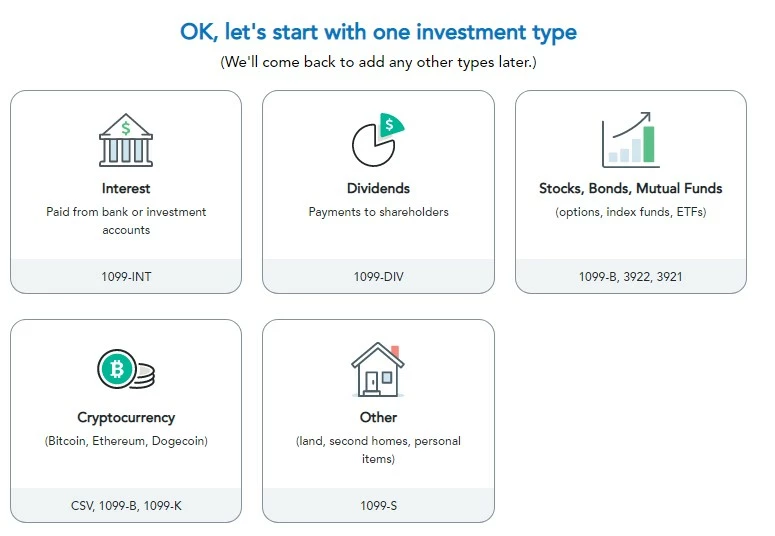
     For this forum to be useful, answers need to be correct, succent, and actually answer the question. If you looked at the original post, you would see that by pressing "Skip Import" the user gets this screen:

    From here all I can do is re-enter ALL of the data from a 1099-X. This is NOT how T-Tax operated in the past (i.e. when pressing the needs review, I could enter that specific institutions BOX-1) and then be done.

    Now, I am forced to create a new 1099-X AND there is an orphaned 1099-X form that has to be deleted during Review step. For now, I am filling out these 1099-X's in the form section. 

    JohnB5677
    February 4, 2025

    Yes, You can add a 1099 in TurboTax Online by following these steps.


    You can speak to an agent, but you will need the TurboTax Live option.  This will charge you an additional fee.

    However, we should be able to make the software work for you.


    Under Federal

    1. Select Wages & Income
    2. Scroll to Investments and Savings (1099-B, 1099-INT, 1099-DIV, 1099-K, Crypto)
    3. Click Add/Edit
    4. You will see previously entered 1099s
    5. You can These entries directly
    6. Click [+ Add investments] if you want to post a new 1099
    7. There will be options to Download
    8. Select Enter a different way
    9. Click on the type of 1099 you have and click Continue
    10. On the next screen select Type it Myself
    11. You can now enter your information.
    **Say "Thanks" by clicking the thumb icon in a post**Mark the post that answers your question by clicking on "Mark as Best Answer"