February 29, 2020
Solved

1099-MISC Worksheet Robinhood

  • February 29, 2020
  • 2 replies
  • 0 views

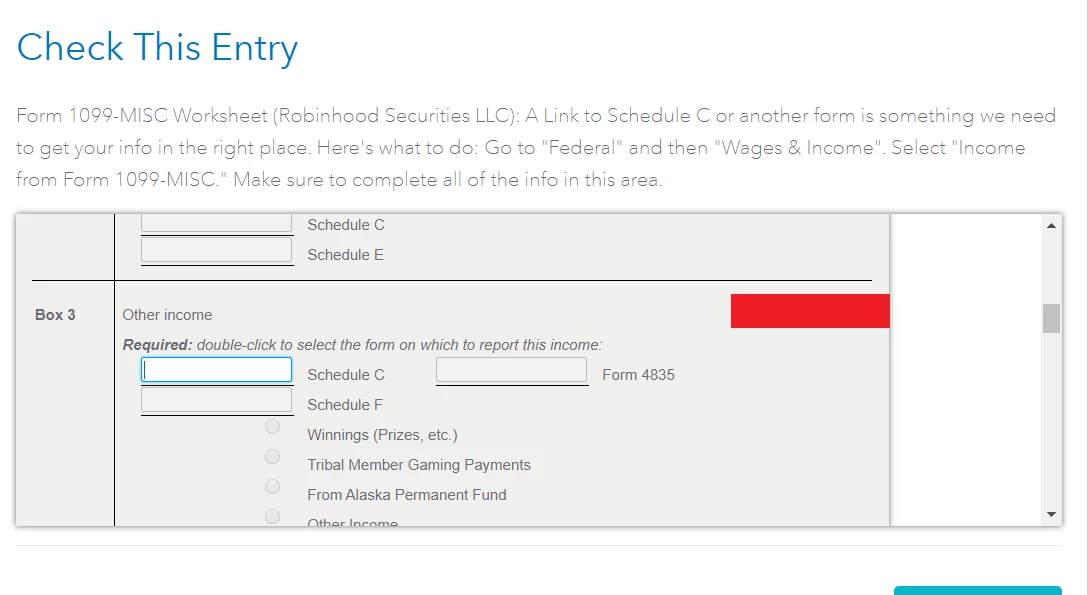
I'm getting this review error before submitting my taxes. It says I need to review my 1099-MISC worksheet from Robinhood and add something to line Schedule C. Anytime I enter something and save it, it keeps telling me I have to review it and won't let me submit my taxes. (See screenshots below)


Best answer by DavidS127

TurboTax is trying to figure out how to treat the income from the 1099-MISC.  If it is associated with a Schedule C (self-employment income for a trader business you operate) you could double-click that box and you should be able to select your Schedule C.


If on the other hand it is a promotional payment associated with personal investing, it is not self-employment income, and when you enter the 1099-MISC you should designate it a "Robinhood incentive", and on the next screen designate it as either "prize winnings" or "manufacturer's incentive" depending on which you consider it to be. 


You should be able to go back to the Wages and Income>>Income from Form 1099-MISC section to designate the payment accordingly.

2 replies

DavidS127
DavidS127Answer
February 29, 2020

TurboTax is trying to figure out how to treat the income from the 1099-MISC.  If it is associated with a Schedule C (self-employment income for a trader business you operate) you could double-click that box and you should be able to select your Schedule C.


If on the other hand it is a promotional payment associated with personal investing, it is not self-employment income, and when you enter the 1099-MISC you should designate it a "Robinhood incentive", and on the next screen designate it as either "prize winnings" or "manufacturer's incentive" depending on which you consider it to be. 


You should be able to go back to the Wages and Income>>Income from Form 1099-MISC section to designate the payment accordingly.

**Say "Thanks" by clicking the thumb icon in a post**Mark the post that answers your question by clicking on "Mark as Best Answer"
April 9, 2020

Thanks for thorough explanation!!

February 16, 2024

If you go back to the 1099-misc entry under federal, make sure the 0.00 in box 2 is deleted and try again.