

Solved
Accidentally clicked file on the main menu now it won’t let me can cancel it out
No text available
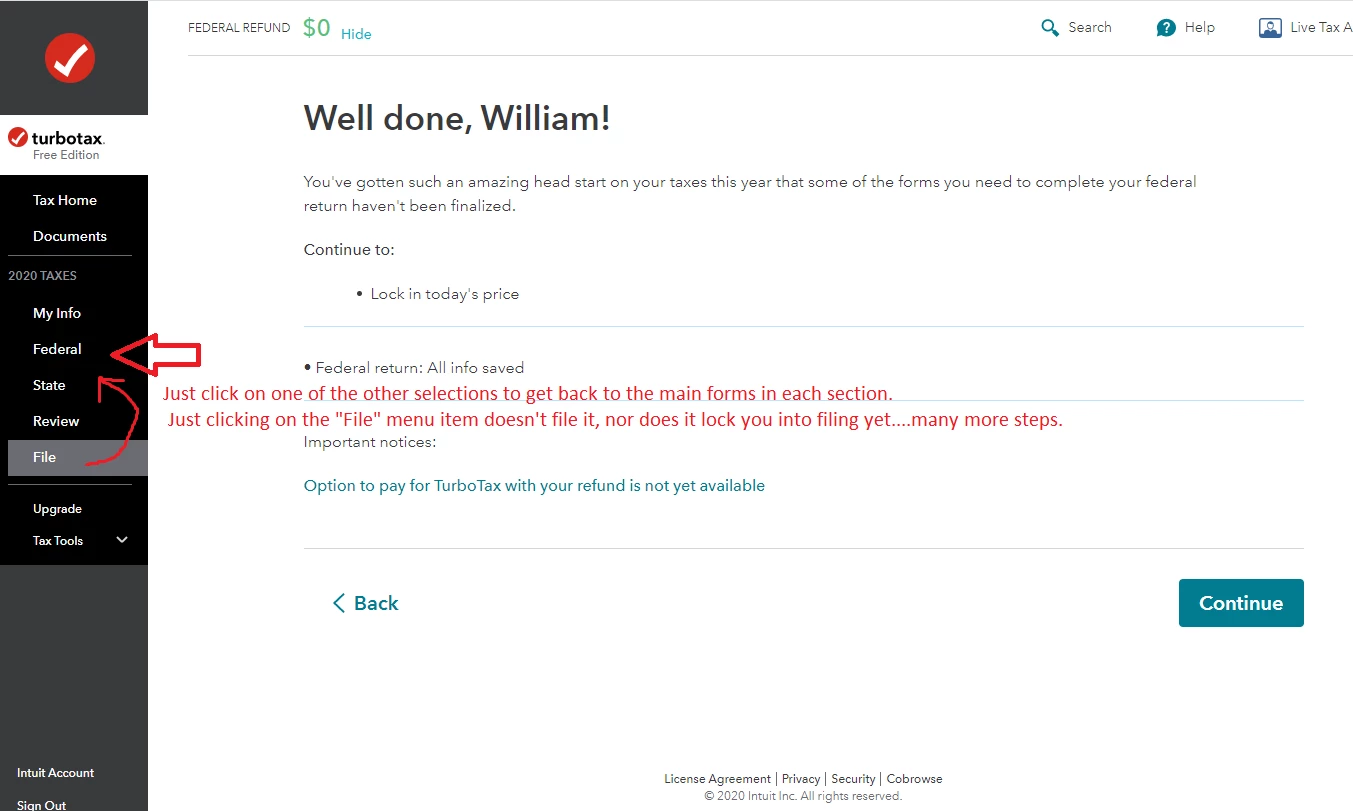
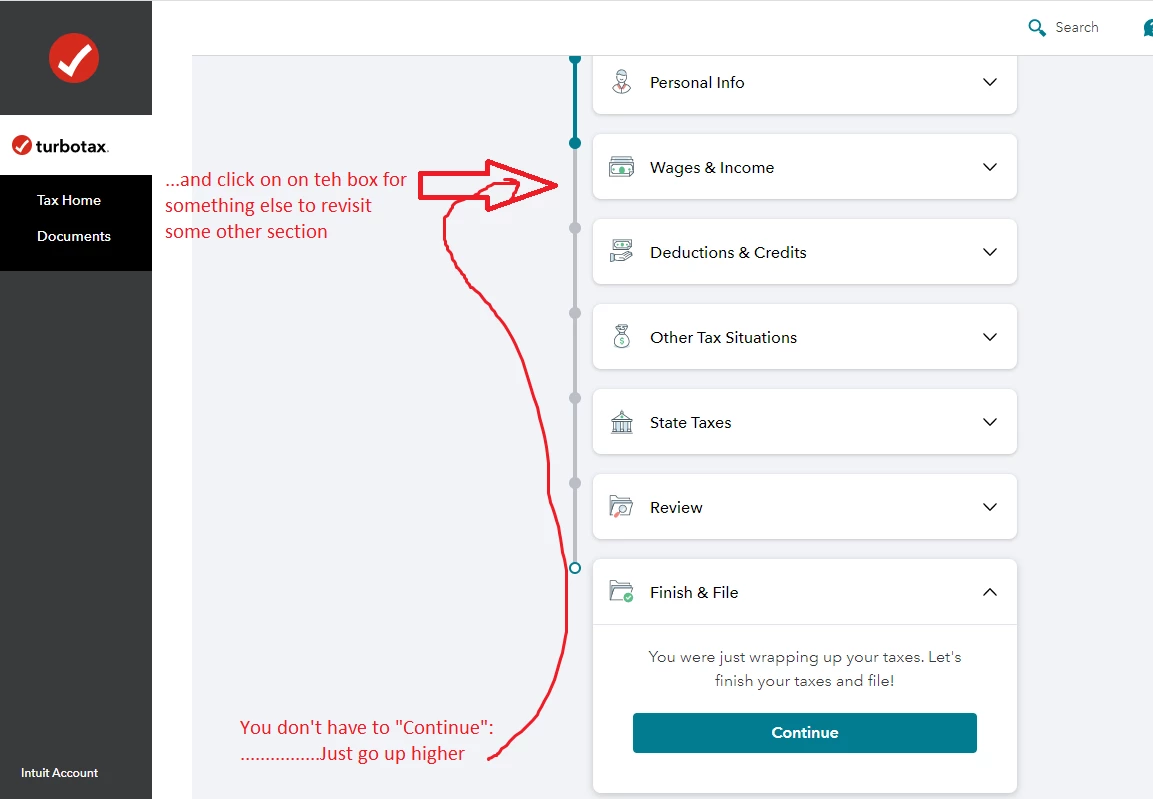
See pictures #1 and #2 below:
____________________________
I'm not sure I understand what the issue is that you are experiencing.
After I select "File" on the left side, I can simply navigate back to any other section by clicking on...say, "Federal" by clicking on the menu item there .... or any other tax return section displayed there in the left window..
______________________________
________________________________________________________
Or, if you were in the "File" section when you logged off, when you log back in, you don't have to click on the "Continue" for the filing section, you just click on one of the upper boxes to take you back to one of the earlier sections....and continue working on things as usual.
(Later) Hmm, tha doesn't work as stated.....even clicking elsewhere takes you back to where you left off in the "File" section....but it DOES display the left-side menu where you CAN now navigate back as in picture #1
____________
Enter your E-mail address. We'll send you an e-mail with instructions to reset your password.





©1997-2022 Intuit, Inc. All rights reserved.
Intuit,
QuickBooks, QB, TurboTax, ProConnect, and Mint are registered
trademarks
of Intuit Inc. Terms and conditions, features, support, pricing,
and service options
subject to change without notice.
Security
Certification of the TurboTax Online application has been
performed by
C-Level Security.
By accessing and using this page you
agree to the
Terms of Use.
Accessibility


