
April 9, 2025
Question

can't add additional investments

  • April 9, 2025
  • 1 reply
  • 0 views

Using TurboTax Deluxe on a MAC...


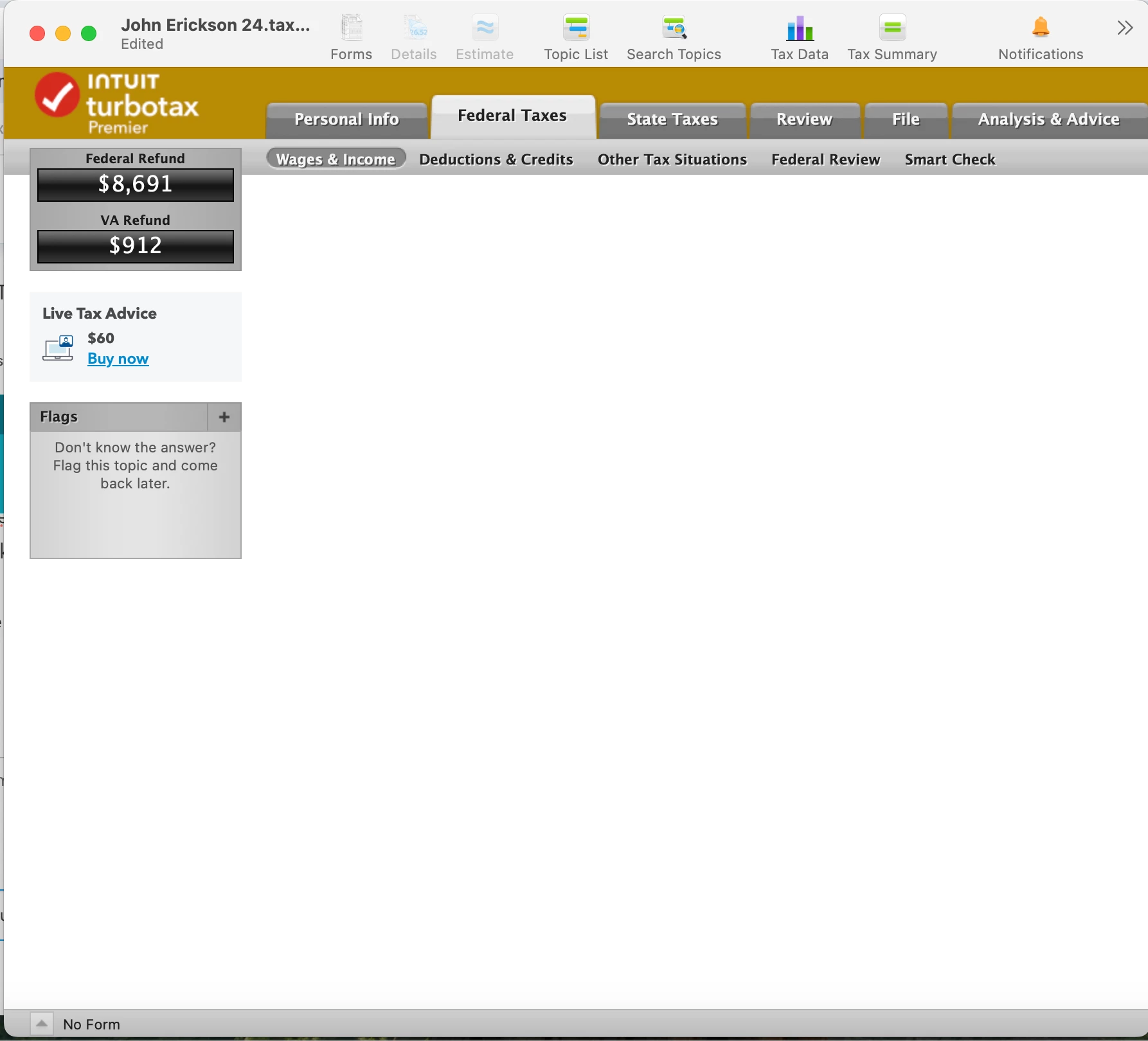
I need to ammend income and have to add a 1099-INT. When I click on "Add Investments" at the bottom, I am taken to a blank page.


All updates are already installed. See attached screenshot. bottom left of turbo tax screen says "no form" but all updates are downloaded and installed
    1 reply

    April 9, 2025

    I just tried making new income entries on a Mac return. From the Income Summary, there was a second or so delay before the next screen came up, but I was able to edit prior entries and add new ones.


    Check to see if your screen resolution may be off. Experiment with using the arrows to navigate around the blank screen to see if the content comes up. Or, try connecting your Mac to another monitor to see if the content displays.


    In the past, a user reported that the following steps worked to resolve a blank screen issue:


    1. Save your tax return.  Close the TurboTax program
    2. Right-click on the TurboTax icon on your display
    3. Click on Properties
    4. Click on the Compatibility tab
    5. Check the box Run the program as an administrator
    6. Click on Apply and OK
    7. Start the TurboTax program and see if the problem persists

    Try logging off and logging back on; try restarting your Mac. Try clearing your cache and cookies.  


    If after trying all of the options mentioned you still have the same problem:


    See this help article and this one for instructions on how to contact TurboTax customer support depending on which product you are using.


    **Say "Thanks" by clicking the thumb icon in a post**Mark the post that answers your question by clicking on "Mark as Best Answer"
    mrsjle96Author
    April 10, 2025

    I appreciate the response but none of these apply to a Mac:


    1. run as administrator is a Windows thing


    2. clearing cache instructions in the link are for the browser. I am running the thick client desktop version for the mac


    Would appreciate any other actions to take

    April 10, 2025

    Did you try navigating in the screen to see if the content is outside the screen? Try attaching another monitor? Did you try logging off, restarting your Mac device, and logging back in?


    Mac users often report issues with the screen size in certain areas of the program in that the button needed is not showing on the screen. Sometimes scrolling around to the far edges, or dragging out the edges of the file screen, reveals what is missing.


    To adjust the resolution on your screen, you could try the steps on this Apple Support page:


    On your Mac, choose Apple menu > System Settings, then click Displays in the sidebar. (You may need to scroll down.) Select the display you want to adjust, then select the resolution you want to use. You may be able to turn on “Show all resolutions” to see additional resolutions for the display.


    @mrsjle96 


    **Say "Thanks" by clicking the thumb icon in a post**Mark the post that answers your question by clicking on "Mark as Best Answer"




