
June 21, 2020
Question

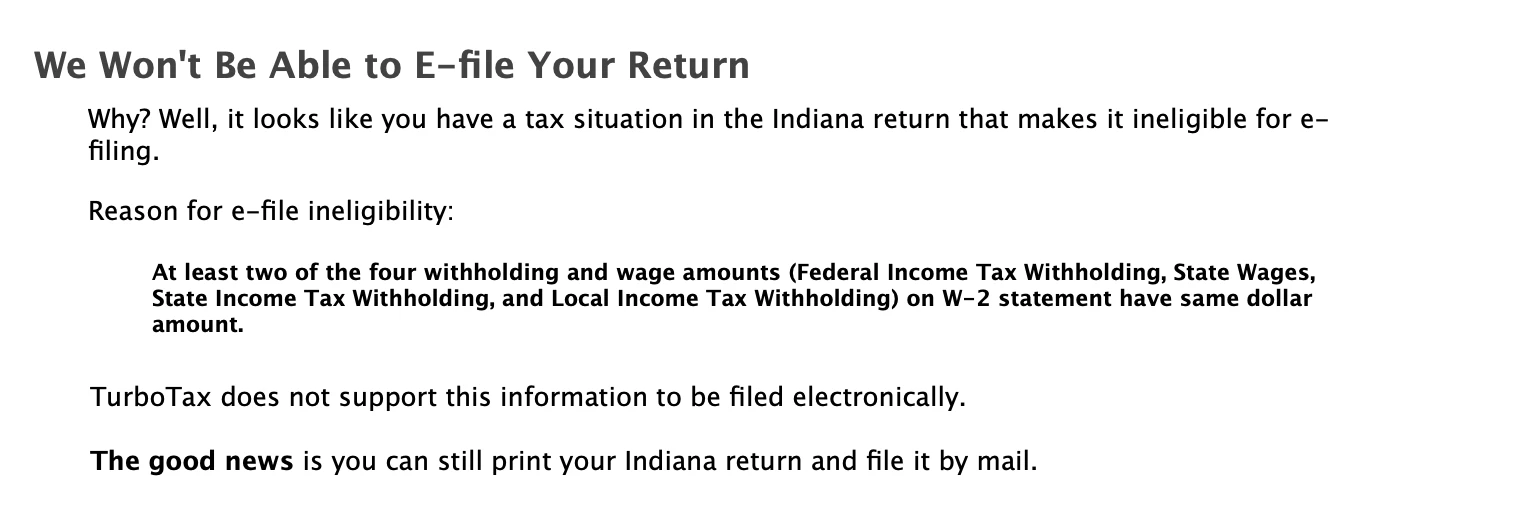
Can't Efile. Because "At least two of the four withholding and wage amounts on W-2 statement have same dollar amount"

  • June 21, 2020
  • 3 replies
  • 0 views

I don't see that same dollar amount on my W2. Could someone please help? I can't efile my state tax return because of this. Thank you!!
 

    3 replies

    Critter
    Employee
    June 21, 2020

    duplicate post

    SkyyyAuthor
    June 21, 2020

    But it is still not working. I keep getting this error message.

    Critter
    Employee
    June 21, 2020

    Step 1 ... delete that W-2 form


    Step 2 ... log out and clear your cookies and/or switch browsers


    Step 3 ... re enter W-2 form being careful to not make the same input error


    Step 4 ... complete the state interview section again


    Step 5 ... click on the REVIEW tab to see if the error is gone

    February 23, 2021

    Also from Indiana.  I went back and looked at least 5 times.  I finally figured out that on one of our W2's there was a 9-cent difference between what was withheld for Fed versus what was withheld for State.  The IRS rounds the dollar figures such that if the amount is less than 50 cents (or maybe less than/equal to) they assume the whole dollar amount rounded down (that is, $10.25 would be $10 to the IRS).  Anything above that magic figure is rounded up (that is, $10.52, would be $11 to the IRS).  So, the Fed & State withholdings - after both were rounded down - were the exact same amount, at least according to Uncle Sam.


    I have not yet filed, I want to recheck myself; however, going through the process, I intentionally changed the amount of withholding on one of the figures such that it would NOT be the same as the rounded amount and found out that eFiling will now work.


    Still seems like a bug in the TT software, but in the end, it did not impact my overall tax obligation to either Fed or State.  Being in IT, I would strongly advise the good folks at TT review their software and fix this.  It does not seem to be working correctly.

    April 1, 2023

    Have this error and tried multiple fixes and could not fix it. I want my $59 back that I had to pay to continue with Turbo Tax. This error has been for two years by all the comments and Turbo Tax has not fixed it. 

    HopeS
    April 3, 2023

    I am not sure what fixes you have tried but below are some suggestions:


    1. Delete W-2 following the steps below:

    In TurboTax Online or CD/Download:

    1. Open or continue your return
    2. From the menu, select Search and type-in W-2
    3. Select the Jump to link in the search results
    4. On the Your W-2 info so far screen, select Edit next to the W-2 you want to change
    5. Select the trash can Delete icon to delete the W-2

    In the TurboTax mobile app:

    1. Open or continue your return
    2. Select Wages & Income
    3. Select Review/Edit
    4. Select Job (W-2)
    5. Select Review to edit the W-2
    6. Select the three-dot icon and select Delete

    2. If you are not successful in deleting your W2s as indicated, then use the Tools feature as follows:

    1. Log in and open your return
    2. Click Tax Tools from the left side of the screen
    3. Select Tools from the drop-down menu
    4. Click the Delete a Form hyperlink click to delete form W-2 from the list


    Once it is deleted, log out of TurboTax and  clear the Cache before logging back into your TurboTax:


    Click below and follow the steps:


    Clear Cache


    Then reenter your W-2s exactly as indicated on the Forms: 

    1. Open (continue) your return if you don't already have it open
    2. Search for W-2 and select the Jump to link in the search results
    3. On the Your W-2 info so far screen, select Add another W-2
    4. Enter the information from the new W-2 on the following screens

    @loganclubvolleyball 

    **Say "Thanks" by clicking the thumb icon in a post**Mark the post that answers your question by clicking on "Mark as Best Answer"




