Thank you Dave for taking the time to help me with this issue! I'm not sure what the 179 deduction is. I am claiming actual expenses because I deliver full-time and put thousands of miles on my car monthly, which is more than standard mileage. I'm looking for the biggest deduction this year; I don't plan on selling the car any time soon.
A Section 179 election and bonus depreciation allowances allow you to deduct up to the cost of a vehicle or other business assets, proprated for the business use of it, in the year you put it into service in the business. This is in place of the more traditional method of depreciating an asset over several years, thereby spreading the cost of it over years as opposed to deducting it in the first year. The special depreciation allowances may give you a bigger tax deduction in the year you put the vehicle into service.
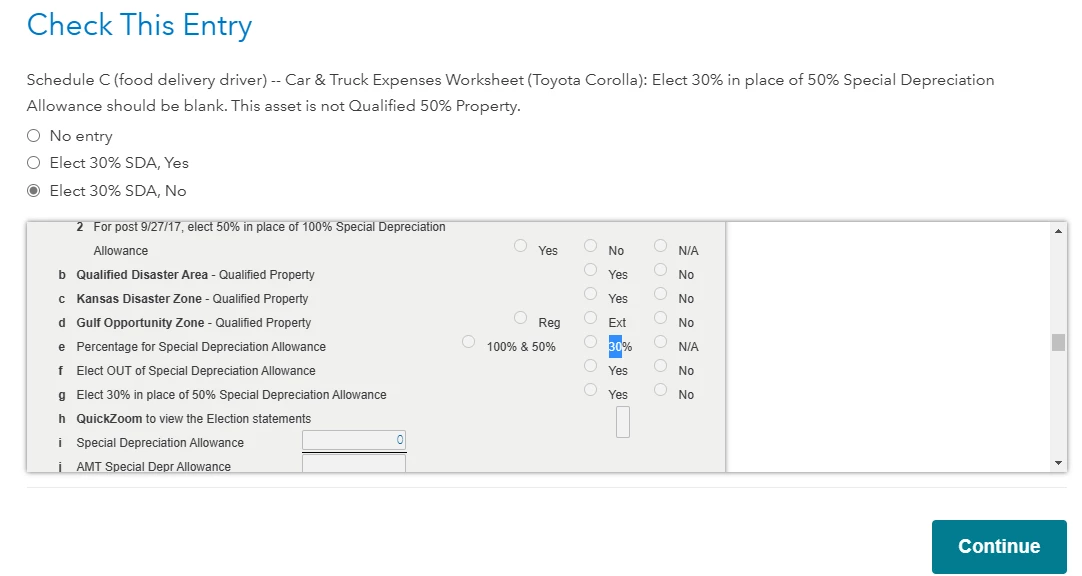
In reference to the error messages, the first one says you can't enter anything in the special depreciation allowance box, but it looks like you entered a $0. So, you need to delete that entry so that the entry is blank. The second message says you don't qualify for the special depreciation allowance, so you need to change your entry by clicking the "No Entry" box.
To qualify for the section 179 allowance, you need to use the vehicle more than 50% for the business and you can't use the deduction in the current year to the extent it generates a loss for the company. The rules are the same for the bonus depreciation, but you can use that even if it generates a loss in the current year.
To see if you can use the special depreciation allowances, you may need to go back through your asset entries and make sure you answered the questions properly.