
March 9, 2024
Solved

Check This Entry: Estimated Tax Payment Options

  • March 9, 2024
  • 1 reply
  • 0 views

Hi,


I am in the last step of filing my individual tax form (1040) and stuck at "Check This Entry: Estimated Tax Payment Options".

TurboTax does not continue because I have to revise this somehow, but whatever fix I make TurboTax says that it is unfixed yet.
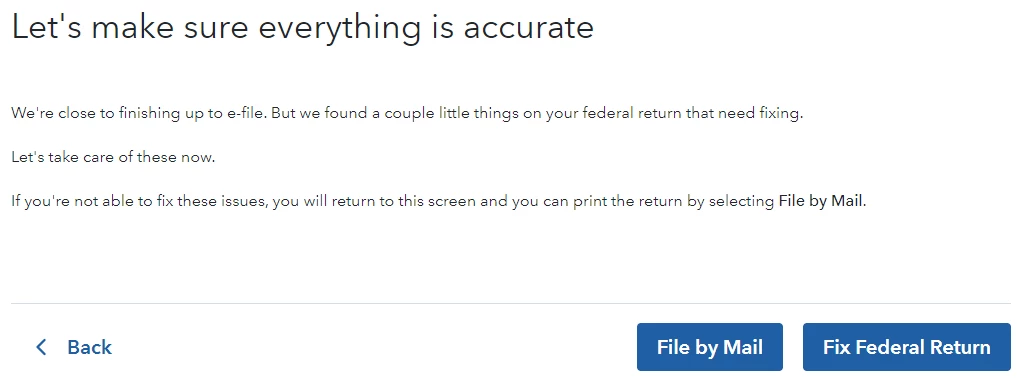
If I click 'Fix Federal Return', this screen shows up:
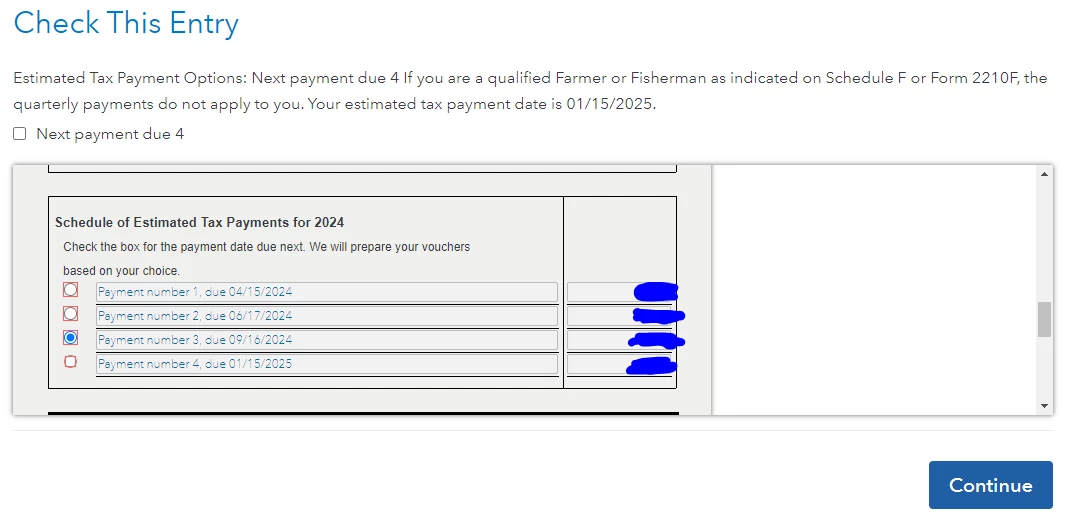


There are four option boxes (Payment number 1~4) and one checkbox (Next payment due 4).

I tried all possible combinations which is 8 (4 option boxes * 2 checked/unchecked box = 😎 but it does not fix and goes back to the above first screen.

What should I do to fix this issue in this case?

I am using TurboTax Premier (the 89$ one).

Best answer by MonikaK1

If you chose to have TurboTax prepare quarterly estimated tax vouchers, go back to the Estimated Taxes section under Other Tax Situations and review/ answer the questions. 


You could also try deleting the forms 1040-ES and then completing that section again. 

1 reply

MonikaK1Answer
March 9, 2024

If you chose to have TurboTax prepare quarterly estimated tax vouchers, go back to the Estimated Taxes section under Other Tax Situations and review/ answer the questions. 


You could also try deleting the forms 1040-ES and then completing that section again. 

**Say "Thanks" by clicking the thumb icon in a post**Mark the post that answers your question by clicking on "Mark as Best Answer"
aqjuneAuthor
March 9, 2024

Hi, thanks for your answer.


Unfortunately I am still seeing the error message. Let me attach the screenshots that I saw from TurboTax while going through Estimated Taxes.


I cannot find 1040-ES from the list of forms that can be deleted, either.




