
May 19, 2025
Solved

Deleted Investment Expense Assets Show Up as Untitled on State and Triggering Smart Check

  • May 19, 2025
  • 1 reply
  • 0 views

I had originally entered some assets under "Other Investment Expenses" on the Federal Return, but later deleted them. 


They show up as "Untitled" Assets on the State Return. I can not find an option to delete or trash them on the State Return. 
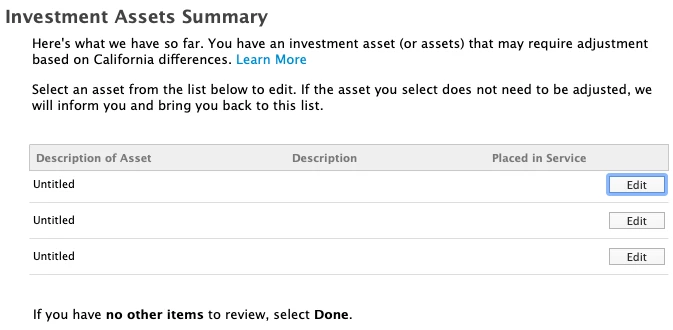
 

Furthermore, this triggers an error during the State smart check, asking me to fix it. (Federal smart check was fine.)
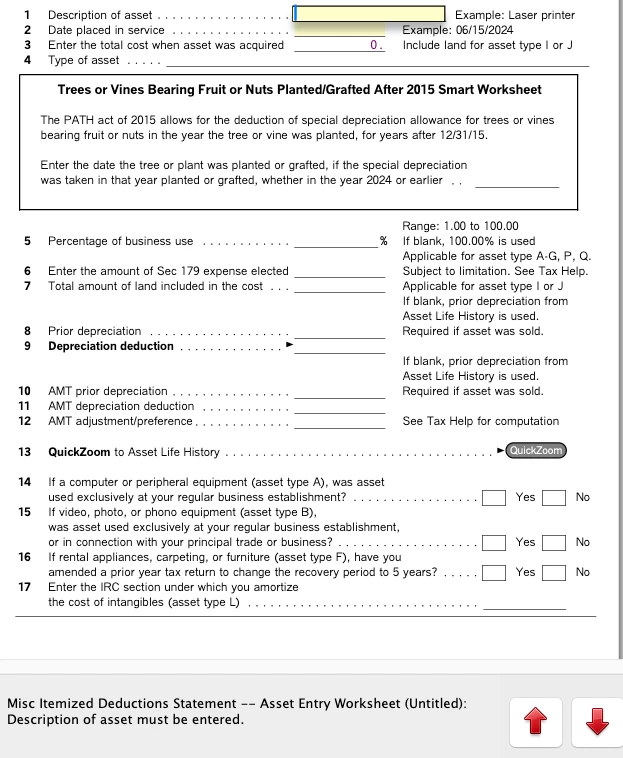
 

Please advise how to fix this issue and delete Untitled assets on the State return.


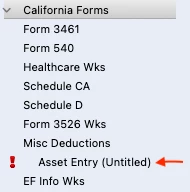
Can I just delete the "Asset Entry (Untitled)" form in Forms Entry, without any repercussions?
    Best answer by PaulaM

    If you are certain that the worksheet is not required or needed anymore, then you can delete it under the Forms menu.

    1 reply

    PaulaMAnswer
    Employee
    May 20, 2025

    If you are certain that the worksheet is not required or needed anymore, then you can delete it under the Forms menu.

    **Say "Thanks" by clicking the thumb icon in a post**Mark the post that answers your question by clicking on "Mark as Best Answer"
    May 20, 2025

    Thank you @PaulaM . I don't think I need it. But it brings up the question why TurboTax makes it confusing by creating it in the first place, and flagging it as an error?

    Employee
    May 20, 2025

    If you are using the desktop software, perhaps it just didn't update when you removed from the federal side of things. Exiting out of program completely or updating the software under the Online menu, may have removed the created worksheets on the state side. 

    **Say "Thanks" by clicking the thumb icon in a post**Mark the post that answers your question by clicking on "Mark as Best Answer"




