January 24, 2024
Solved

Entering points for a rental property purchase

  • January 24, 2024
  • 1 reply
  • 0 views

Hello!  I tried to enter points on rental but it is not calculating.


Here's what I did:

Add asset

Amortizable intangibles

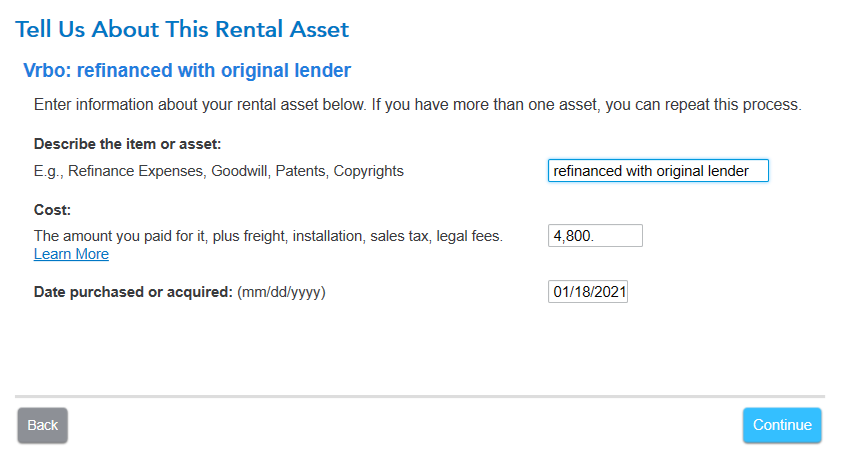
Described asset - added cost and closing date of loan

Selected purchased new asset

Clicked used for 100% of business and entered closing date of loan

Selected code section 163:Loan fees

Entered in useful life of 30 years

Asked if I wanted to take special depreciation allowance (clicked no because I don't think it applies)

Calculates $0 for the amortization


Can you please let me know what I did wrong?
 

Best answer by AmyC

When you refinance with the same lender, you are required to amortize the points. Otherwise, the points are deductible for purchase and refinance.

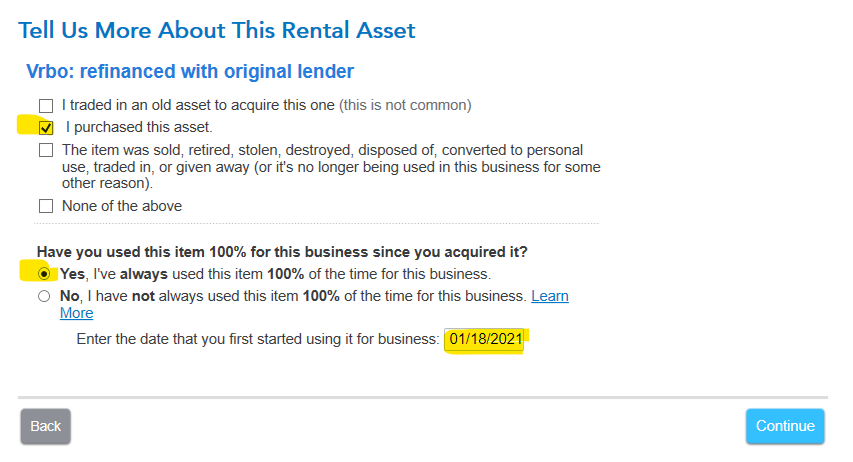
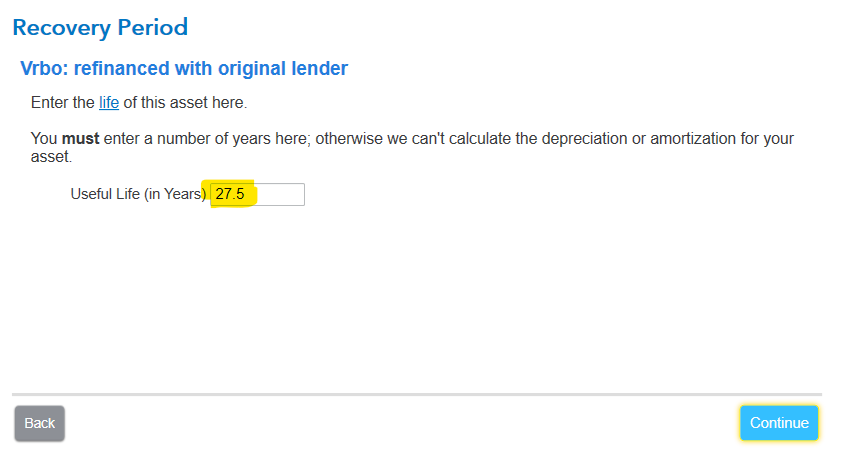
I am following your steps and can only tell one mistake so far (rental is 27.5 years for mortgage), here are mine:


You must mark purchased as well as enter your date

Sec 163 loan fees is correct

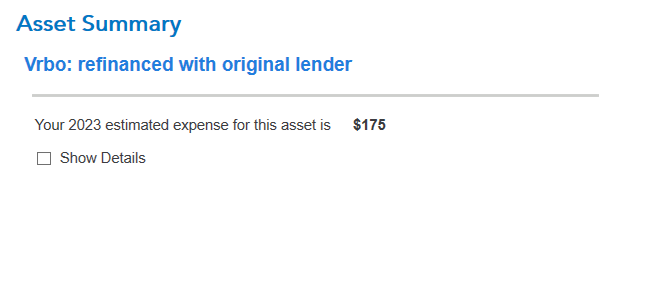
depreciation allowance, no is good and then asset summary

1 reply

AmyC
AmyCAnswer
Employee
January 24, 2024

When you refinance with the same lender, you are required to amortize the points. Otherwise, the points are deductible for purchase and refinance.

I am following your steps and can only tell one mistake so far (rental is 27.5 years for mortgage), here are mine:


You must mark purchased as well as enter your date

Sec 163 loan fees is correct

depreciation allowance, no is good and then asset summary

**Say "Thanks" by clicking the thumb icon in a post**Mark the post that answers your question by clicking on "Mark as Best Answer"
January 24, 2024

Thank you for the detailed reply!  I closed out the program, deleted that asset I was working on, and created a new asset and all worked!  I wonder if I somehow messed something up when I went to look at the individual forms.  Thanks again!

KrisD15
January 24, 2024

The program wouldn't have asked about Special Depreciation for points, so chances are it was in the wrong place the first time. 

Thank you for choosing TurboTax 

**Say "Thanks" by clicking the thumb icon in a post**Mark the post that answers your question by clicking on "Mark as Best Answer"