February 2, 2021
Solved

Glitch in TurboTax? Gains in Canadian RRSP within California State Return

  • February 2, 2021
  • 3 replies
  • 0 views

Not sure if there is a glitch in the software, but when I started to fill out my California State return, in the "Here's the income that California handles differently" I was able to see an option for Canadian RRSPs.   However, after I inputted my information (by clicking the "Start" button beside that option I no longer see a way to edit/review it.


My refund totals do not look like they have changed from the time I was seeing the Canadian RRSP option and now, so I believe the information is in the software somewhere, but how can I confirm this or edit what was entered?
Best answer by mglauner

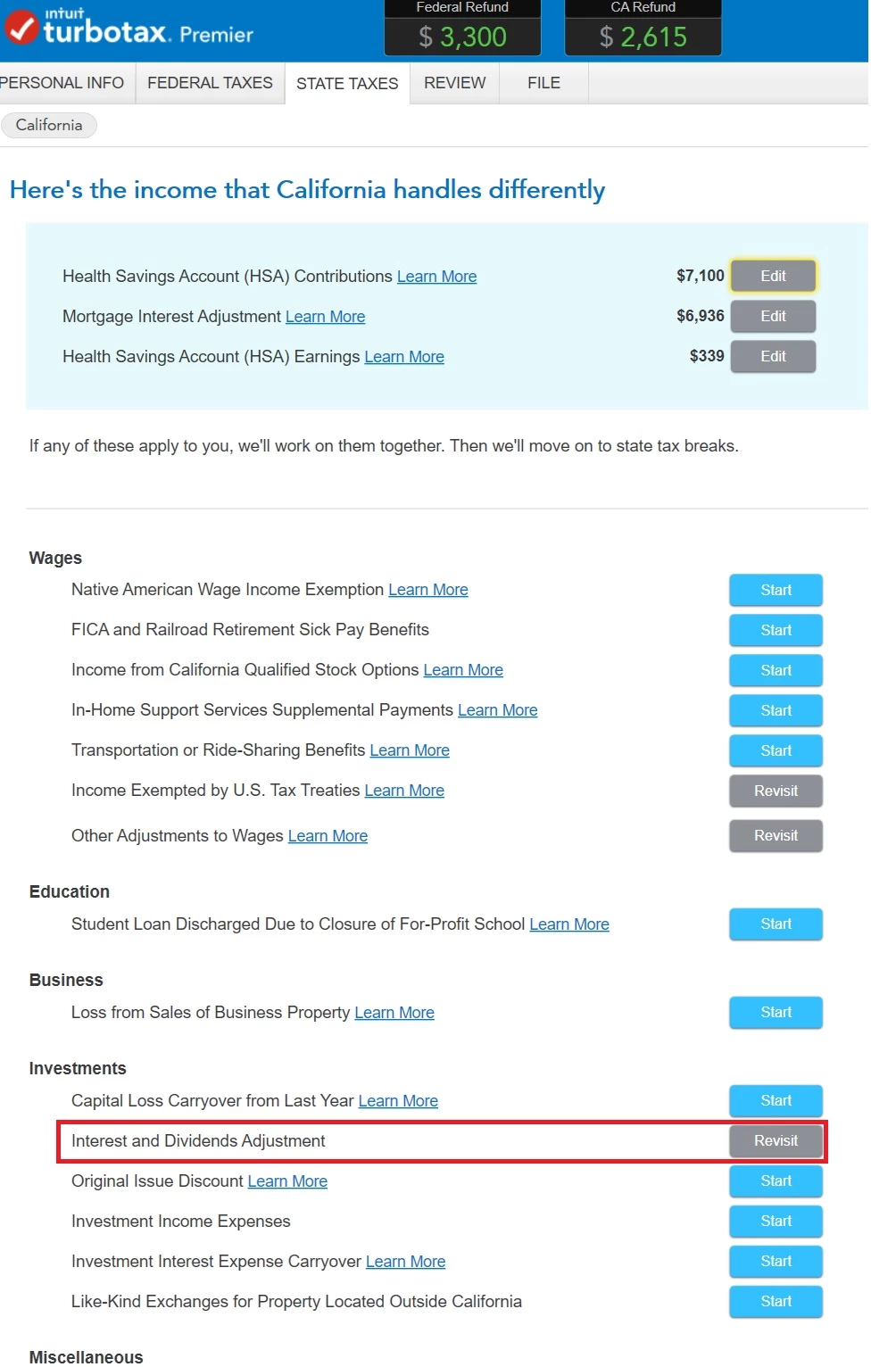
Yes sorry I chopped off the top in the first screen shot above, but those are my options for California returns.  The following is the full screen I see:


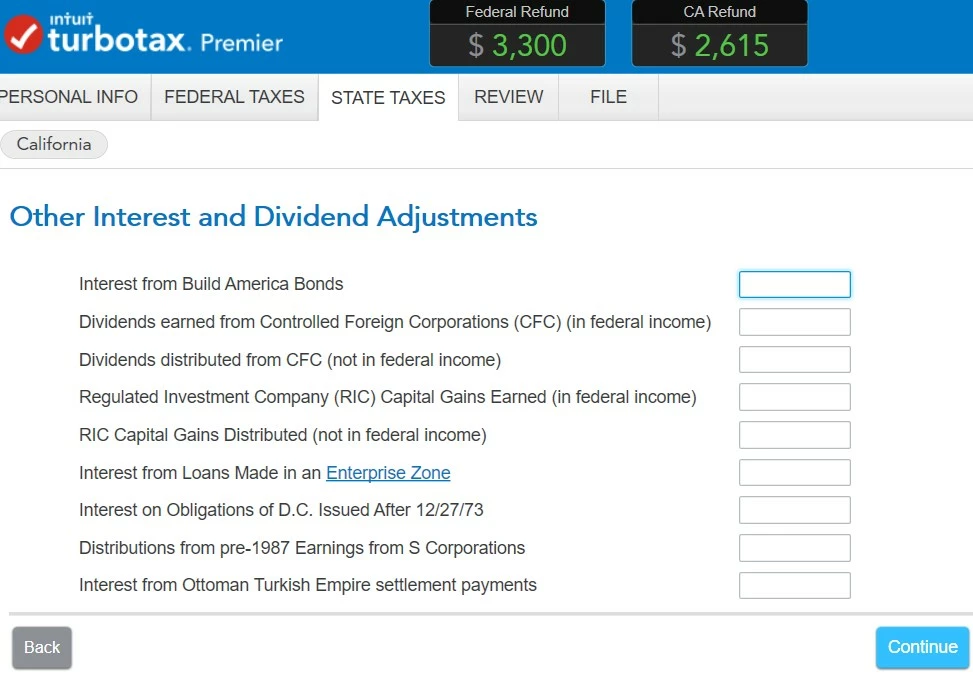
When I click on the Interest and Dividends Adjustment, I see the following with no line item that shows the RRSP gains I initially put in:


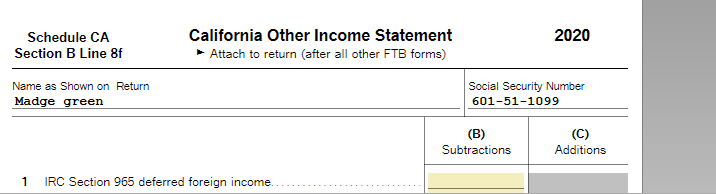
If using TurboTax Desktop, in FORMS, check your California Other Income Statement Worksheet, Line 26 (screenshots).  


You can enter the amount directly on the Worksheet. 


If not, you can Print/View/Save your return to review this worksheet. 


If you don't see your entry, in the California interview, scroll all the way down to 'Other Adjustments' on the 'Income CA handles differently' page.


On the next screen, you can enter a description/amount. 


3 replies

February 8, 2021

Check the Investments Interest Dividends Adjustment amount on your California return for the Canadian RRSP entry.


Click this link for more info on California RRSP Adjustment

DoubleDeeAuthor
February 9, 2021

Thanks @mglauner ,  However, I'm still not seeing anything relating to Canadian RRSPs in that area.


When I started to do my return, it was there, along with HSA gains.  After I inputted those, they just disappeared and I can't see them anymore.  Below are screenshots:

After clicking "Revisit" for Interest and Dividends Adjustment, the following is what I get with no place to see what I entered for RRSP or to even input RRSP gains:

February 11, 2021

Are you in your California return?  These are the screenshots from the top of the page and scrolling down to Investments.


Employee
February 24, 2021

Please click How to report foreign source retirement income tax credit from Canadian RRSP to see resolutions that have been posted. 

**Say "Thanks" by clicking the thumb icon in a post**Mark the post that answers your question by clicking on "Mark as Best Answer"
February 25, 2021

The link you posted relates to federal returns.  This thread is about the California State Return.  The option to enter Canadian RRSP earnings has disappeared from the step-by-step view.  Sure, it's possible to enter the information into forms, but TurboTax needs to fix this error in the step-by-step view.   The option used to be there, but it has disappeared.   When can we expect this issue to be fixed?

March 17, 2021

I had the same problem.   I was able to find the entry by printing a copy of the return.  The correct value showed up under column C  of the  California Income Adjustment Schedule even though it wasn't visible in the data entry segment  .  

April 1, 2021

I'm having the same issue, not being able to see my entries related to RRSP in the wizard when using the Online version. I'm not sure the solution here works for the online version - can someone clarify whether I am able to edit the forms in the Online version, or does this solution only apply to the desktop version? I can only see options to view and print the forms, but not edit. I don't know how to edit other than starting over from scratch with my state return.


To make things worse, I was on the phone with a tax "expert" for almost 2 hours to sort this out, and because she had no idea why we couldn't find the RRSP section, I ended up paying for filing just so we could see the forms. Now I paid, I see the forms, but I have no way to edit.  This level of support is unacceptable. The bug should've been fixed immediately after being identified, and the advisors should have knowledge of it too, instead of spending 2 hrs on the phone trying to figure it out. This was my first experience with TurboTax, and after this I don't plan to ever use it again.

Employee
April 1, 2021

To edit the form in TurboTax Online, login to TurboTax and go to the left menu column click on Tax Tools, then Tools.  In the Tools window click on  the blue Topic Search button. In the search line enter the name of the entry you need to correct without quotes. Highlight the selection and click GO.

@PixieMutt

**Say "Thanks" by clicking the thumb icon in a post**Mark the post that answers your question by clicking on "Mark as Best Answer"