

VAer
Employee
January 5, 2023
Question

How to access previous tax return on Turbotax online account?

  • January 5, 2023
  • 1 reply
  • 0 views

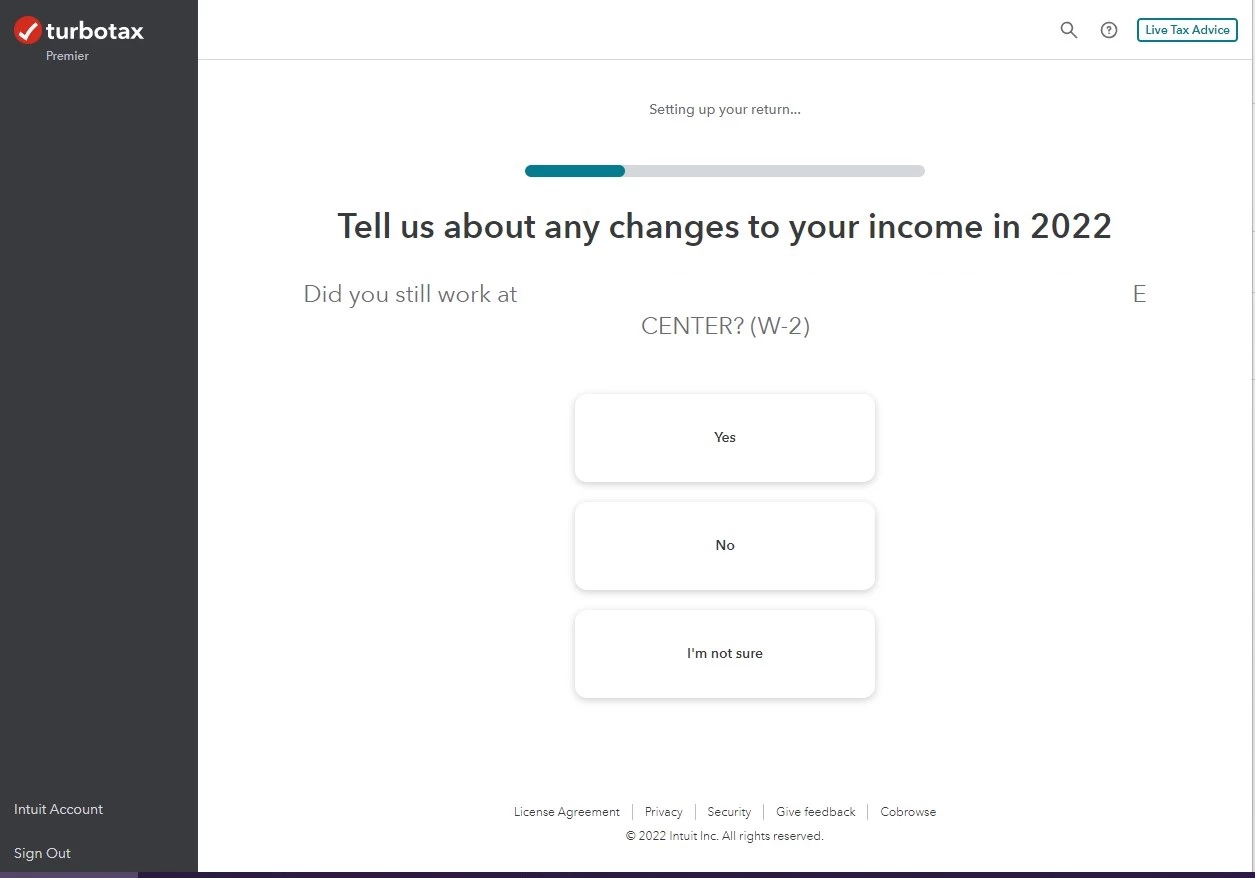
Attached: It is January, right after signing Turbotax account, it brings me to 2022 tax return information.


I did not find a way to access previous year tax return. I am planning to switch to desktop software this year, but would like to download 2021 data first.


Thanks.
 

1 reply

DoninGA
Employee
January 5, 2023

To access your prior year online tax returns sign onto the TurboTax website with the User ID you used to create the account - https://myturbotax.intuit.com/


Start the 2022 online tax return by entering some personal information then click on Tax Home on the left side of the screen.


On the Tax Home webpage -

Scroll down to the section Your tax returns & documents.  Click on the Year and Click on Download .tax file

VAer
VAerAuthor
Employee
January 5, 2023

@DoninGA Of course I use the same userID to sign in. From the screenshot, there is no Your tax returns & documents


The system brings me straight to 2022 tax questions.

SteamTrain
Employee
January 5, 2023

@VAer 


Its ridiculous BUT.....YOU HAVE TO go thru a number of pages starting the 2022 Q&A in the main screen before the Tax Home selection shows up on the left side.  (one person indicated about 12 pages of questions)


It's been the same thing for the past couple years....dumb, but it is what it is.

____________*Answers are correct to the best of my knowledge when posted, but should not be considered to be legal or official tax advice.*




