March 30, 2025
Solved

I'm trying too manually enter 1099-DIV that can't be imported. Another reply said to use the edit pencil on the big boxes, but my desktop TurboTax doesn't have any edit pencils, just remove or review (which requires importing the data). Please help!

  • March 30, 2025
  • 1 reply
  • 0 views
No text available
    Best answer by MindyB

    You can also manually enter a 1099-DIV.


    Here's how to do this in TurboTax Desktop:


    1. Navigate to Federal TaxesWages and Income, then "I'll choose what I want to work on."
    2.  In the Interest and Dividends section, select start or update Dividends on 1099-DIV.
    3. Select Dividends, and continue
    4. Choose "Enter a different way" 
    5. Select 1099-DIV and continue
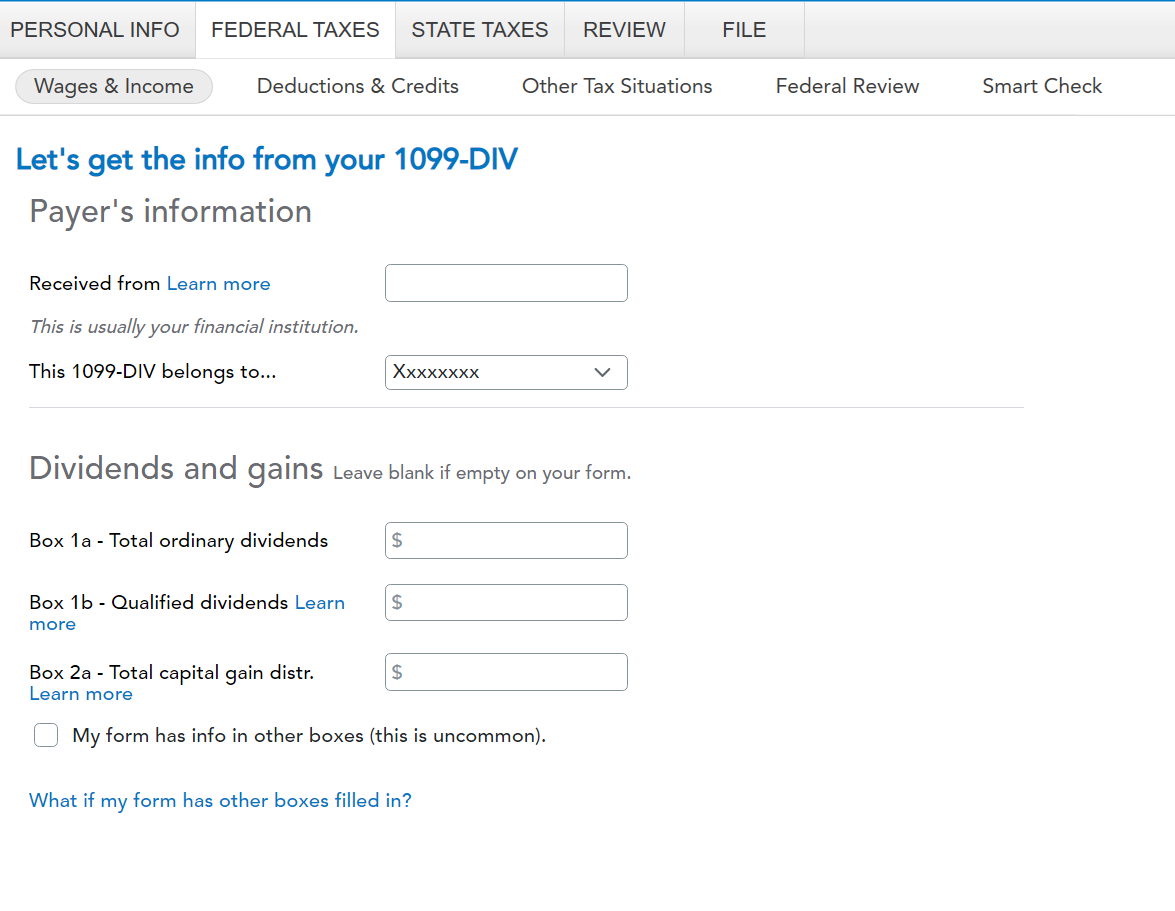
    6. Now, enter the information from the 1099-DIV
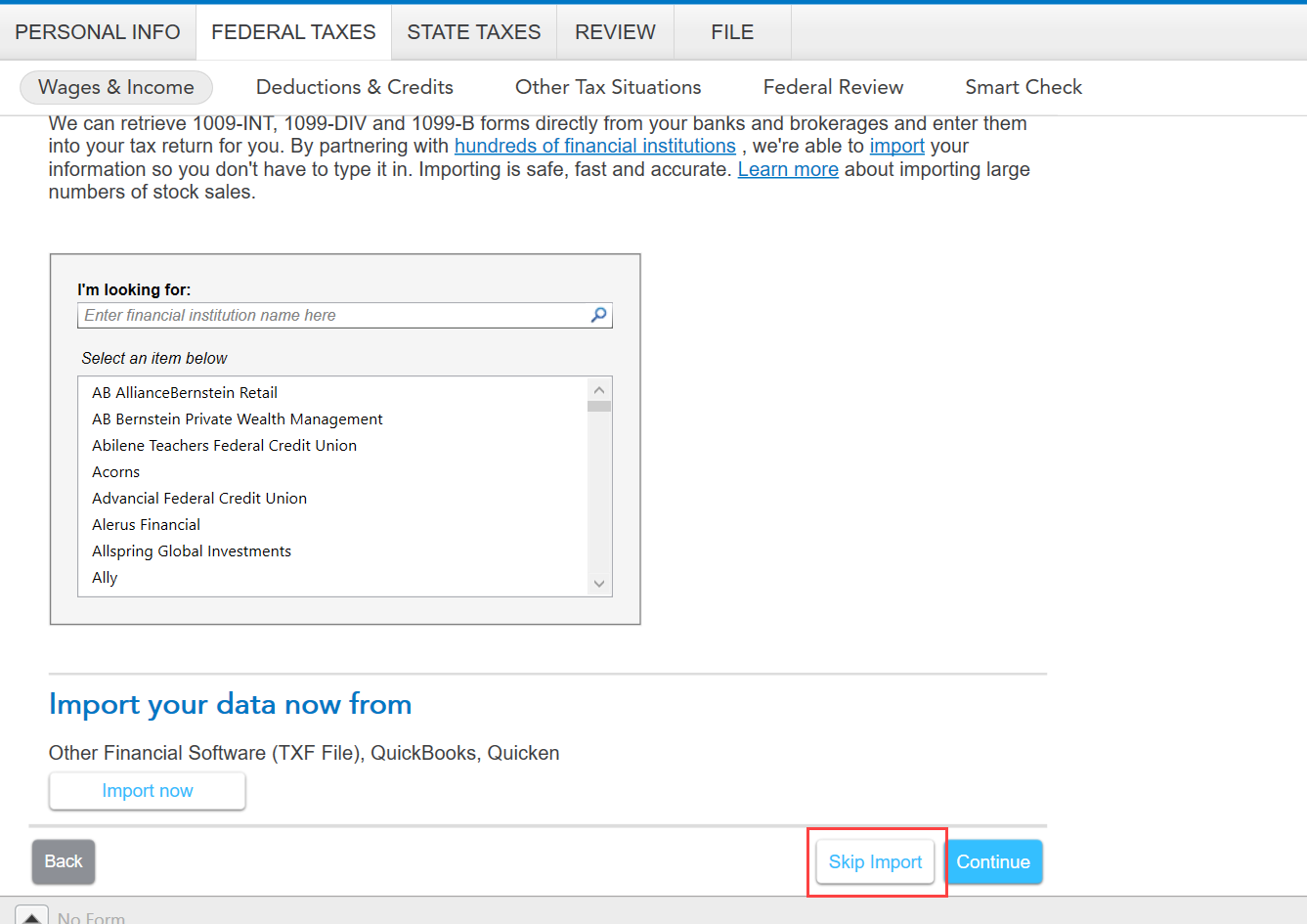
    7. If you end up on an import screen, choose "skip import" at the bottom. 


    1 reply

    MindyBAnswer
    March 30, 2025

    You can also manually enter a 1099-DIV.


    Here's how to do this in TurboTax Desktop:


    1. Navigate to Federal TaxesWages and Income, then "I'll choose what I want to work on."
    2.  In the Interest and Dividends section, select start or update Dividends on 1099-DIV.
    3. Select Dividends, and continue
    4. Choose "Enter a different way" 
    5. Select 1099-DIV and continue
    6. Now, enter the information from the 1099-DIV
    7. If you end up on an import screen, choose "skip import" at the bottom. 


    SmokyGirlAuthor
    March 31, 2025

    Thank you! Now I can add the 1099s. 😀