

Solved
Is the standard ask a CPA, which you got to if first level support didn't know the answer gone?
No text available
In the online version of TurboTax, you need to choose the option that says Rented unit in multi-unit where you live to have your expenses pro-rated between rental and personal use automatically. You will see that option in the rental section of TurboTax on the screen that says Tell us about your situation this year. You can find it by editing your Situations menu tab when you see the screen that says Review your rental property Info.
How do I do this in the downloaded Home and Business version?
In the desktop program, it is a little different. Under the Business Tab, click Update next to Rental Properties and Royalties. Answer the questions regarding Real Estate Professionals. When you get to the Rental and Royalty Summary, click on Edit next to the rental property. Click Update next to Property Profile.
The 2nd screen asks about the Type of rental - choose the 2nd option - Multi-family property.
The next screen asks about Situations that apply to this property - choose I rent out part of my home under the Rented subcategory. Carryover info can be entered on this screen as well.
Continue through those screens until you get to Let Us Calculate Your Expense Deductions for You. This is where you will indicate that you want TurboTax to do the math for you by entering the percentage of the property that you rent out.
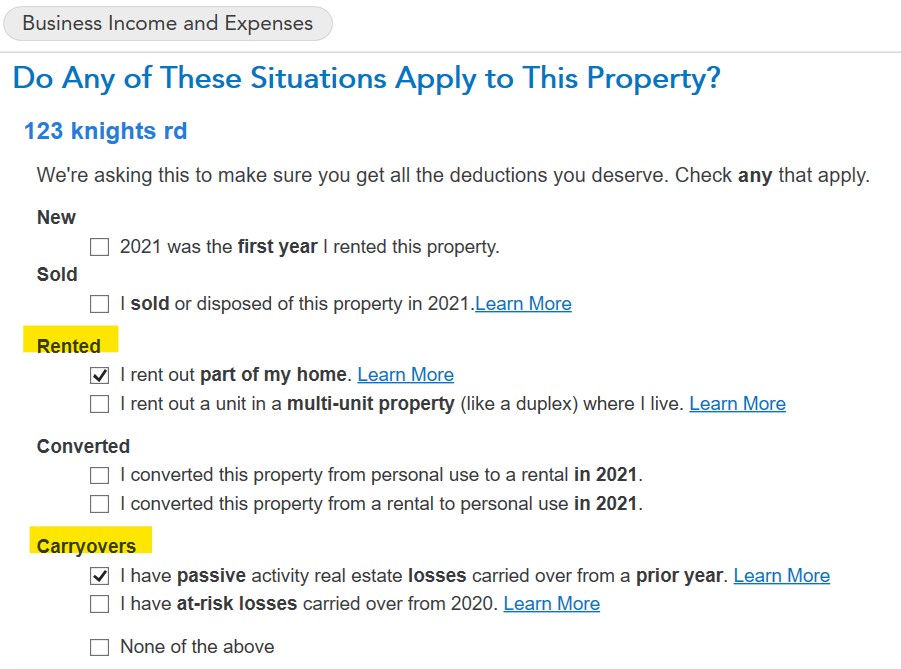
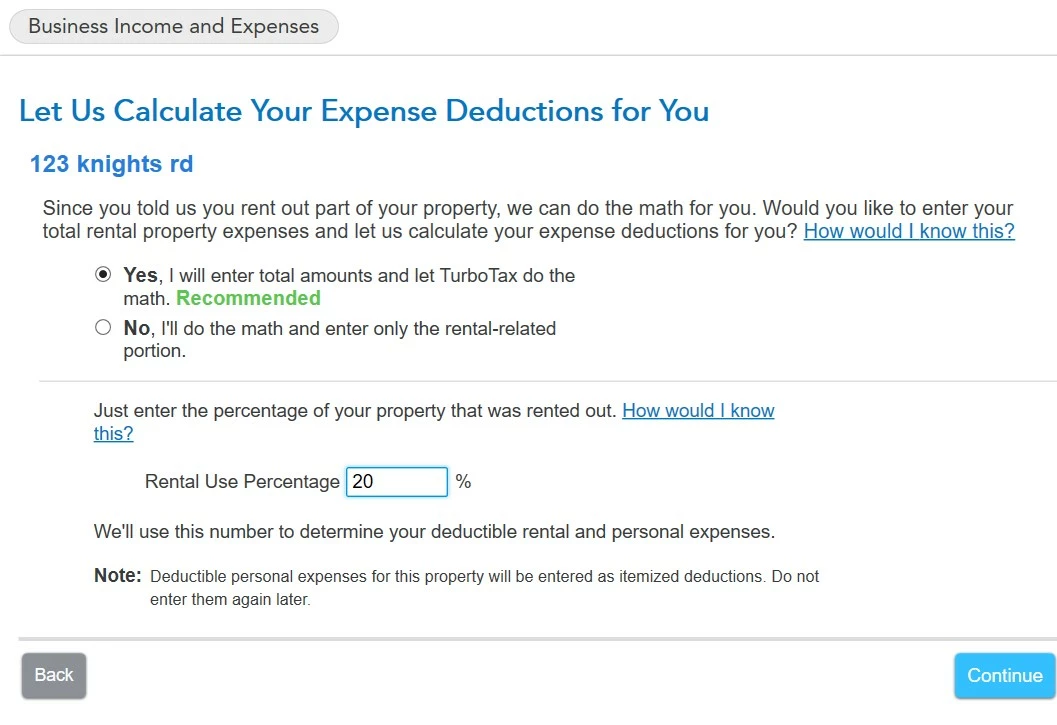
Advertising, commissions, legal fees, management fees are not prorated - you must pro-rate these.
Expenses like cleaning, mortgage interest, repairs, utilities, and others are prorated. The personal portion of mortgage interest and property taxes is carried to Schedule A. When you go through the Assets section for depreciation - use the same percentage you used on the screen above; TurboTax won't automatically use the same amount.
Enter your E-mail address. We'll send you an e-mail with instructions to reset your password.





©1997-2022 Intuit, Inc. All rights reserved.
Intuit,
QuickBooks, QB, TurboTax, ProConnect, and Mint are registered
trademarks
of Intuit Inc. Terms and conditions, features, support, pricing,
and service options
subject to change without notice.
Security
Certification of the TurboTax Online application has been
performed by
C-Level Security.
By accessing and using this page you
agree to the
Terms of Use.
Accessibility


