
October 1, 2023
Solved

Overpayment of Taxes in 2021 Carried Over to 2022 - where do I input the fed amount and the state amount

  • October 1, 2023
  • 2 replies
  • 0 views

Hi,

I am using Turbo tax to file my taxes for the first time this year so my 2021 Tax return is not on file with Turbo Tax. I had a federal overpayment and state (CA) overpayment in 2021. Where do I input the amount of the federal overpayment, and the state overpayment from 2021 for my 2022 tax return? The prior answers appear to be outdated, or do not apply to the situation when someone did not used Turbo Tax for filing in the prior year. I need to manually input the amounts. Thanks so much.
    Best answer by VolvoGirl

    Thanks - using the online Premium. Yes, menu tabs are on left in black bar. I'm just not seeing any place else to enter the info but will keep looking  - appreciate any screenshot. Thanks for your help.


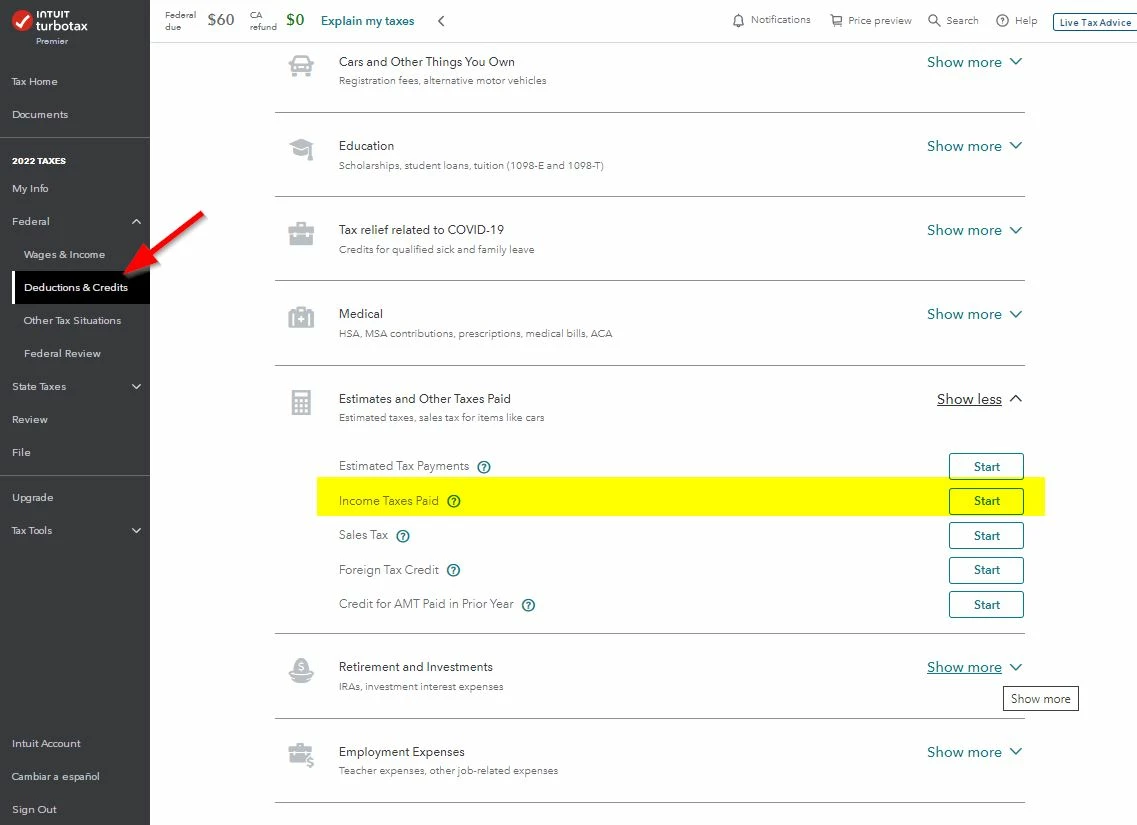
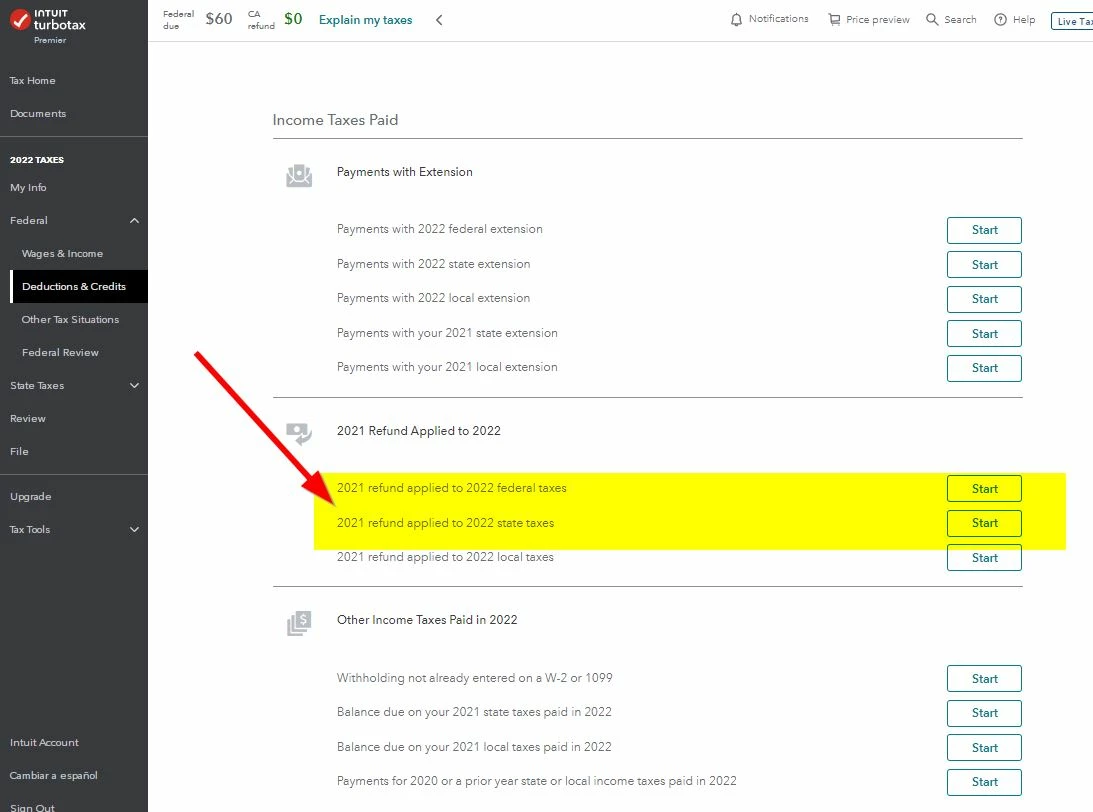
    I made you 2 screen shots from Online.  Hope they help


    2 replies

    VolvoGirl
    Employee
    October 1, 2023

    To enter last year's refund you applied to this year.

    Federal (Personal for Home & Business)

    Deductions and Credits

    Then scroll way down to Estimates and Other Taxes Paid

    Other Income Taxes - Click the Start or Revisit


    Next page scroll down to 2021 Refund Applied to 2022

    Click Start or Update by the tax you applied


    Then for state, you need to click on the state tab and go through state again for it to update.

    Bend371Author
    October 1, 2023

    Thanks - perhaps you are referring to a different online or desktop version/edition. I am using online version on Mac and do not see that option to scroll down. Perhaps I'm missing something? On page where input estimated taxes, I receive the following prompt "Enter any estimated federal tax payments you made for 2022. Change the dates paid if necessary.

    Don't enter payments made in 2022 for your 2021 tax return or any 2021 overpayment applied to this year's return."
     
    Yet I don't see any prompt to enter a 2021 overpayment.
     
    Thanks.
     
     
    VolvoGirl
    Employee
    October 1, 2023

    My steps are for both the Online version and the Desktop program.   Keep looking, it doesn't get entered under Estimates.  It goes under Other Income Taxes.  I'll try to make a screen shot.  Just to clarify you are using the Online version that has the menu tabs down the left side in a black bar?

    Bend371Author
    October 1, 2023

    I am using the online Turbo Tax Premium. Do I need to download Home and Business, and then retype all the info? Frustrating that these options not laid out at outset.




