
October 14, 2021
Question

Qualified Business Income Component Worksheet: Aggregation statement must be entered.

  • October 14, 2021
  • 1 reply
  • 0 views

When doing the Smart Check at the end of my federal tax return it brings up the following "Check this Entry" item:


Qualified Business Income Component wkst (my name): Aggregation changes stmt must be entered.


Aggregation changes stmt:________________
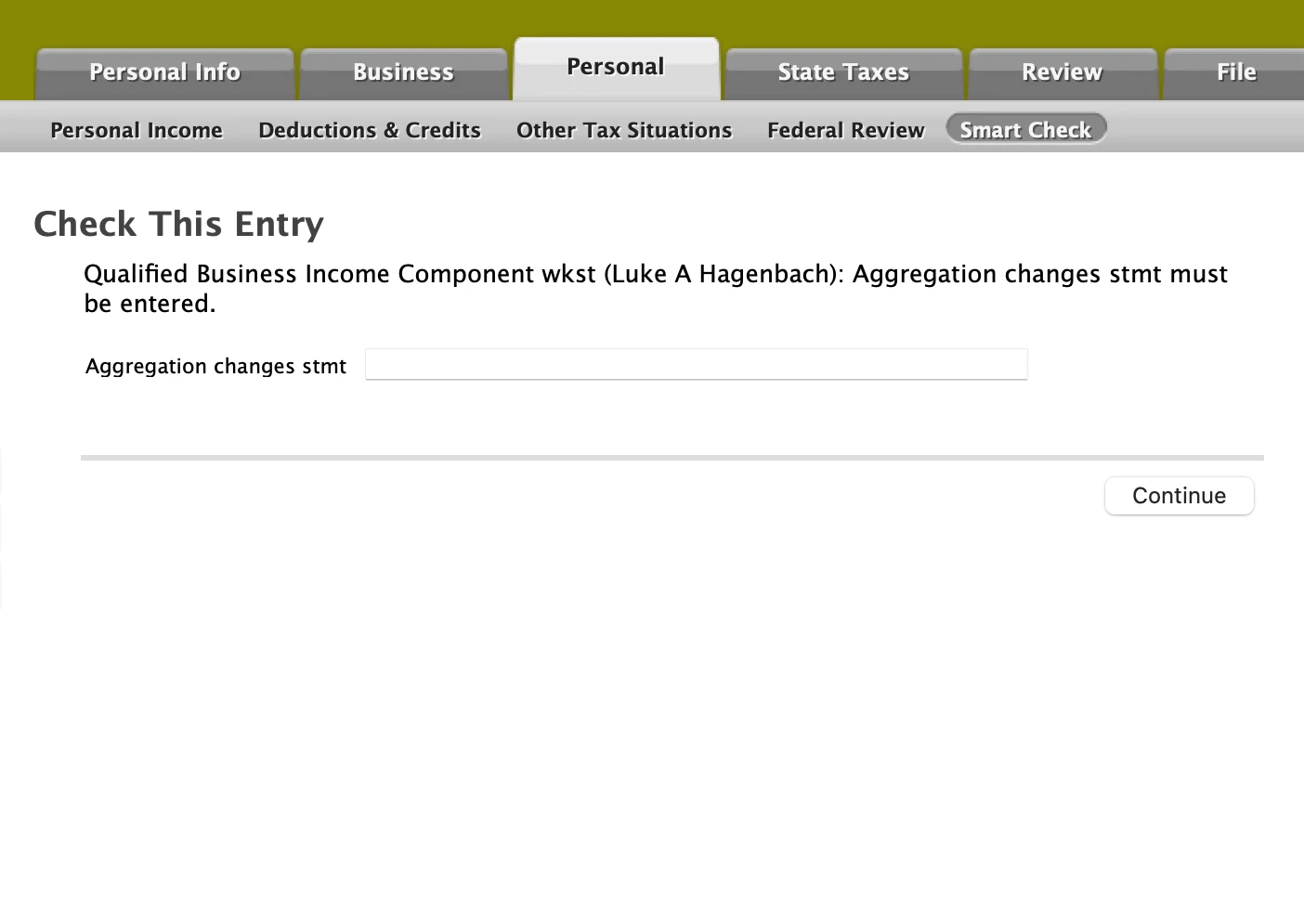
I have no idea what to enter here. I know that when I was completing the Qualified Business Income questions for my only rental property, it had a pre-filled statement from a previous year, which I did not mess with and left in there. I have no idea if that's the statement, but if so, then it was not left empty. 

    1 reply

    October 14, 2021

    To be clear, this comes up when doing the audit. Is there any guidance on what to put here? Why is it blank? I entered the text in the field when doing the QBI, if that's what it's related to.

    February 15, 2022

    Any answers? We had 3 rentals for 2021 (sold one and bought one), and I have a completely different business for my own profession. I have no idea why everything got aggregated when they weren't last year, and the instructions on the forum for how to undo the aggregation are too complicated to follow. Why isn't it just a choice to not aggregate businesses?

    PatriciaV
    Employee
    February 15, 2022

    @islavet

    It's possible you are seeing "Check this Entry" because you indicated that your taxable income might exceed $164,900 (or $329,800 if married filing a joint return). Otherwise, the "aggregation" screen does not appear.


    If you go back through the interview for each rental property and, when asked, indicate that your income might exceed $164,900 (or $329,800 if married filing a joint return), then answer "No" to the specified services questions, you will again be given the option to combine the rental into another or indicate that the "business" is independent of any other activities.


    If this doesn't resolve the error, follow these steps to “un-aggregate” them in TurboTax Online

    1. Go to Delete a Form: In the left menu, select the dropdown arrow next to Tax Tools and then under that select Tools; in the pop-up window Tool Center, choose Delete a form.
    2. Find the QBI Component form for the aggregated businesses.  Delete that QBI Component sheet.
    3. Now, go to Review and start the review routine.
    4. You will have an error for each business that no longer has a QBI Component form.  For each of those businesses, you will see the “primary” form for that business (Schedule C, Schedule E, K-1). It will be highlighted for Question A in the Qualified Business Income Deduction Smart Worksheet.
    5. Double click in the highlighted Question A box, and you will get a pop-up asking you to link to a QBI component worksheet.  Create a new copy for that business (e.g., give it the name of that business).
    6. Continue until you have created a separate QBI component worksheet for each business that you do not want to aggregate.

    For TurboTax CD/Download, go to Forms Mode (in the TurboTax header) and follow steps 2-6 above.

    **Say "Thanks" by clicking the thumb icon in a post**Mark the post that answers your question by clicking on "Mark as Best Answer"




