

Solved
Review Information
I don't know what to do with this page and I cannot get past it.
I did not enter a carryfoward or back credit anywhere it is asking me to select the credit type for something I did not enter.
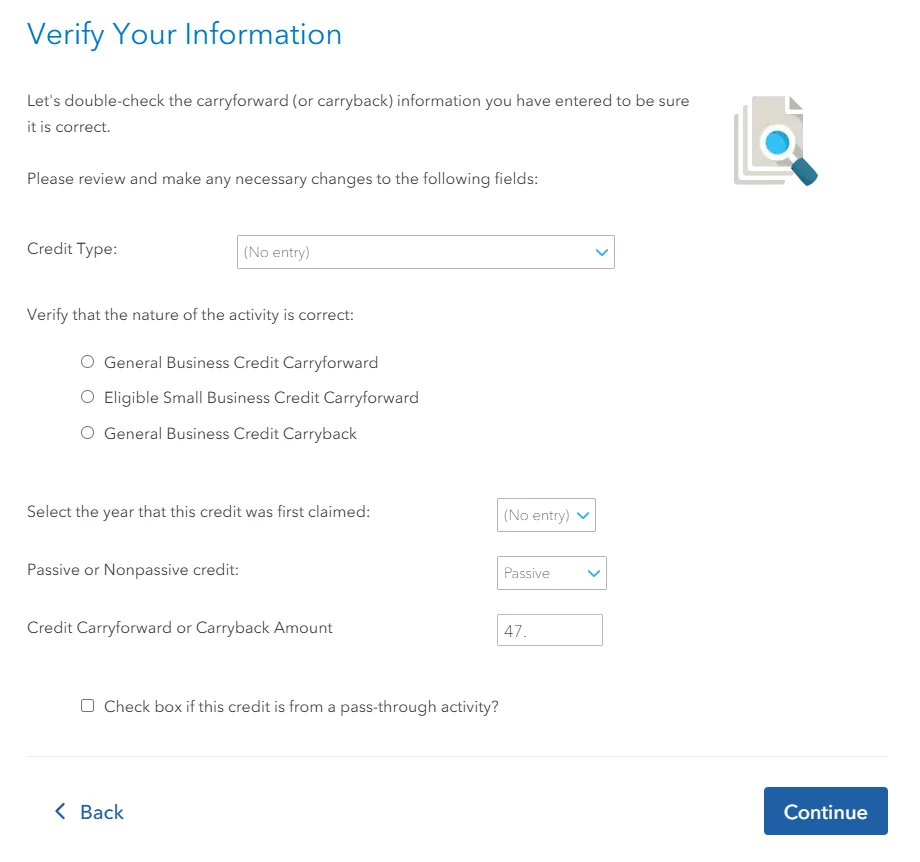
I don't know what to do with this page and I cannot get past it.
I did not enter a carryfoward or back credit anywhere it is asking me to select the credit type for something I did not enter.
Since Form 3800 is a Business Credit, if you don't have a Schedule C for a Business, you can delete Form 3800 from your list of forms in your return.
In the left-side menu, go to Tax Tools > Tools, then choose 'Delete a Form' from the pop-up menu.
You'll see a list of all the forms in your return. Use the Delete link at the far right for Form 3800.
After you delete the form, close TurboTax, clear your Cache and Cookies, and see if this resolves your issue.
You can also Contact TurboTax Support for more help.
Enter your E-mail address. We'll send you an e-mail with instructions to reset your password.





©1997-2022 Intuit, Inc. All rights reserved.
Intuit,
QuickBooks, QB, TurboTax, ProConnect, and Mint are registered
trademarks
of Intuit Inc. Terms and conditions, features, support, pricing,
and service options
subject to change without notice.
Security
Certification of the TurboTax Online application has been
performed by
C-Level Security.
By accessing and using this page you
agree to the
Terms of Use.
Accessibility


