
March 4, 2025
Question

Turbo Tax for Business 2024, - form 1065

  • March 4, 2025
  • 1 reply
  • 0 views

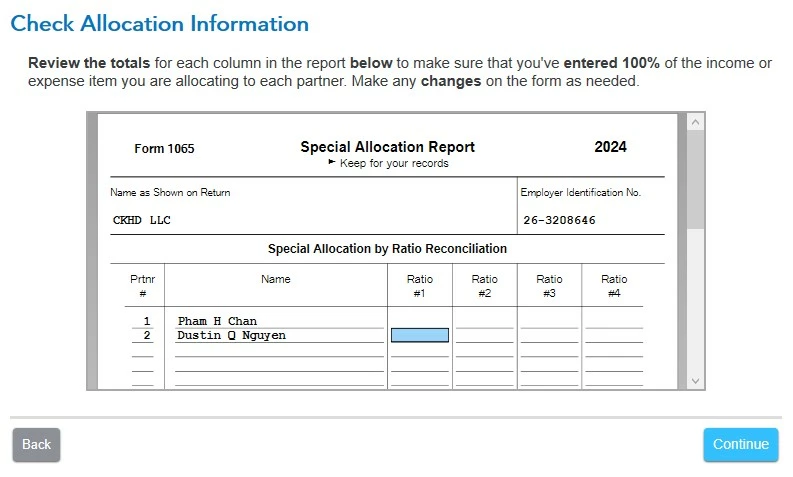
On Form 1065 Special Allocation Report, how can I enter the ratio #1 or #2 to each member in the  blue box? It doesn't take a typing number, even the instructions ask to make changes on the form as needed:


1 reply

PatriciaV
Employee
March 11, 2025

The Special Allocations (by percentage or amount) are entered on the Schedule K-1 Worksheet for each partner. Be sure to use the same box so that the totals at the bottom of the form equal either 100% or the total amount to be allocated.


  1. First, confirm that "Makes Special Allocations" is listed as Yes under Business Info >> About Your Business.
  2. Go to Partner/Member Information and click Done at the bottom of the Member Summary page.
  3. Continue to the page "How to Enter Special Allocations" and click "See Demo" at the bottom.
  4. Follow the example for Special Allocation by Percentage.

Once you enter the SA Code on Form 1065 p5-6 Schedule K in the "SA" box for each item you wish to specially allocate, the Special Allocations Report will be populated.

**Say "Thanks" by clicking the thumb icon in a post**Mark the post that answers your question by clicking on "Mark as Best Answer"




