
Employee
March 31, 2025
Question

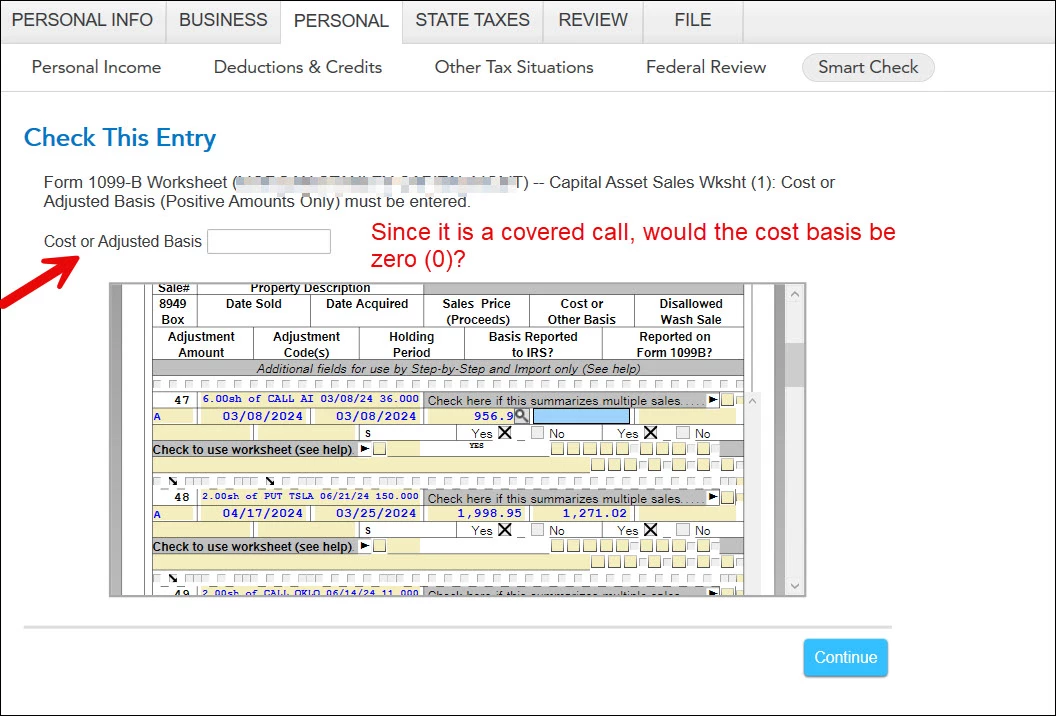
Turbo Tax generates numerous errors for covered calls sold...needs cost basis...

  • March 31, 2025
  • 1 reply
  • 0 views

Turbo Tax generating numerous errors for covered calls sold...needs cost basis...

Sold about a dozen covered calls, imported data (finally...TT needs to get rid of whack-a-mole picture-based Captcha pronto...plus it is probably an ADA violation if one has visual impairment as some of the whack-a-mole images are grainy and not easy to distinguish... or at least provide option for text-based verification) and for cost basis it is blank resulting in error.


Do I enter zero (0)? Federal review won't clear and keeps giving error...it is like an endless loop.


Should mention, only 2 calls out of the 12 got assigned. Rest, 10, expired without assignment (or worthless).
 

1 reply

March 31, 2025

Having stocks that are flagged and need review it's because they might have missing information that either wasn't imported properly or aren't easily located within your documents. Some of these missing information could be: Cost basis, proceeds, date acquired, date sold or, description. With a copy of your Form 1099-B you can check one by one to make sure the information that was imported is correct. 

If you have more than 25 transactions that need to be reviewed, you might want to enter them as a sales summary instead of fixing them one by one. Below is a link on how to remove those transactions and instead input them as a whole summary
 

How do I fix multiple “Needs Review” transactions?


bluemoonAuthor
Employee
April 2, 2025

Thank you, Nicole. Is there a video as well of the steps? I should mention; all the data was imported from the brokerage/financial institution (if that makes a difference).

April 5, 2025

While we do not have a video specific to the traditional stock review message you are receiving, here is a video on transaction errors for cryptocurrency you can use that has similar steps.  You can use this video as an overall guide to give you a visual guide based upon NicolleR1's steps above.


How to fix a cryptocurrency transaction error in TurboTax Online - TurboTax Support Video

**Say "Thanks" by clicking the thumb icon in a post**Mark the post that answers your question by clicking on "Mark as Best Answer"




