

VAer
Employee
January 14, 2023
Question

Turbotax software question

  • January 14, 2023
  • 2 replies
  • 0 views

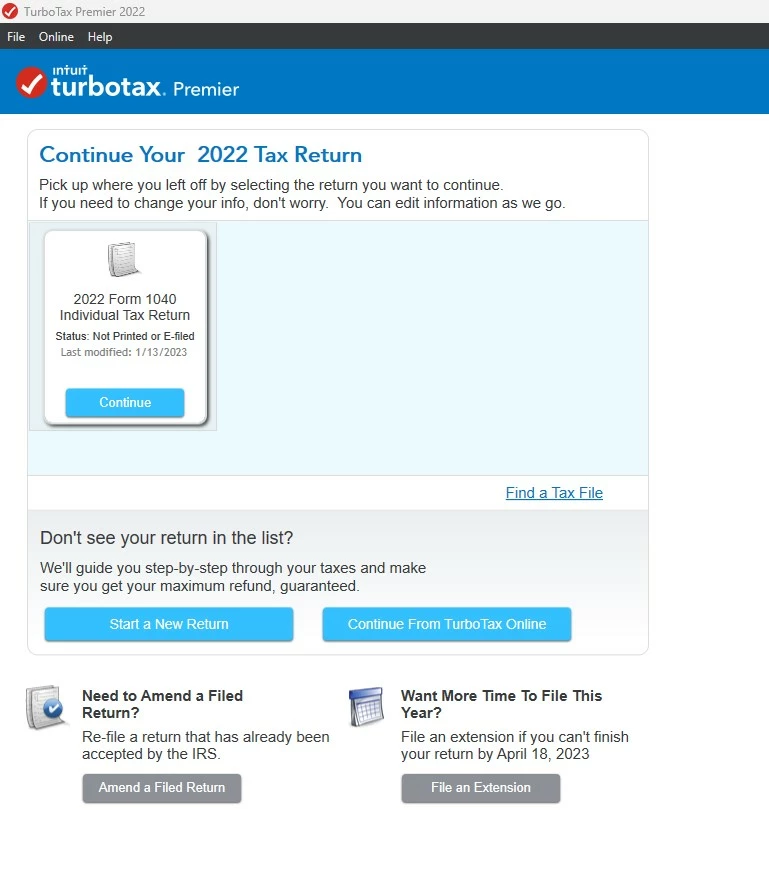
I just bought and installed turbotax from Costco website. I have been using Turbotax website e-file before(I spent around $138 last year for Premier), which is more expensive than software. It costs less than $70 on Costco website, so I decide to use Turbotax from now on.


Question: I downloaded TurboTaxReturn.tax2021 and 2021_TaxReturn.pdf, when I start a new return, and I browse TurboTaxReturn.tax2021, and it will import personal information from previous year. Does it import carryover loss from previous year? Do I need 2021_TaxReturn.pdf? I saw from a post somewhere that I need both TurboTaxReturn.tax2021 and 2021_TaxReturn.pdf, but I don't see how to use both files. Since when it only allows me to browse one file when starting a new return.


I am still waiting for tax forms, and have not really started the return form yet, just want to figure out how turbotax software works.


Thanks.
 

    2 replies

    Employee
    January 14, 2023

    The file you want to transfer in is the tax file, not the pdf.  The tax file is the one with all of the information from the 2021 tax return.


    How to transfer last year’s return? https://ttlc.intuit.com/questions/1900883


    You have to do that transfer at the very beginning, before you start to enter any new 2022 data.

    **Disclaimer: Every effort has been made to offer the most correct information possible. The poster disclaims any legal responsibility for the accuracy of the information that is contained in this post.**
    Critter-3
    January 14, 2023

    If you correctly transfer (not import) the prior year .taxfile when you start the 2022 return (you should have been prompted to do so) then all the carryforward info will be in there ... always check everything before you file which is easy in the downloaded program. 


    This is my mini version of  a tutorial  that should be in the downloaded program: 


    What is Forms Mode?

    Forms Mode lets you view and make changes to your tax forms "behind the scenes."

    If you're adventurous, you can even prepare your return in Forms Mode, but we don't recommend it. You may miss obscure credits and deductions you qualify for, and you may forget to report things that will come back and haunt you later.

    Forms Mode is exclusively available in the TurboTax CD/Download software. It is not available in TurboTax Online.


    Related Information:


    If you want to play around with different figures and tax scenarios without affecting your original return you can ….

    • >>>In the TurboTax CD/Download software by creating a test copy
    • 1.  Open your return in TurboTax. 
    • 2.  From the File menu, choose Save As. 
    • 3.  Give the copy a new name to distinguish it from the original (for example, by adding "Test" or "Example" to the file name). 
    • 4. Click  Save. You are now safely working in the test copy and anything you do here will not affect the original. 
    •  https://ttlc.intuit.com/questions/1900642-how-to-make-a-test-copy-of-your-return


    • >>  use the WHAT IF tool: 
    • - Click Forms Icon (upper right of screen) or Ctrl 2 (forms view) 
    • - Click on the Open Form Icon 
    • - In the “Type a form name.” area type What-If (with the dash), click on the name of the worksheet - click on Open Form 
    • - You will see the worksheet on the right side of the screen; enter the information right into the form 
    • - To get back to interview mode - click on the Step-by-Step Icon (upper right of screen) or Ctrl 1


    It's always a good idea to make a backup copy of your tax data file, in case your original gets lost or corrupted. Here's how:

    1. From the File menu in the upper-left corner of TurboTax, choose Save As (Windows) or Save (Mac).
    2. Browse to where you want to save your backup.
      • Tip: If you're saving to a portable device, save it to your computer first to prevent data corruption. Then, after completing Step 4, copy or move the backup file to your device.
    3. In the File name field, enter a name that will distinguish it from the original tax file (for example, add "Backup" or "Copy" to the file name)
    4. Click Save and then close TurboTax.
    5. Restart TurboTax and open the backup copy to make sure it's not corrupted. If you get an error, delete the backup and repeat these steps.

    If you make changes to your original tax return file, repeat these steps to ensure your original and backup copies are in-synch.

    Related Information:                             


    AND save it as a PDF so you have access to a copy even if you don’t have the program still installed and operational :

    AND protect the files :


    VAer
    VAerAuthor
    Employee
    January 14, 2023

    @Critter-3 


    If I want to review PDF form before e-file, I should go to File > Save to PDF ?


    Curious: Where is form mode to fill out data? Just getting to know more about the software. Is it View >Form ? Or Form > Open Form ?


    Different from full file name TurboTaxReturn.tax2021 downloaded from website, it seems the software default file name is longer --- 2022 Form 1040 Individual Tax Return.tax2022


    Thanks.


    SteamTrain
    Employee
    January 14, 2023

    And yes, the .tax2021 datafile will transfer your carryover loss data.


    But you also want to download all prior tax years of  PDF files to your computer for future reference.


    Once you get out of the Online software.....you may lose track, or access to that online account to get those PDF files at some time in the future, so get those files NOW. 


    Might be a good idea to get the .tax2019 & .tax2020 datafiles while you are at it, just in case you have to amend those years for any reason.  The IRS could still start asking some questions about those...as those years had a mess of confusing changes.

    ____________*Answers are correct to the best of my knowledge when posted, but should not be considered to be legal or official tax advice.*




