
January 15, 2025
Solved

Unable to enter data for SSA-1099

  • January 15, 2025
  • 2 replies
  • 0 views

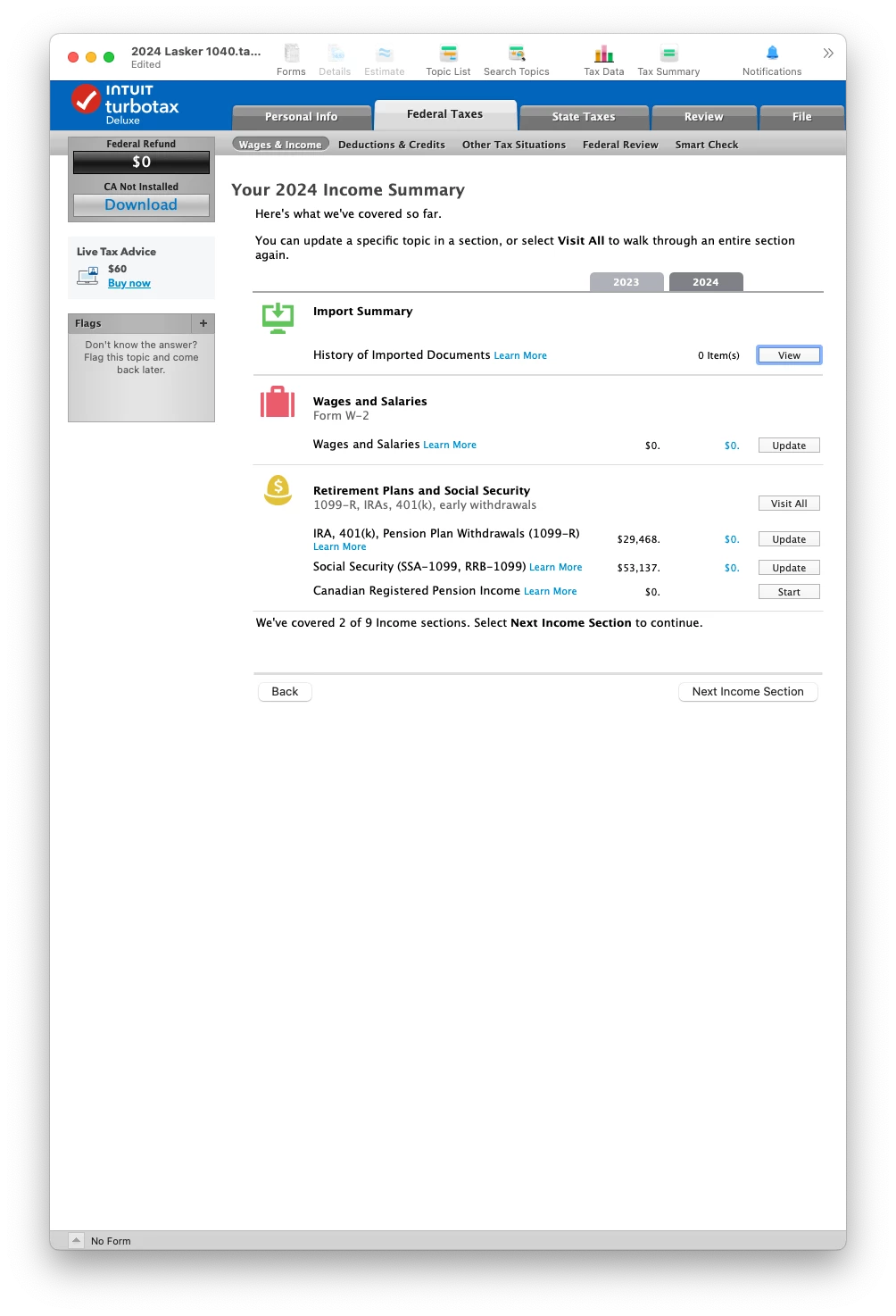
I just downloaded and installed TurboTax 2024 Deluxe desktop on Mac. I transfered my 2023 data. Right now the only tax form I have received is my SSA-1099 and I want to enter it. I am on the page pictured below. When I click "Update" on the Social Security line, nothing happens, TurboTax stays on this page. Is the relevant form not yet available?
 

    Best answer by VolvoGirl

    You might have a form that transferred over from last year.  Switch to Forms Mode and delete the SSA-1099 and the supporting details for it.  Try the solutions in this post started 12/30/24

    https://ttlc.intuit.com/community/retirement/discussion/can-not-update-social-security-2024-turbotax/00/3412327

    2 replies

    VolvoGirl
    VolvoGirlAnswer
    Employee
    January 15, 2025

    You might have a form that transferred over from last year.  Switch to Forms Mode and delete the SSA-1099 and the supporting details for it.  Try the solutions in this post started 12/30/24

    https://ttlc.intuit.com/community/retirement/discussion/can-not-update-social-security-2024-turbotax/00/3412327

    DaveInSFAuthor
    January 15, 2025

    Yes that fixed it, thank you! It's a shame that post didn't show up when I searched for my problem.

    February 15, 2025

    going to FORMS is a work around.  The bug is in the Step by Step which just skips over SS and you  cannot force it.  PLEASE FIX THE BUG

    March 23, 2025

    This is still not working- Intuit please fix, this is a bug that should not happen

    March 23, 2025

    Other users who experienced this issue found that the following workarounds resolved it:


     - If you transferred 2023 Social Security information to your 2024 return: try deleting the Social Security form that transferred over. Look for Social Sec in the list of Forms in Forms Mode, open it and click on Delete Form at the bottom. 


    - If you have a supporting details entry for Box 5 of Line A: Remove the supporting details sheet and return to Step by Step, and the interview process goes forward as normal.  


    -Users have been able to make the needed entries for 2024 in Forms mode.


    I have been able to enter Social Security in step-by-step on my Mac where I don't have a prior year transfer with Social Security. 


    I am making a follow-up request to look into this issue.


    @mwb_miami 


    **Say "Thanks" by clicking the thumb icon in a post**Mark the post that answers your question by clicking on "Mark as Best Answer"




