
January 15, 2025
Solved

Unable to enter data for SSA-1099

  • January 15, 2025
  • 3 replies
  • 0 views

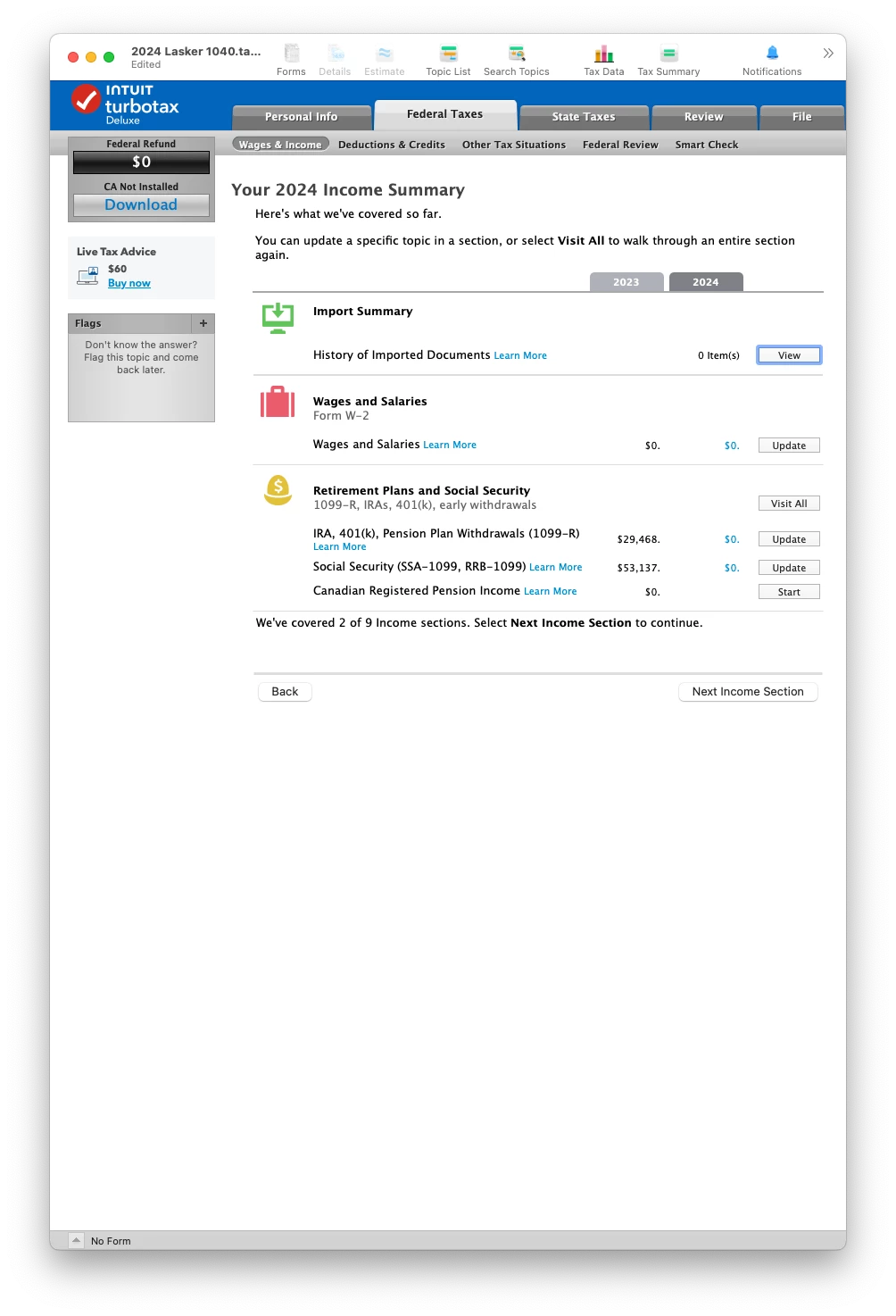
I just downloaded and installed TurboTax 2024 Deluxe desktop on Mac. I transfered my 2023 data. Right now the only tax form I have received is my SSA-1099 and I want to enter it. I am on the page pictured below. When I click "Update" on the Social Security line, nothing happens, TurboTax stays on this page. Is the relevant form not yet available?
 

Best answer by DaveInSF

Fixed it by deleting the Social Security form in the imported data.

3 replies

DaveInSFAuthorAnswer
January 15, 2025

Fixed it by deleting the Social Security form in the imported data.

January 21, 2025

I need to do my taxes now please update my phone number and email please so I'll find somewhere else

DoninGA
Employee
January 21, 2025

@Cabean47_ wrote:

I need to do my taxes now please update my phone number and email please so I'll find somewhere else


See this TurboTax support FAQ for how you update your TurboTax account - https://ttlc.intuit.com/turbotax-support/en-us/help-article/account-status/update-turbotax-account-information/L0YoC0H31_US_en_US?uid=m66i85al

February 8, 2025

I'm having the same issue.  I spent over an hour on the phone with support trying to get this fixed.  I uninstalled and re-installed TurboTax Deluxe and it's still not allowing me to get to the SSA-1099 input.  I asked the rep to escalate this, but I don't think he did anything at all.  In addition to this, every time I try to do a "Search", all it does is call up the "Digital Assistant".


DaveF1006
February 8, 2025

Yes, this is bizarre because this isn't a known issue. In fact, I tested this in my Turbo Tax Deluxe program and it works fine. 


Since you have a desktop program you may try entering the information on the worksheet itself.


  1. Go to the forms mode in your program
  2. Toward the top left of your screen, select open form.
  3. Then in the next screen that appears, type in the word social and then select social security benefits worksheet. See the screenshot below.

**Say "Thanks" by clicking the thumb icon in a post**Mark the post that answers your question by clicking on "Mark as Best Answer"
February 8, 2025

Thanks for your message.  That's actually what I ended up doing, in my TurboTax Deluxe product, and was able to get it all done. 


The actual form option I had in the product is "Social Sec"




