
February 12, 2020
Question

"We Need to Make One More Check" loop - cannot click buttons/no errors to fix/cannot file

  • February 12, 2020
  • 1 reply
  • 0 views

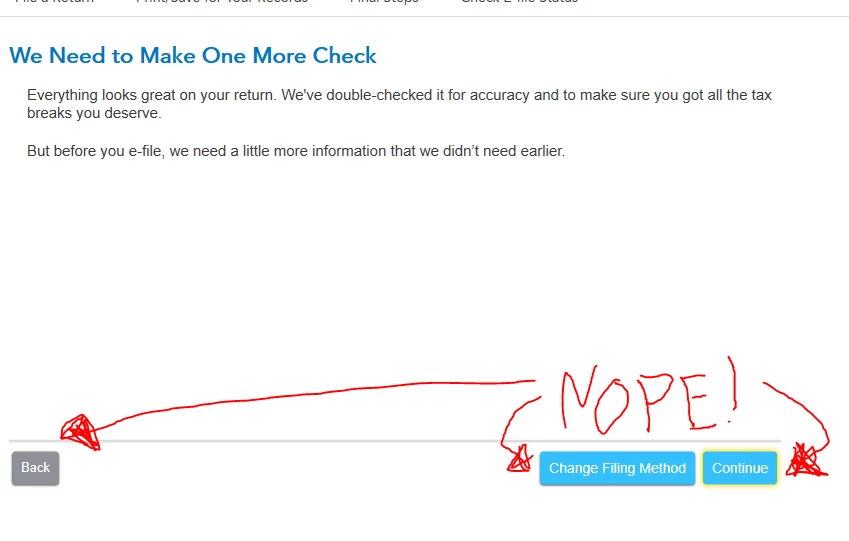
Did every google search known to man and read every post on Intuit's site I could find with similar phrases (there are a few, but they seemed to be NY or at least get some info). For me though - Nada. I'm helping my son file (California) and he's hit this roadblock. After hitting "Transmit Returns" (zero errors prior, btw) we get this error page. NONE of the buttons function. NO info as to what the error could be. Literally, stopped cold here. 


Yes up to date.

Yes redid taxes from scratch (I see that second pending charge for State Intuit - better not post!)

Yes I did all the random suggestions like reinstalling/cookies/etc.

Yes I restarted TT a gazillion times.


No, there is no actual Error we're presented.


Please help?
 

    1 reply

    February 12, 2020

    Of note - if I hit "Change Filing Status" BEFORE hitting Continue or Back, I am sent back to the page where I choose my Filing Status (Efile or Paper, not actual Filing Status). 


    IF I HIT Continue before Back or Change Filing Status, NONE OF THE BUTTONS WORK at that point, only adding to the confusion.


    Seriously - please help. This is ridiculous. He has a very basic return (student, job, standard deduction). 

    February 12, 2020

    https://ttlc.intuit.com/community/tax-topics/help/state-loop-indicates-turbotax-is-up-to-date-after-updating-but-won-t-allow-you-to-install-your-state/00/1127787


    While this doesn't mention the issue I had verbatim, for others with my issue (loop on submit), this DID work.

    Download the zip, unzip, run it, follow the directions in the post (for me, up to step 7. I did not Remove All, just Cali).


    Of note, I had the windows download.

    Employee
    February 12, 2020

    Please see the FAQ for assistance: https://ttlc.intuit.com/community/tax-topics/help/turbotax-desktop-windows-update-loop-at-e-file/00/1116299


    We apologize for any inconvenience this experience has caused and we are working diligently to help the returns get filed. On the above FAQ there is a link "here" that you can click on to receive an update once this has been corrected. Again, we apologize for any inconvenience this has caused.

    **Say "Thanks" by clicking the thumb icon in a post**Mark the post that answers your question by clicking on "Mark as Best Answer"




