

Solved
-What If- Option
Turbo Tax used to have a "What If" option which allowed you to run different tax scenarios while getting your tax return together. I found it very useful. Was I the only one?
Turbo Tax used to have a "What If" option which allowed you to run different tax scenarios while getting your tax return together. I found it very useful. Was I the only one?
Go to Forms Mode, click Forms in the upper right or on the left for Mac. Then click Open Forms box in the top of the column on the left. Open the US listing of forms and towards the bottom find the What-if worksheet. It's right under Estimated Taxes.
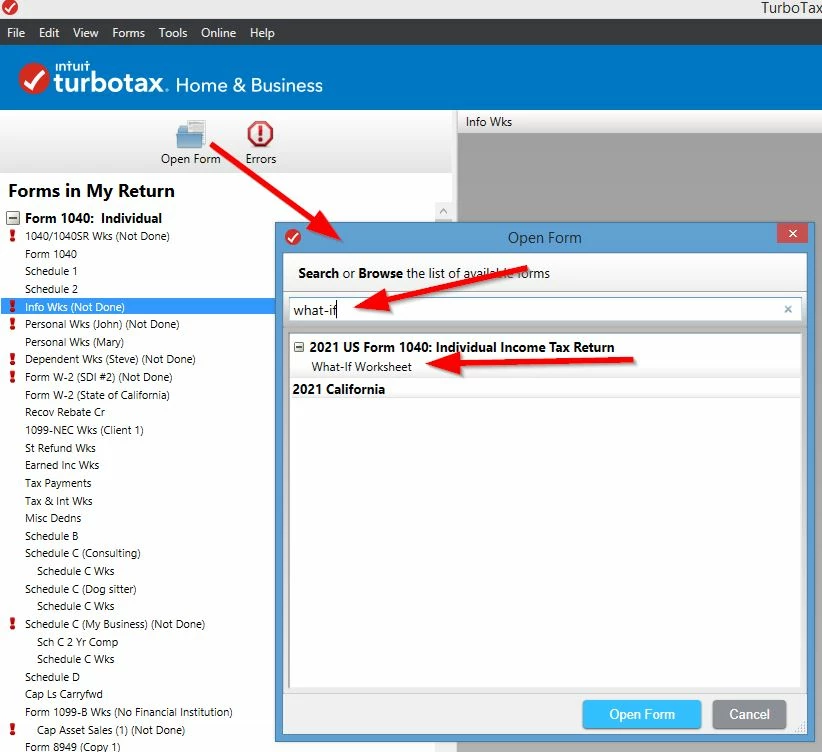
Or try…Go into Forms View. Once there, at the top of the left column, click on the icon for "Open Form". A popup window will appear. In the text line, type the word "what" without quotes. You should see "what-if worksheet" appear as a selection choice. Double-click it to launch the form.
Here's a couple screen shots for Windows
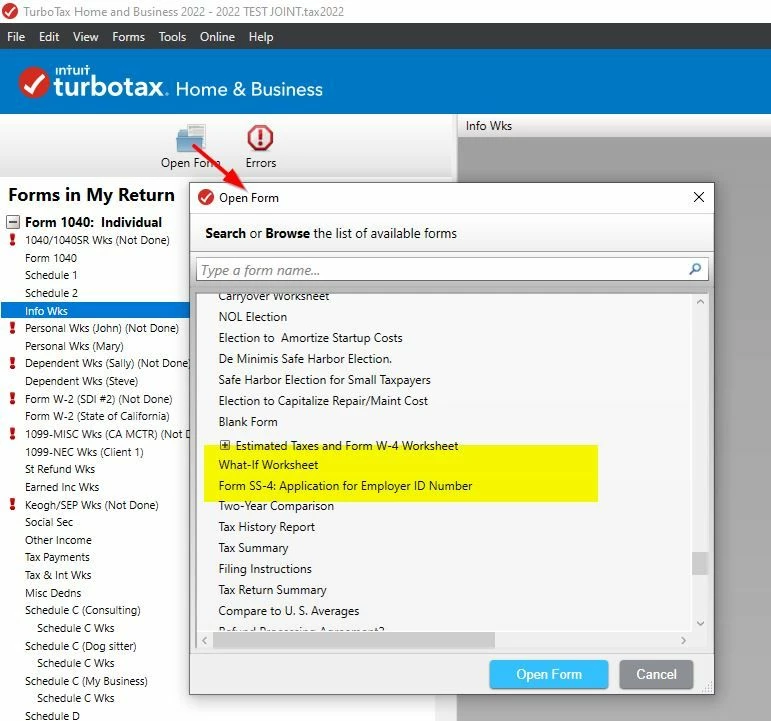
OR using SEARCH
Enter your E-mail address. We'll send you an e-mail with instructions to reset your password.





©1997-2022 Intuit, Inc. All rights reserved.
Intuit,
QuickBooks, QB, TurboTax, ProConnect, and Mint are registered
trademarks
of Intuit Inc. Terms and conditions, features, support, pricing,
and service options
subject to change without notice.
Security
Certification of the TurboTax Online application has been
performed by
C-Level Security.
By accessing and using this page you
agree to the
Terms of Use.
Accessibility


