
March 4, 2023
Solved

How do i enter into turbo tax investment capital loss with no 1099B (Co went out of business)

  • March 4, 2023
  • 1 reply
  • 0 views
I have an Investment Certificate since 1995 the company is now closed. How do I claim that capital loss in TT with no 1099?  
Best answer by PattiF

To enter the stock sale without a 1099-B follow these instructions:


  •  Click on Income & Investments
  • Scroll to Investments and Savings and click on Start (or Edit or Review)
  • Click on Add Investments. And then Continue on the next page
  •  Choose to Enter a different way
  • Pick Stocks, Bonds, Mutual Funds and Continue
  • Which bank or brokerage sent you a 1099-B for these sales?, Enter name of brokerage or something descriptive
  • Answer questions on next page and Continue
  • Now, Choose how to enter your sales, One by one, Continue
  • Continue past the page Look for your sales on your 1099-B
  • You can enter your sales on the next page.
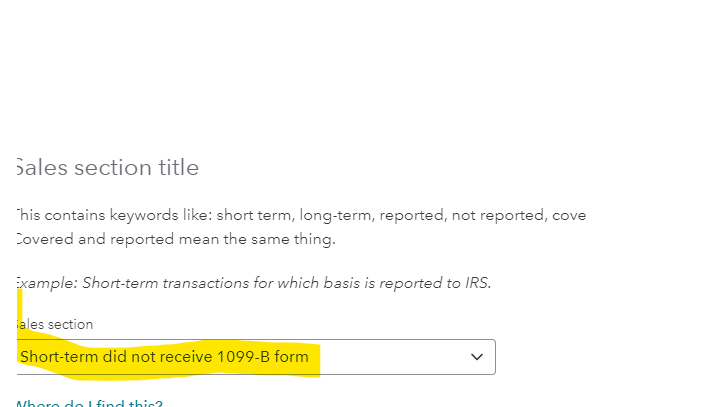
  • In the first box, Sales section, Choose Short-term (or long-term) did not receive 1099-B form

Continue with the information for your sales
 

1 reply

PattiFAnswer
March 6, 2023

To enter the stock sale without a 1099-B follow these instructions:


  •  Click on Income & Investments
  • Scroll to Investments and Savings and click on Start (or Edit or Review)
  • Click on Add Investments. And then Continue on the next page
  •  Choose to Enter a different way
  • Pick Stocks, Bonds, Mutual Funds and Continue
  • Which bank or brokerage sent you a 1099-B for these sales?, Enter name of brokerage or something descriptive
  • Answer questions on next page and Continue
  • Now, Choose how to enter your sales, One by one, Continue
  • Continue past the page Look for your sales on your 1099-B
  • You can enter your sales on the next page.
  • In the first box, Sales section, Choose Short-term (or long-term) did not receive 1099-B form

Continue with the information for your sales


**Say "Thanks" by clicking the thumb icon in a post**Mark the post that answers your question by clicking on "Mark as Best Answer"




