
March 25, 2023
Solved

How do I enter Section 1256 Options from Webull? I am so confused. πŸ˜•

  • March 25, 2023
  • 1 reply
  • 0 views
 

Howdy!


I got a bit of a surprise on my Form 1099 Composite from Webull this year on my 2022 Tax Documents, and while I've found the appropriate section in TurboTax to enter the information, viz. Contracts and Straddles, I just don't know how to enter everything, to be honest. It doesn't quite look how I expected it to.

Here is the sort of pictorial paper trail of where I'm at now:
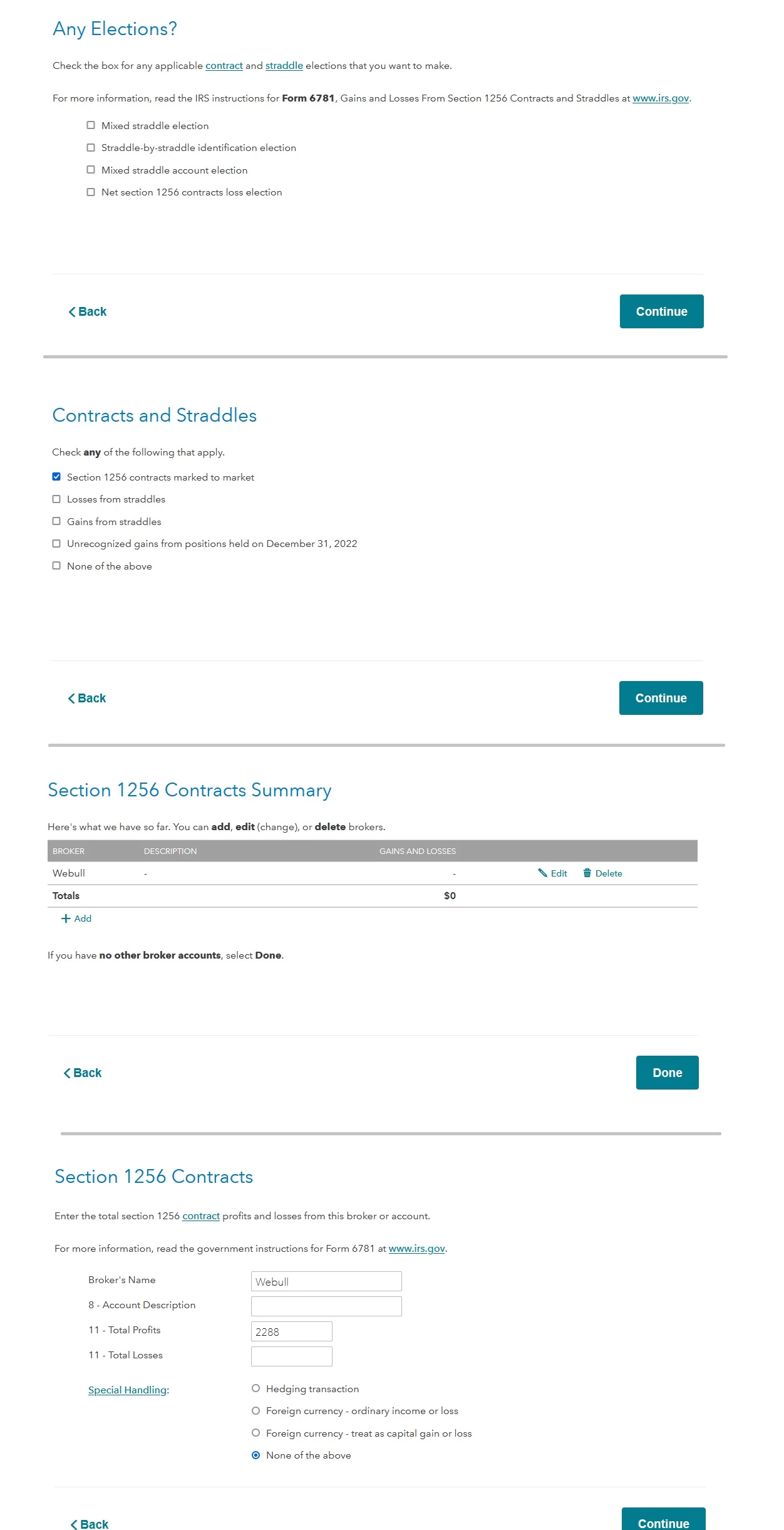


For whatever reason, I can't enter 22.88, because the decimal is always removed. o_O If that's intended, I may just be in the somewhat wrong place in TurboTax to do this, but I don't know.

Here's the page from the Form, below:
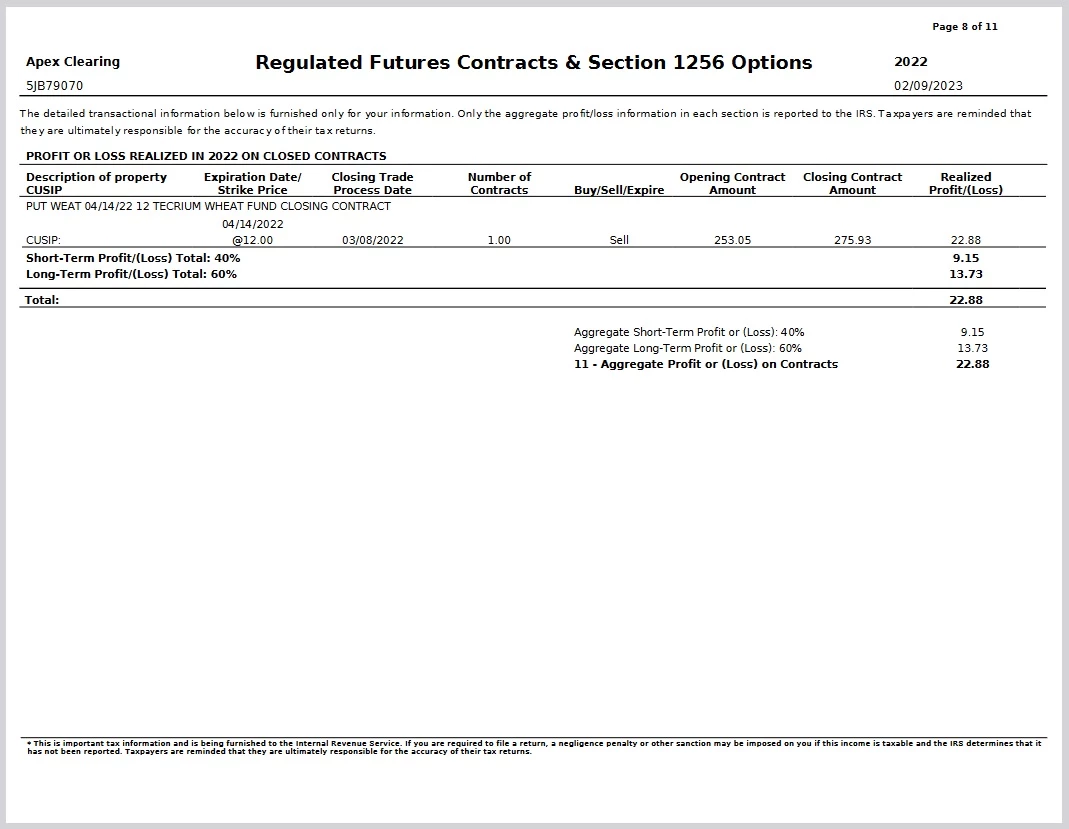


Any help is hugely appreciated!! Thank you!
Jon


Best answer by DawnC

You are in the right spot.  Enter 23 with no decimal points into the Total Profits Box.   TurboTax will round your amount of 22.88 up to $23, so you can just enter 23 dollars.    Click Done at the bottom of the summary screen.   


1 reply

DawnC
DawnCAnswer
Employee
March 26, 2023

You are in the right spot.  Enter 23 with no decimal points into the Total Profits Box.   TurboTax will round your amount of 22.88 up to $23, so you can just enter 23 dollars.    Click Done at the bottom of the summary screen.   


**Say "Thanks" by clicking the thumb icon in a post**Mark the post that answers your question by clicking on "Mark as Best Answer"
jonpkorteAuthor
March 28, 2023

Okay, thank you so much for your help!




