
August 18, 2024
Solved

Where to look for " FIND BUTTON" under search field in the toolbar at the top of the creen (turbotax desktop version) ?

  • August 18, 2024
  • 1 reply
  • 0 views

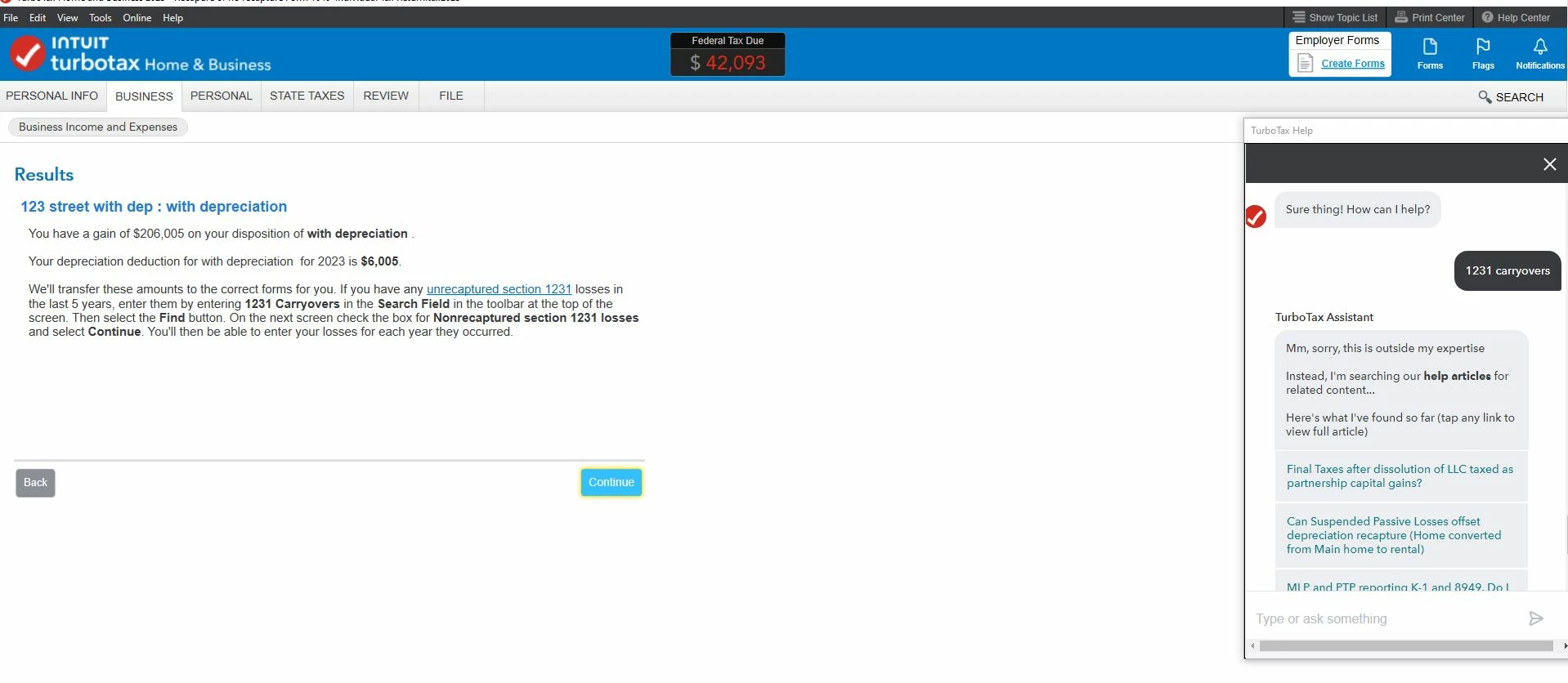
Here is the instruction at TurboTax desktop version when I select sold a rental at Sch E.


Any unrecaptured section 1231 losses in the last 5 years, enter the data by entering 1231 carryovers in the SEARCH FIELD  at the top of the screen. Then selec the FIND button. 


I can not search for this " FIND" button. 
 

    Best answer by rjs


    @csdl2024 

    By the way, when you type "1231 carryovers" in the Search box, make sure you include the "s" at the end. If you type "carryover" without the "s" it won't work. As I said, they don't make it easy.


    1 reply

    rjs
    Employee
    August 18, 2024

    There is no Find button. In the Search box type "1231 carryovers" (without the quotes) and press Enter, then click the link that says "Jump to 1231 carryovers."


    csdl2024Author
    August 18, 2024

    Thank you for your input. 

    But where to type "1231 carryovers" at TurboTax desktop version? 

    VolvoGirl
    Employee
    August 18, 2024

    I made you a screen shot from my Windows Home  & Business program.  After you type 1231 carryovers you have to hit the Enter key to get the Jump to link




