February 23, 2025
Solved

duplicate entries capital assets worksheet and 1099B worksheet

  • February 23, 2025
  • 1 reply
  • 0 views

I am working on my turbo tax 2024 premier tax return and it appears that I may have entered information for the sales two different ways before I did the step by step approach and have a capital assets sales worksheet and a 1099 B worksheet for my bond and stock account sales.

How do I determine if I have duplicated the information
    Best answer by JamesG1

    You may have to review and compare the individual entries.


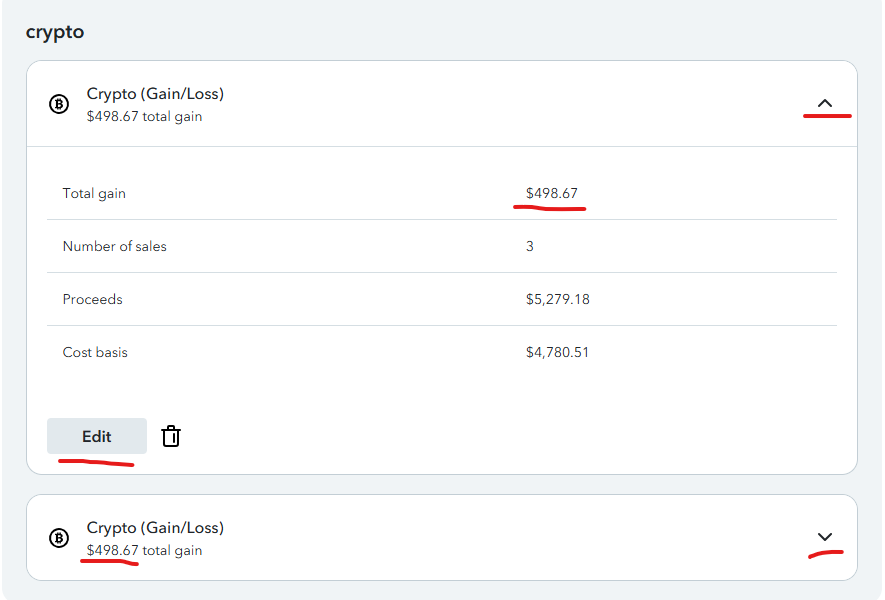
    At the screen Let's finish pulling in your investment income, click the down arrow to the right and click Edit to see the individual transactions.


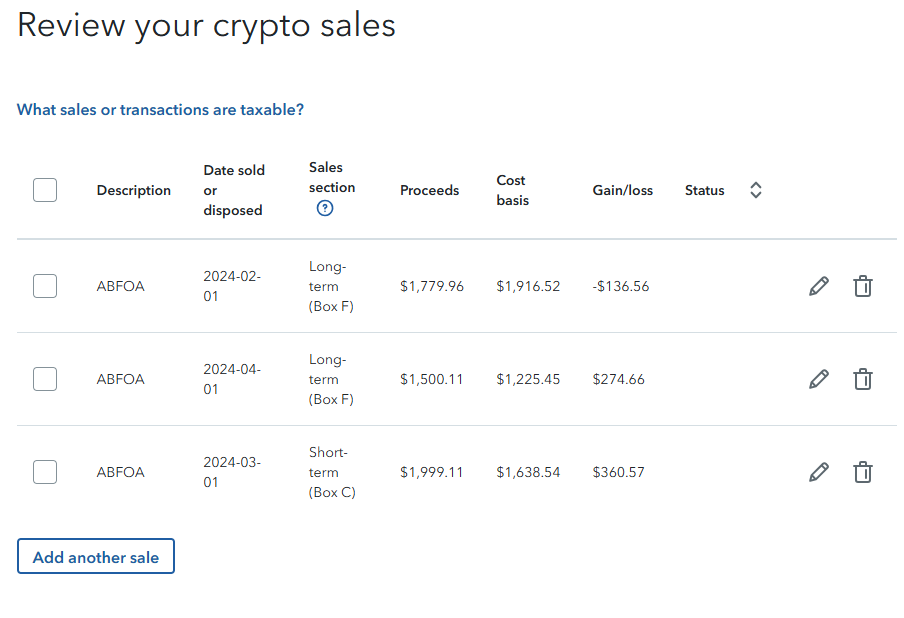
    At the screen Review your sales, you may see the individual transactions.


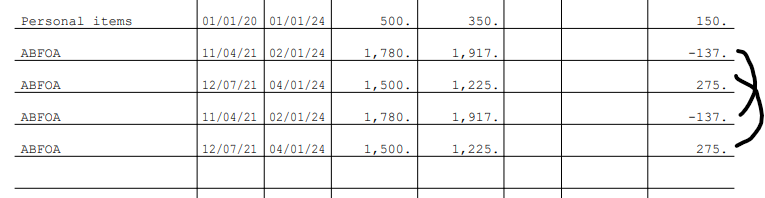
    Or you may view the IRS form 8949 Sales and Other Dispositions of Capital Assets to see whether transactions have been duplicated.


    You may print or view your full tax returns prior to filing after you have paid for the software.


    • View the entries down the left side of the screen at Tax Tools.
    • Select Print Center.
    • Select Print, save or preview this year's return.

    1 reply

    JamesG1Answer
    February 24, 2025

    You may have to review and compare the individual entries.


    At the screen Let's finish pulling in your investment income, click the down arrow to the right and click Edit to see the individual transactions.


    At the screen Review your sales, you may see the individual transactions.


    Or you may view the IRS form 8949 Sales and Other Dispositions of Capital Assets to see whether transactions have been duplicated.


    You may print or view your full tax returns prior to filing after you have paid for the software.


    • View the entries down the left side of the screen at Tax Tools.
    • Select Print Center.
    • Select Print, save or preview this year's return.
    **Say "Thanks" by clicking the thumb icon in a post**Mark the post that answers your question by clicking on "Mark as Best Answer"