
January 29, 2024
Solved

IF I got a revised 1099-R after I entered the original one, how can I deleter the old one and enter the revised one?

  • January 29, 2024
  • 1 reply
  • 0 views
No text available
Best answer by JohnB5677

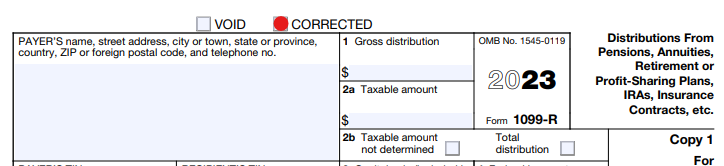
If you haven't filed your tax return yet, you can simply go back to the 1099-R input screen and type over the old one, or hit the Trashcan on the side to completely delete it.

There should be an indication that it is a revised form.  Be sure that you check that box.


If you've submitted your taxes to the IRS, you must wait until they are completely processed, and then file an amended tax return.


If you want to make changes, or add a document to a tax return that has already been submitted you should follow these guidelines.

  • You must first wait until the initial return is completely processed.
  • You will have to use the same TurboTax account that you used for the original tax return.
  • Once you begin your amendment, you'll see your original return. 
    • The refund calculator will start new at $0 and only reflect the changes in the refund or tax due
    • Only make changes to the areas of your return that need amending.
  • You have three years from the date you filed your return or two years after you paid the tax due (whichever is later) to file an amendment


Sign in to TurboTax

  1. On the home screen, scroll down to Your tax returns & documents and 
  2. Select the year you want to amend
  3. Select Amend (change) return, then 
  4. Amend using TurboTax Online
    1. If you're told to amend your return via TurboTax Desktop, follow the steps for TurboTax CD/Download below instead.
  5. On the screen OK, let's get a kickstart on your amended return, select the reason(s) you're amending and Continue.
  6. When you reach Here's the info for your amended federal return, select Start next to the info you need to change.
  7. Continue through the screens, make the changes you need to make, and carefully answer the remaining questions to finish amending your return.


1 reply

Employee
January 29, 2024

Your filed return will be pending until the IRS starts accepting returns on Jan 29 and can not be changed. If your return is accepted you will get an email. If the return is rejected the e-mail will tell you what to correct and you can make changes before e-filing again. Amend to change an accepted return after you get your refund. Instructions below

https://ttlc.intuit.com/turbotax-support/en-us/help-article/tax-return/amend-federal-tax-return-current-year/L7eS6o1qh_US_en_US?uid=lqylnbrx

Unfiled return

https://ttlc.intuit.com/turbotax-support/en-us/help-article/tax-forms/view-delete-forms-turbotax-online/L7SZhwCHv_US_en_US?uid=lrzc56k3


JohnB5677
JohnB5677Answer
January 30, 2024

If you haven't filed your tax return yet, you can simply go back to the 1099-R input screen and type over the old one, or hit the Trashcan on the side to completely delete it.

There should be an indication that it is a revised form.  Be sure that you check that box.


If you've submitted your taxes to the IRS, you must wait until they are completely processed, and then file an amended tax return.


If you want to make changes, or add a document to a tax return that has already been submitted you should follow these guidelines.

  • You must first wait until the initial return is completely processed.
  • You will have to use the same TurboTax account that you used for the original tax return.
  • Once you begin your amendment, you'll see your original return. 
    • The refund calculator will start new at $0 and only reflect the changes in the refund or tax due
    • Only make changes to the areas of your return that need amending.
  • You have three years from the date you filed your return or two years after you paid the tax due (whichever is later) to file an amendment


Sign in to TurboTax

  1. On the home screen, scroll down to Your tax returns & documents and 
  2. Select the year you want to amend
  3. Select Amend (change) return, then 
  4. Amend using TurboTax Online
    1. If you're told to amend your return via TurboTax Desktop, follow the steps for TurboTax CD/Download below instead.
  5. On the screen OK, let's get a kickstart on your amended return, select the reason(s) you're amending and Continue.
  6. When you reach Here's the info for your amended federal return, select Start next to the info you need to change.
  7. Continue through the screens, make the changes you need to make, and carefully answer the remaining questions to finish amending your return.


**Say "Thanks" by clicking the thumb icon in a post**Mark the post that answers your question by clicking on "Mark as Best Answer"




