

Solved
Keep asking me to fix my tax return-input the business state ID number or check to indicate that the business is out of the state. Did both ways but still can’t proceed
No text available
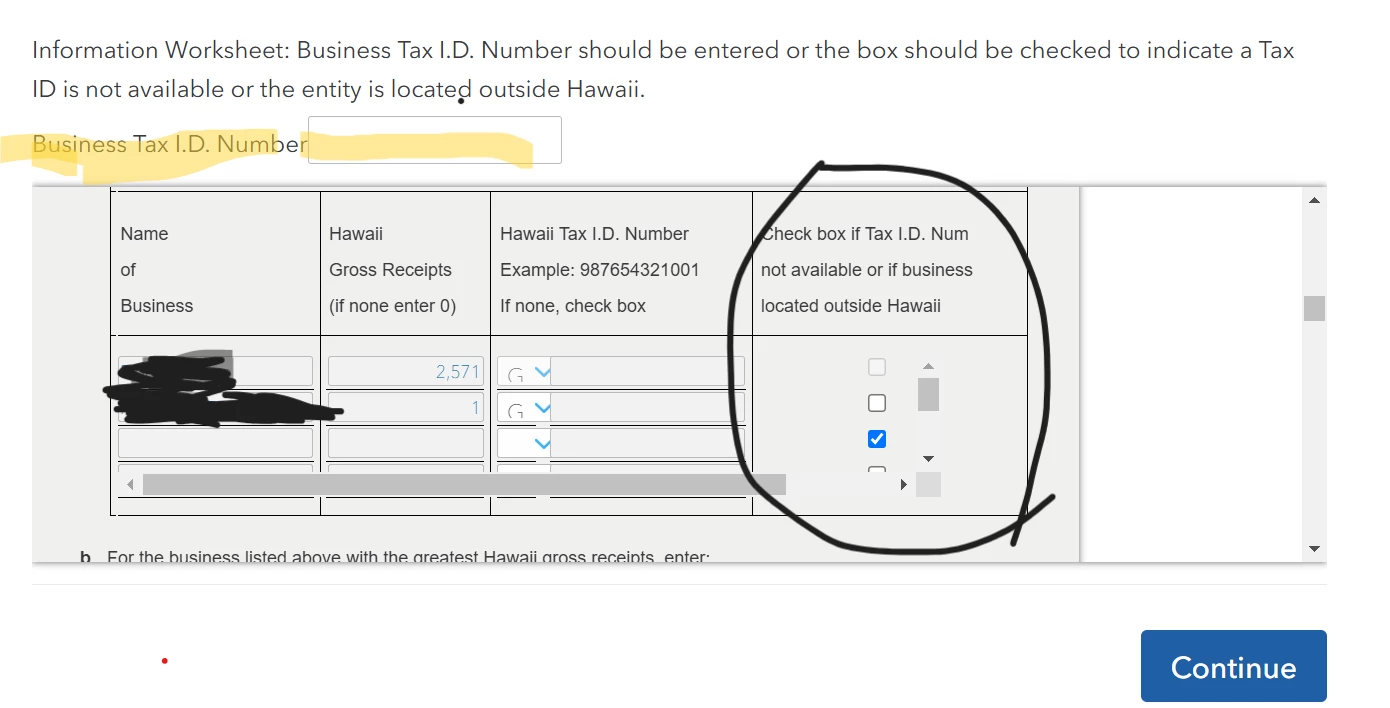
How many businesses do you have; should that 3rd one be deleted? If not, you will need to go back to the Hawaii return. You should exit the review, make the changes, and then return to the review.
Go back through the HI return, until you come to the page titled Hawaii Business Summary. Click Edit next to the problem business, check the box at the top, change the selection to NO ENTRY, click Continue, and enter a zero on the next page.
If you have an empty Schedule C, delete it.
How to delete forms in TurboTax Online
How to delete forms in TurboTax Desktop

Enter your E-mail address. We'll send you an e-mail with instructions to reset your password.





©1997-2022 Intuit, Inc. All rights reserved.
Intuit,
QuickBooks, QB, TurboTax, ProConnect, and Mint are registered
trademarks
of Intuit Inc. Terms and conditions, features, support, pricing,
and service options
subject to change without notice.
Security
Certification of the TurboTax Online application has been
performed by
C-Level Security.
By accessing and using this page you
agree to the
Terms of Use.
Accessibility


