
June 12, 2023
Solved

Where to enter prepaid NY state taxes in Turbotax 2021

  • June 12, 2023
  • 1 reply
  • 0 views

Where do I enter overpaid state tax from 2020 NY return that was applied to 2021 return I am filing?


I noticed that under Deduction & Credits for Federal section there is "State Estimated Taxes for 2021", however when I choose it, it says to NOT enter overpaid 2020 taxes that were applied to 2021. So where the hell I enter them??
    Best answer by SteamTrain

    @jamroz   For the interview navigations,  Close, but not quite right. 

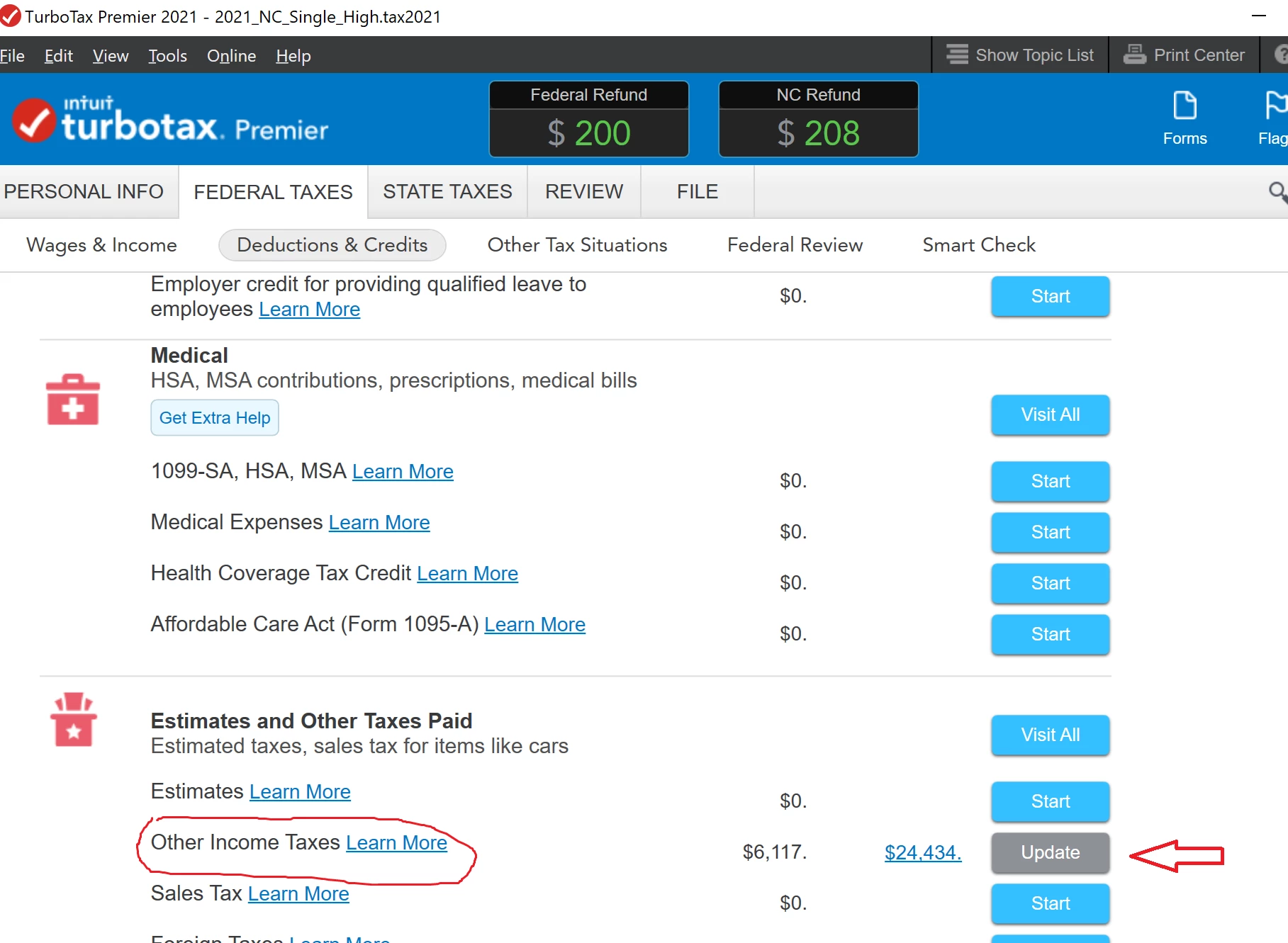
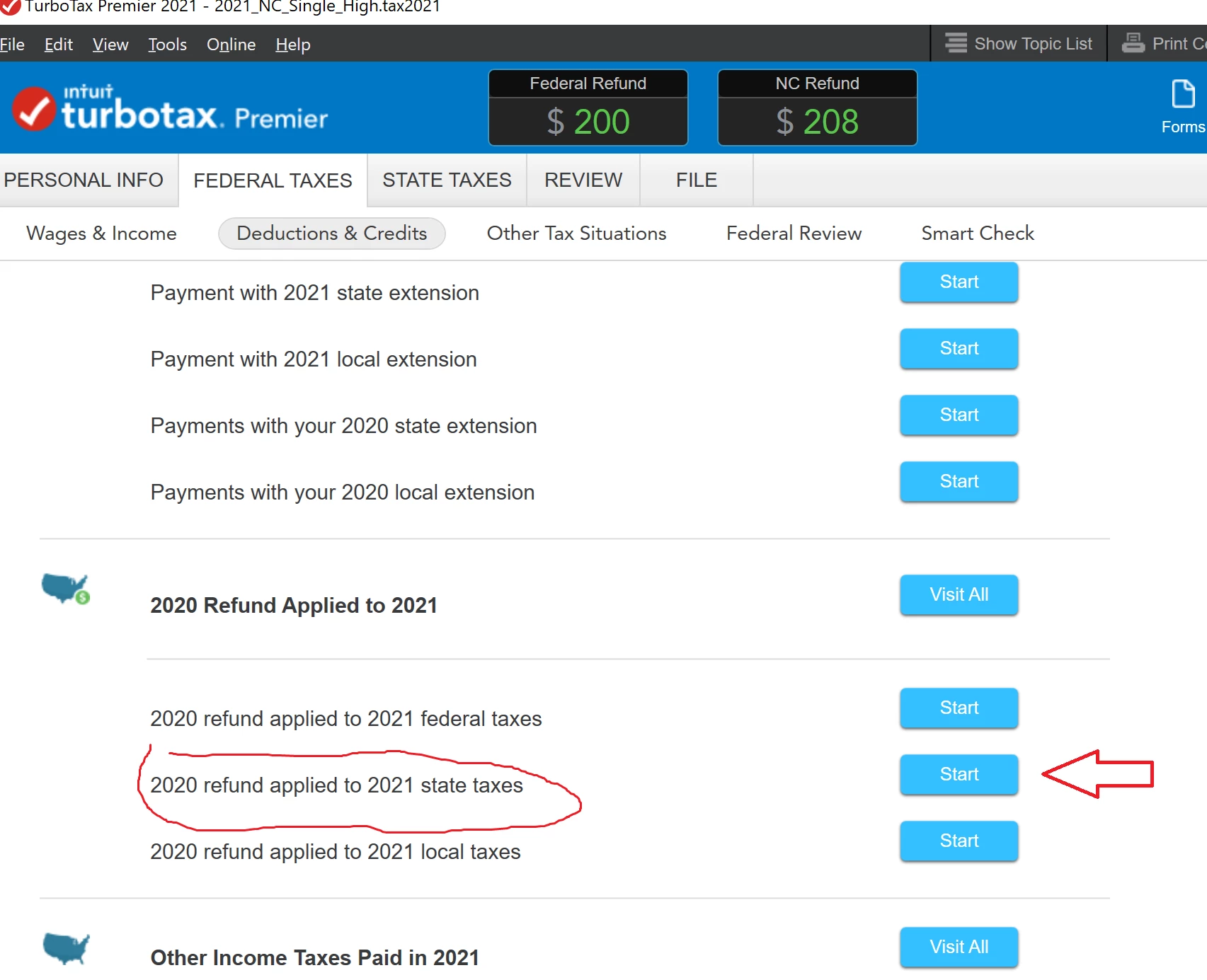
    You clicked on the "Estimates" line.

    You were supposed to click on the "Other Income Taxes " selection.


    You should check there again since there's a bunch of other tax payment types in that "Other..." menu selection you might need someday, and it's best to learn where they all are now.

    _________________________________


    _________________________________


    1 reply

    VolvoGirl
    Employee
    June 12, 2023

    If it didn't transfer over from last year then enter a refund from last year that you applied to this year here.   BUT first make sure it's not already there.  You don't want to apply it twice.


    To enter last year's refund you applied to this year.

    Federal (Personal for Home & Business)

    Deductions and Credits

    Then scroll way down to Estimates and Other Taxes Paid

    Other Income Taxes - Click the Start or Revisit


    Next page scroll down to 2021 Refund Applied to 2022

    Click Start or Update by the tax you applied


    Then for state, you need to click on the state tab and go through state again for it to update.

    jamrozAuthor
    June 12, 2023

    1) I did not use TurboTax year before so defo it isn't already there
    2) The "2020 Refund Applied to 2021" - there is no such dialog/field...


    When i click "Done" it just says "ok, you paid 0$ then bye".


    I ended up just switching to Forms and filling out this information directly on IT-201myself, hopefully in right place...


    SteamTrain
    Employee
    June 12, 2023

    @jamroz   For the interview navigations,  Close, but not quite right. 

    You clicked on the "Estimates" line.

    You were supposed to click on the "Other Income Taxes " selection.


    You should check there again since there's a bunch of other tax payment types in that "Other..." menu selection you might need someday, and it's best to learn where they all are now.

    _________________________________


    _________________________________


    ____________*Answers are correct to the best of my knowledge when posted, but should not be considered to be legal or official tax advice.*




