December 15, 2023
Solved

TurboTax 2023 State Forms Not Loading after Download

  • December 15, 2023
  • 14 replies
  • 0 views

Since nothing else has worked, regardless of how many computers I try, I thought I'd give a detailed (pics) description of a looping error with the state download(s) from within TurboTax 2023. We'll start with the familiar setup that shows the following:


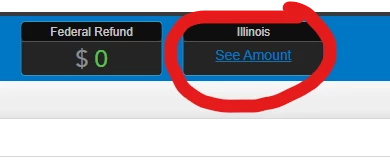
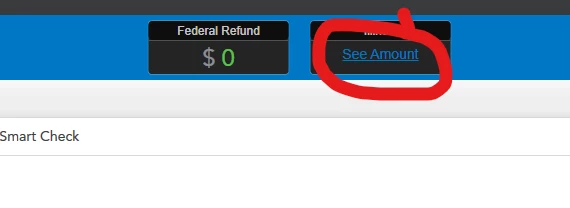
1 - State has not loaded and you want to load it via the top of the screen OR using step-by-step. Results are the same either way. Click on "See Amount"


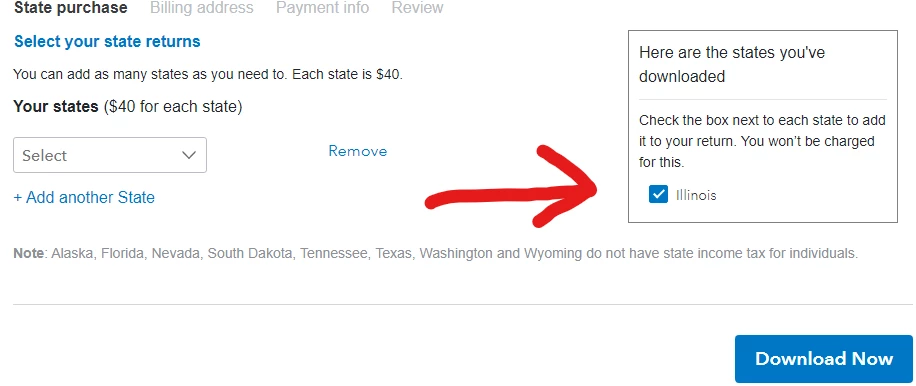
2 - Save the file and the State purchase screen appears. As you can see, I've already downloaded my free state - in this case, Illinois. Click "Download Now"


3 - Up pops the following screen. Click "OK" and proceed.
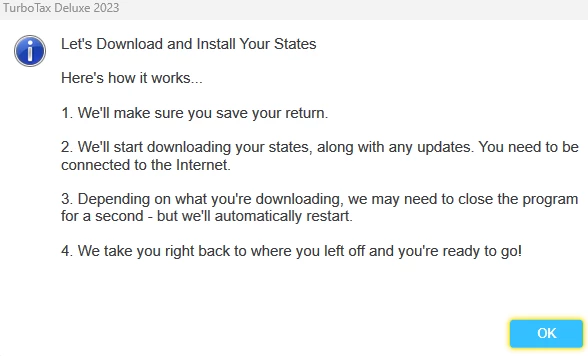


4 - After working for a few seconds, this appears. Again, click "OK" and, sadly, nothing has changed and you are right back where you started. 
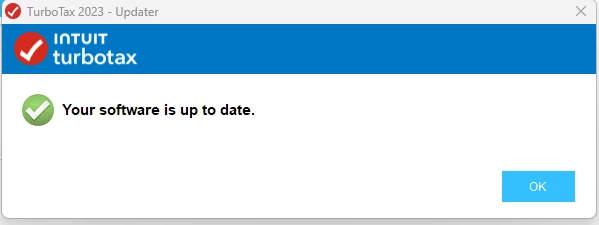


Yes, I've tried the steps listed here: https://ttlc.intuit.com/turbotax-support/en-us/help-article/electronic-filing/state-install-e-file-update-loop-state-installed-e/L0heOIxUQ_US_en_US?uid=lq6yh3vm


Nothing works! Anybody get past this point and can help??


    Best answer by Mike9241

    It's not you. this has happened to everyone who tried to download the state when it wasn't available. possibly a 

    misleading marketing ploy.

    use this link to see when your state will be available at the earliest. it might even be later.

    https://form-status.app.intuit.com/tax-forms-availability/formsavailability?albRedirect=true&product=Turbotax_online&bu=cg 


    return type 1040 individual

    next box select your  state 

    leave the 3rd box blank.


    14 replies

    Mike9241Answer
    December 15, 2023

    It's not you. this has happened to everyone who tried to download the state when it wasn't available. possibly a 

    misleading marketing ploy.

    use this link to see when your state will be available at the earliest. it might even be later.

    https://form-status.app.intuit.com/tax-forms-availability/formsavailability?albRedirect=true&product=Turbotax_online&bu=cg 


    return type 1040 individual

    next box select your  state 

    leave the 3rd box blank.


    toschaAuthor
    December 15, 2023

    Thanks for the reply. I started my return in late November and the state links within the program told me IL was not available until 12/3/2023. After that date, I was able to "download" it and get to the above scenario. Upon clicking your link and checking availability, IL forms show a 1/11/2024 availability. While I do not need the forms for filing for some time, don't let me download what isn't available <<TurboTax/Intuit...are you listening??

    Critter-3
    December 15, 2023

    Dates of availability are always subject to change and most of the state forms will not be functional until mid to late January even if you could download the state program now. 

    January 3, 2024

    Same download problem and this is on 1/3 when the program was to be available.

    Employee
    January 3, 2024

    @rjm1cc

    Sorry——TurboTax is not doing an adequate job of letting users know that few—if any—state programs are ready yet, and that many states themselves do not have their forms ready.   You can check here for when you will have a better chance of completing your state return.   The dates are subject to change.


    Tax form availability tool,

    **Disclaimer: Every effort has been made to offer the most correct information possible. The poster disclaims any legal responsibility for the accuracy of the information that is contained in this post.**
    January 3, 2024

    I have the same problem. I am in PA and TurboTax says forms available on 1/3/24. When I select PA (today 1/3/124) it says it is downloading the state and seems to have no issue except the state forms never show up. Tried multiple times with restarting TurboTax and rebooting laptop. I says that PA was downloaded.

    January 3, 2024

    State (Maryland) download mess...

    Instructions said state not available until 1/3/2024. I waited. Today is 1/3/2024. TurboTax let me pay for the download today - but no license key was provided with the receipt. The product is listed in my 'downloads', but without a link to actually download. 

    Going back to TT desktop and clicking on the State button I get the same looping issue others have mentioned.


    Does Intuit have a solution?


    Employee
    January 3, 2024

    We are not employed by TT---we are volunteers here in the user forum.  Call customer support to complain.


    To call TurboTax customer support

    https://ttlc.intuit.com/questions/1899263-what-is-the-turbotax-phone-number

    Customer support is available from 5 a.m. to 5 p.m. Pacific time Mon- Fri

    **Disclaimer: Every effort has been made to offer the most correct information possible. The poster disclaims any legal responsibility for the accuracy of the information that is contained in this post.**
    January 15, 2024

    I'm having this issue with Turbo Tax business.  

    January 15, 2024

    Same thing with my TT business. It told me it was ready last week. Now I'm either in endless loop of clicking to get it or blank windows.

    January 18, 2024

    Exact same problem downloading and installing PA corp software on the day it became available.  Charging my account for the download, however, worked for intuit.  Incompetent telephone assistance.  this company should be investigated for charging for software that they do not provide.

    January 19, 2024

    Nothing worked - 

    January 19, 2024

    VA is working for me now. I did do an uninstall and reinstall and it still wasn't working. I gave it a few days (early January maybe around the 6th) and it finally started working. 

    January 23, 2024

    I am having the same exact problem trying to get the PA state return to work

    Employee
    January 23, 2024

    Click Review to see if you are missing some forms needed in order to e-file.


    Many federal and state forms are not yet available.  Check here for form availability. The dates are subject to change.


    Tax form availability tool,


    No hurry to e-file since the IRS will not begin to accept/reject 2023 e-files until January 29.   And….a state return cannot be accepted until after the IRS accepts your federal return.

    **Disclaimer: Every effort has been made to offer the most correct information possible. The poster disclaims any legal responsibility for the accuracy of the information that is contained in this post.**
    January 23, 2024

    The availability tool doesn't seem to work either. If I select Ohio all it shows is municipalities and that they are unsupported in the software so I'm not sure what the point is of that.

    January 30, 2024

    The same exact issue happened to me yesterday when I paid for the 1120S Pa. and downloaded the program.  I called Turbo Tax support and this is where the fun begins.  We did a screen share and wasted one hour until the agent called her manager to get involved.  Thirty minutes later her manager called her boss to troubleshoot the issue.  There were now three TT agents seeing my PC and giving me instructions.  Nothing worked.  Then the boss calls her boss and I can hear the entire conversation.  The big boss tells the little boss that the download will not be available until Feb. 2, 2024.  WTF?>?????????

    They tell me that you can pay for the download anytime, but download not available until bla, bla, bla.  Really????????  I've only been using the product for 30+ years and this is the first time this issue ever happened.